-
 HI_Certifications
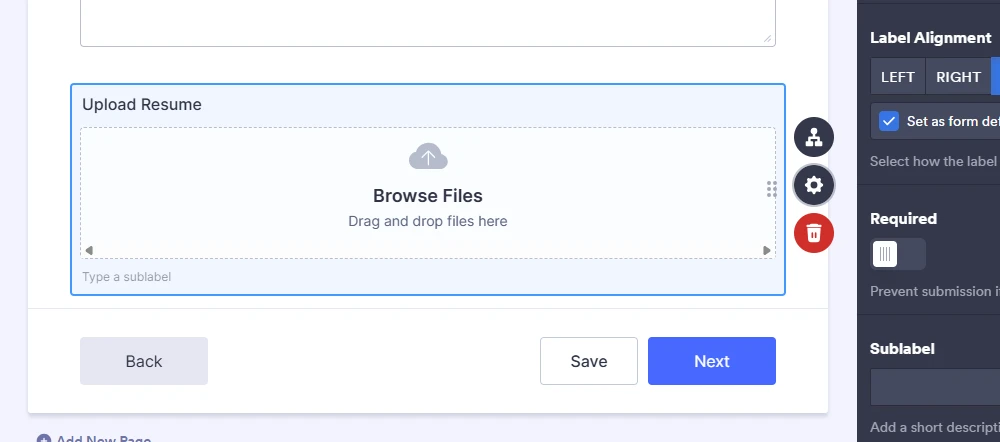
On one of our application forms, a field we have set as not required is marked as required on the live form. The field is set correctly so there is nothing on our end to fix. This is a new issue, as it had always worked correctly up until now.
It's the 'Upload Resume' field.
 Page URL: https://form.jotform.com/241293361457155
 -
 Podo: Support Specialist
Hi Certifications,
Thanks for reaching out to Jotform Support. I'm an AI assistant here to assist you.
Regarding the issue where the 'Upload Resume' field is set as not required but appears as required on the live form, this can sometimes happen due to conditional logic or caching issues.
Let me help you with that:
- Check for Conditional Logic: Go to your form's Settings tab, then select Conditions. Look for any conditions that might be making the 'Upload Resume' field required based on other field inputs.
- Clear Form Cache: Sometimes an old cache of your form can cause display issues. Clear your form cache to ensure the latest settings are applied.
- Verify Field Settings: In the Form Builder, select the 'Upload Resume' field, click the Settings (gear) icon, and confirm the Required toggle is set to off.
If none of these steps resolve the issue, it might be a temporary glitch on the platform side, and further investigation would be needed.
Give it a try and let us know how it goes.