-
 moverton4lplus
 -
moverton4lplus

-
 Kris JotForm Support
Hi Mark,
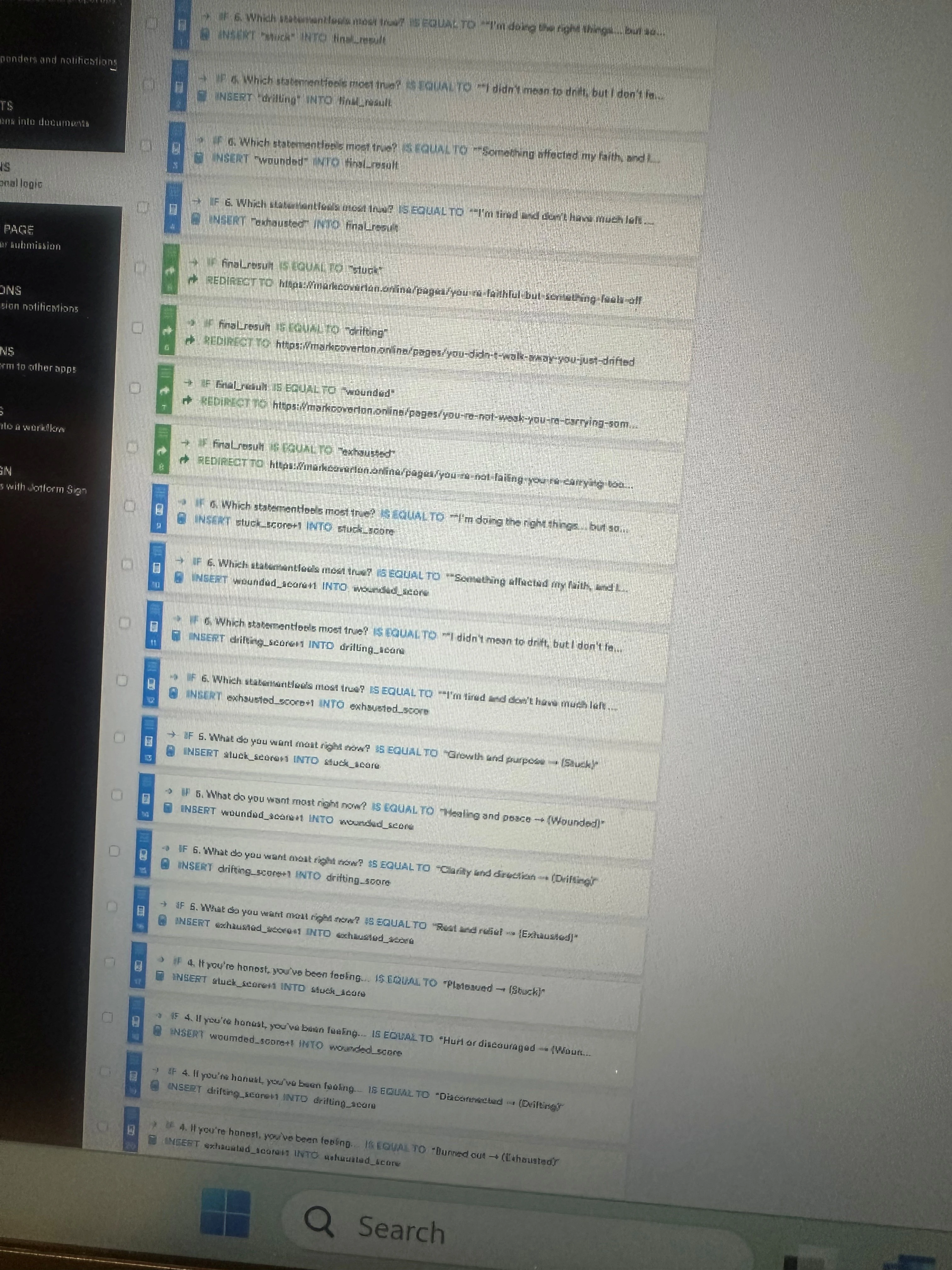
Thanks for reaching out to Jotform Support. I've cloned your form and noticed you've used the Hidden Box widget to show the result. This widget doesn't support conditions, which can't have the result from the Update/Calculate Field condition. Instead, you can use the Short Text elements and hide them. Let me show you how using a cloned form:
1. In Form Builder, click on the Add Element button on the left side.
2. Under the Form Elements below the Basic tab, drag and drop multiple Short Text elements into whichever part of the form page you prefer.
3. Press and hold the Ctrl key on your keyboard and select all the Short Text elements.
4. Now, click on the Hide button on the top right to hide them.
5. Next, in the orange navigation bar on top, go to the Settings tab.
6. Select the Conditions from the left menu.
7. Hover over to the condition with error, and click on the Pencil icon to edit.
8. Update the conditions and use the added Short Text elements in the Summary section. Finally, click on the Save button.
To keep the conversation organized, I moved your other question about form redirection to its thread, and someone from our Support Team will help you with it here.
Let us know if you have any other questions.