-
 Hurst_Max
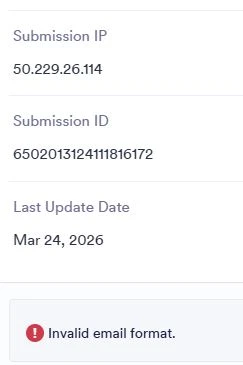
My submissions from an event form state there is an error in the work flow - states invalid email format. I need help identifying where and how to resolve this. I removed all email addresses and still have the same error.

-
 Ronald JotForm Support
Hi Max,
Thanks for reaching out to Jotform Support. The invalid email format error occurs if your workflow has a recipient with an incorrect format. Examples of invalid addresses that could trigger this error are:
- A form submission where the user left the email field blank but they are a recipient in the Workflow.
- A typo in the recipient email, like user@@example.com or userexample.com.
- A recipient email in the workflow that is missing the @ or domain, e.g., admin@ or info@example.
To resolve it, check all emails used as recipients both the static ones in the workflow and any dynamic form fields. If you share the link to your form, I can check it out and help you with a solution.
Reach out again if there’s anything else we can help you with.
-
Hurst_Max
Thank you.
Here is the form URL. I removed all email addresses except mine. Same error.
-
 Rica Support Team Lead
Hi Max,
I checked your Workflow and can see that it was set up correctly. I also cloned your form and tested it to see if I could replicate the issue, but everything was working properly. Check out the screenshot below to see my result:
Can you try deleting the Approval element and adding it again? You can also try to use another email with a different domain. If the issue persists, will you give us permission to test your form and use our email as an approver? We will change it back to your email after testing.
Give it a try and let us know how it goes.