-
 The_WerkstattMetadata Not Recording: The submission data (Workshop selection and Appointment date) is not appearing in the Stripe dashboard payment details. Could you guide me on how to use the "Custom Data Field" or "Stripe Metadata" settings in the Additional Gateway Settings to ensure this information is recorded for invoicing purposes? ``
 -
 Nikola JotForm Support
Hi The_Werkstatt,
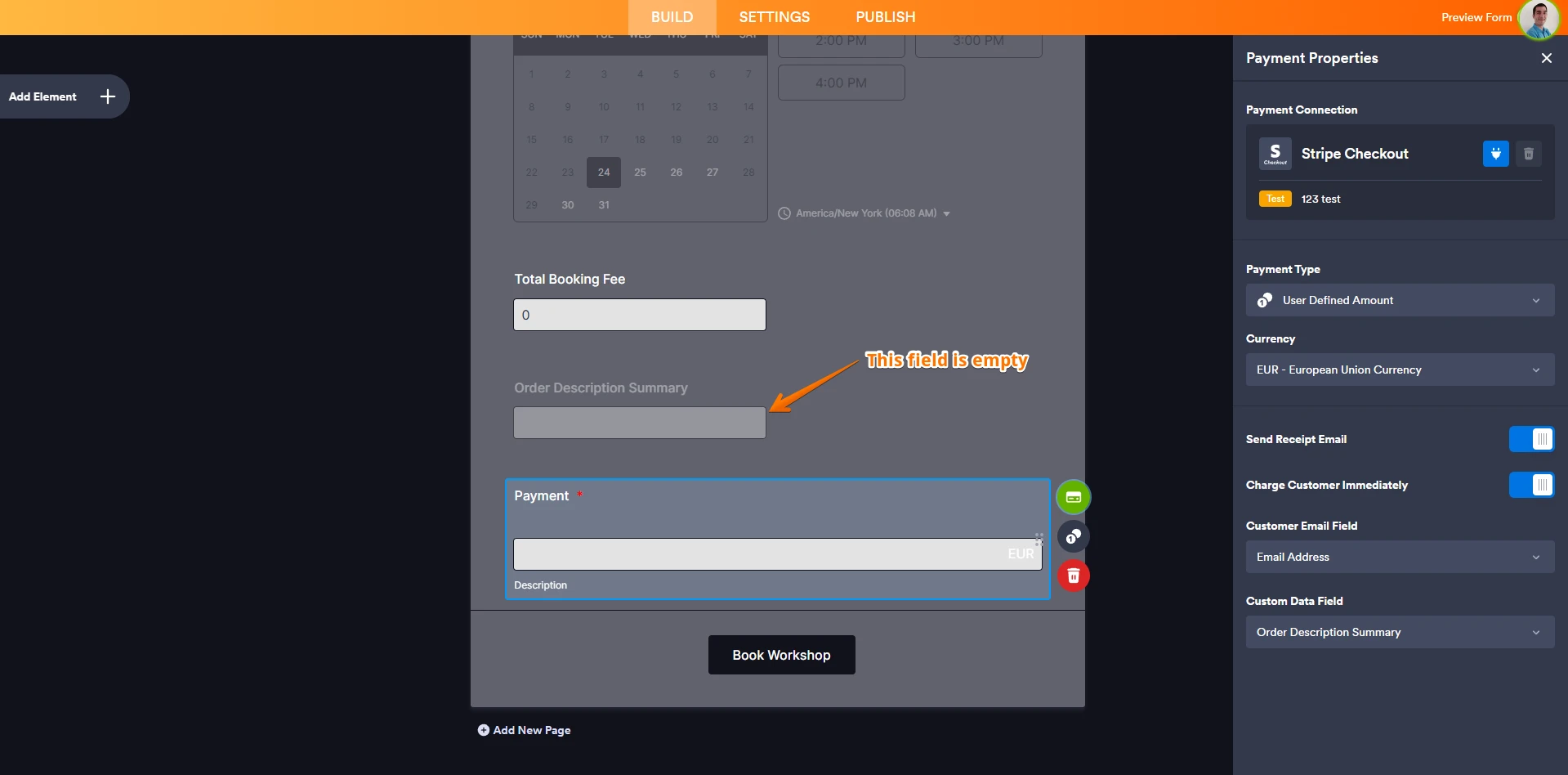
I inspected your form, and the field Order Description Summary you added in payment integration Custom Data Field is empty. Considering that the field is empty, nothing will be passed to Stripe.

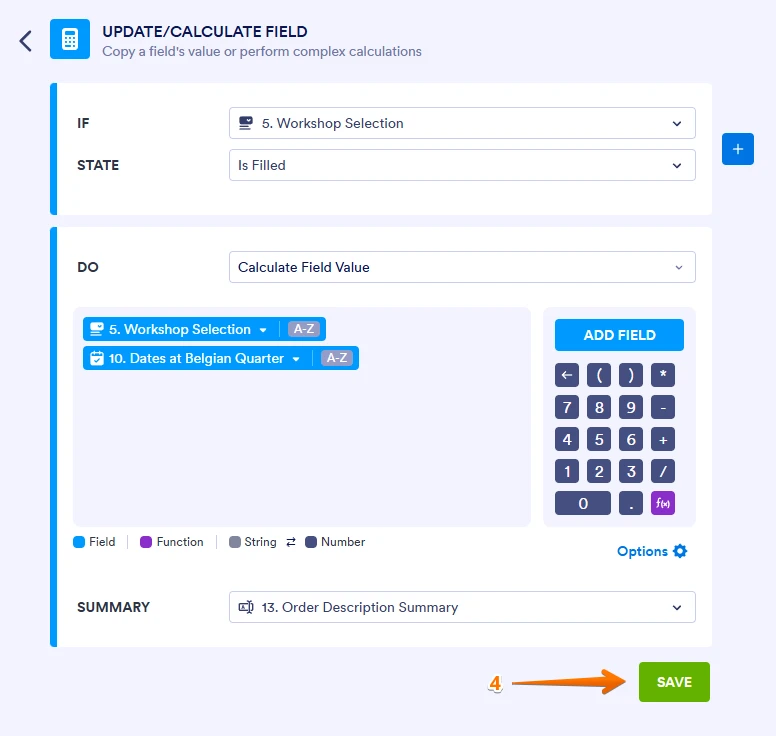
If you want to populate the field Order Description Summary with data from Workshop selection and Appointment date fields, you can use conditional logic. Let me show you how:
1. Open your form in Form Builder, and in the orange navigation bar at the top of the page, click on Settings.
2. In the menu on the left side of the page, click on Conditions.
3. Then, click on Add Condition, then select Update/Calculate Field.
4. Set the condition like you see below, and click on Save.
Also, check out our guide on How to Send Custom Data to Stripe with the Payment to learn more.
Give it a try and let us know if you need any more help.