-
 NGEdwin
Dear Jotform support team,
Good day to you.
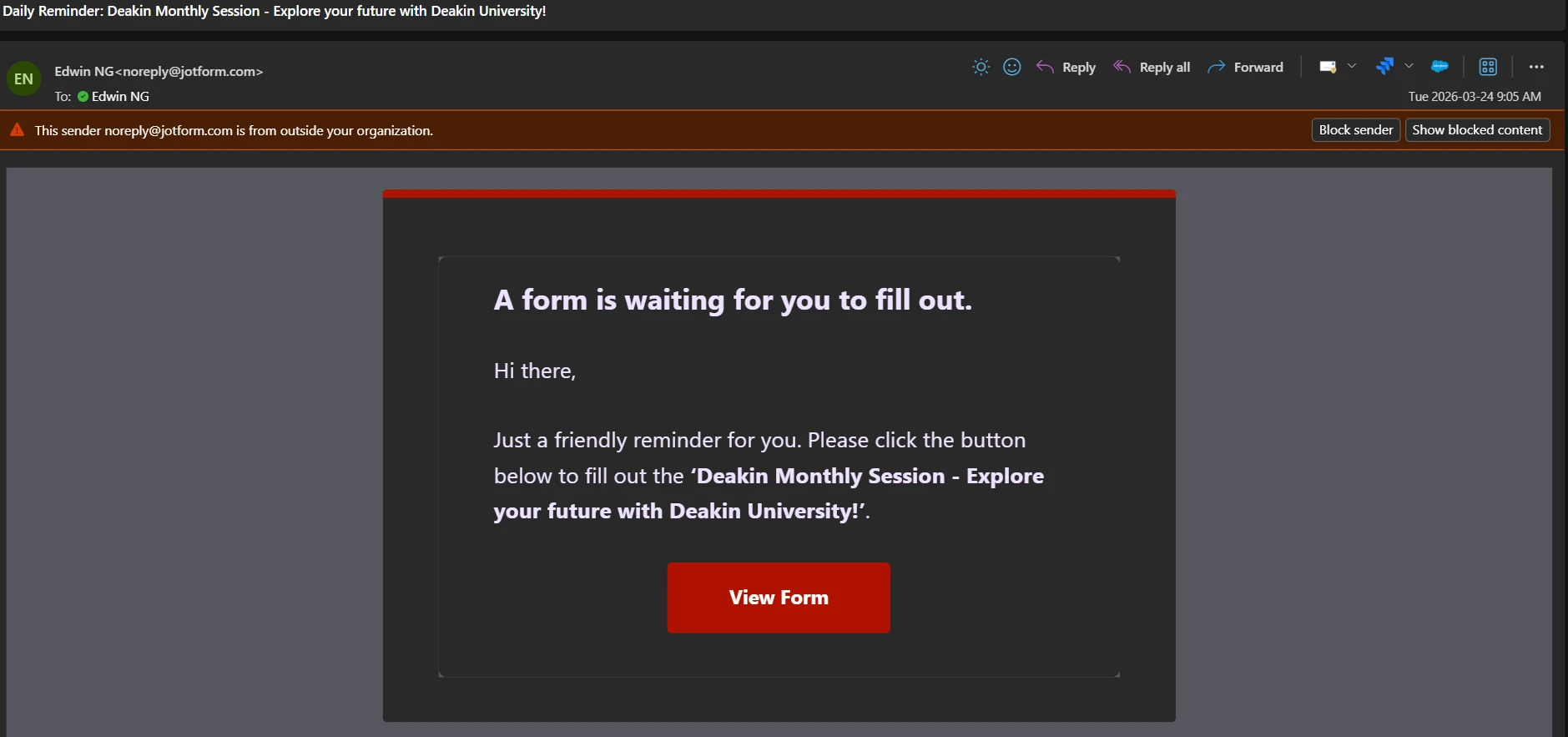
With the above referenced, I have constantly receiving a daily reminder to remind me that there is a form is pending to fill up, however I checked many times on my form, there is no issue.
Could you kindly check and advise on this?
Thanks
Edwin

-
 Podo: Support Specialist
Hi Edwin,
Thanks for reaching out to Jotform Support. I'm an AI assistant here to assist you.
It sounds like you are receiving daily reminder emails about a pending form to fill out, but you don't see any issues with your form. This is likely related to Reminder Emails set up on your form.
Let me show you how to check and manage Reminder Emails:
- In Form Builder, in the orange navigation bar at the top of the page, click on Publish.
- Click on Emails on the left side of the screen, and select the Schedule A Reminder Email option.
- Edit or review the content and schedule of your Reminder Email.
You can also adjust the repeat period, specify when it will be sent, and choose the start and end dates to stop the reminders if needed. Here's how:
- While in the Reminder Emails settings, click on the Schedule tab.
- Adjust the Repeats and Send Date options as needed to select which day or days you would like to send.
- Click the Downward Arrow icon in the Send Time section to change the time it will be sent.
- In the Start Date section, click the Calendar icon to set the starting date. You can also set an end date to stop sending reminder emails on a specific day in the End Date section, and click on Save.
If you want to stop receiving these reminders completely, you can disable or delete the Reminder Email by hovering over it and clicking the Trash Can icon, then confirming the deletion.
Let us know if you have any other questions.