-
 mivlan
Why Images Checkbox applications dont work at all?
If This does not resolve in 1 hour, I will request my bank to stop all payments to jotform for the past 2 years! I request immediate assistance!
Application | Classical Hugs
George Gershwin International Music Competition
-
 Podo: Support Specialist
Hi Classical,
Thanks for reaching out to Jotform Support. I'm an AI assistant here to assist you.
The Images Checkbox application you mentioned is likely related to the Image Picker widget on Jotform. This widget allows users to select images from a gallery you upload to your form. If it is not working, here are some key points to check and steps to ensure it functions properly:
- In Form Builder, add the Image Picker widget from the Widgets tab.
- Upload images by URL or from your device in the Widget Settings.
- Customize settings such as Image Size, Max Selection, and Check Type.
- After making changes, always click Update to save.
If the widget is still not working, it could be due to incorrect setup or a temporary issue with the widget loading. Unfortunately, there is no specific known widespread issue with the Image Picker widget not working, so double-check your widget configuration and try re-adding it.
If you need a different functionality, such as selecting multiple images without checkboxes, consider using the Image Slider widget instead.
Give it a try and let us know how it goes.
-
 Lorenz JotForm Support
Hi mivlan,
I checked your websites where the form is embedded, and the image checkbox widget is showing as expected. Check this out:
The issue may be temporary only, and might have resolved itself already. Can you check your form again? If the issue still persists, you can check with another browser. I've also cleared your form cache as a precaution.
Give it a try and let us know how it goes.
-
mivlan
Lorenz Thanks so much for your reply.
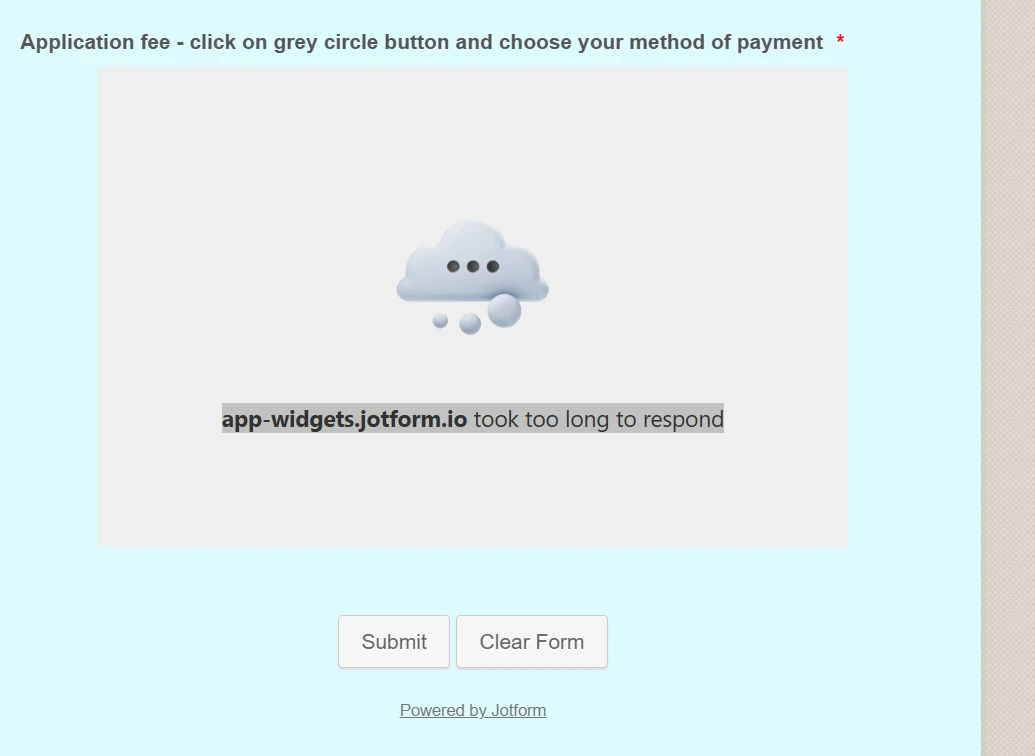
It's weird as it's displayed correctly on my other devices including I-phone and I-pad. However, when i try to load it or edit on my laptop I get precisely the screen I showed you.The from works but is there anything you can advise me do so it's displayed correctly on my laptop, as all work on forms is done on my laptop.
Let me know please. Widgets just don't display.
-
mivlan
My browser is Edge - Windows 11 64 bit
-
Lorenz JotForm Support
Hi mivlan,
I checked on edge and the widget is also showing. Check this out:
It could be a cache issue only. I would suggest you clear your browser's cache or check it with another browser.
Give it a try and let us know how it goes.