-
JJilaine Evans
Help with updating contact information for our account so I can pay our invoice.
-
 Hasan
HasanHi Jilaine Evans,
I see that you opened this ticket as a Guest. To update the contact or billing information for your account, you will first need to log in to the Jotform account associated with your subscription.
Once you are logged in, you can easily update the billing information shown on your invoices. Let me walk you through it:
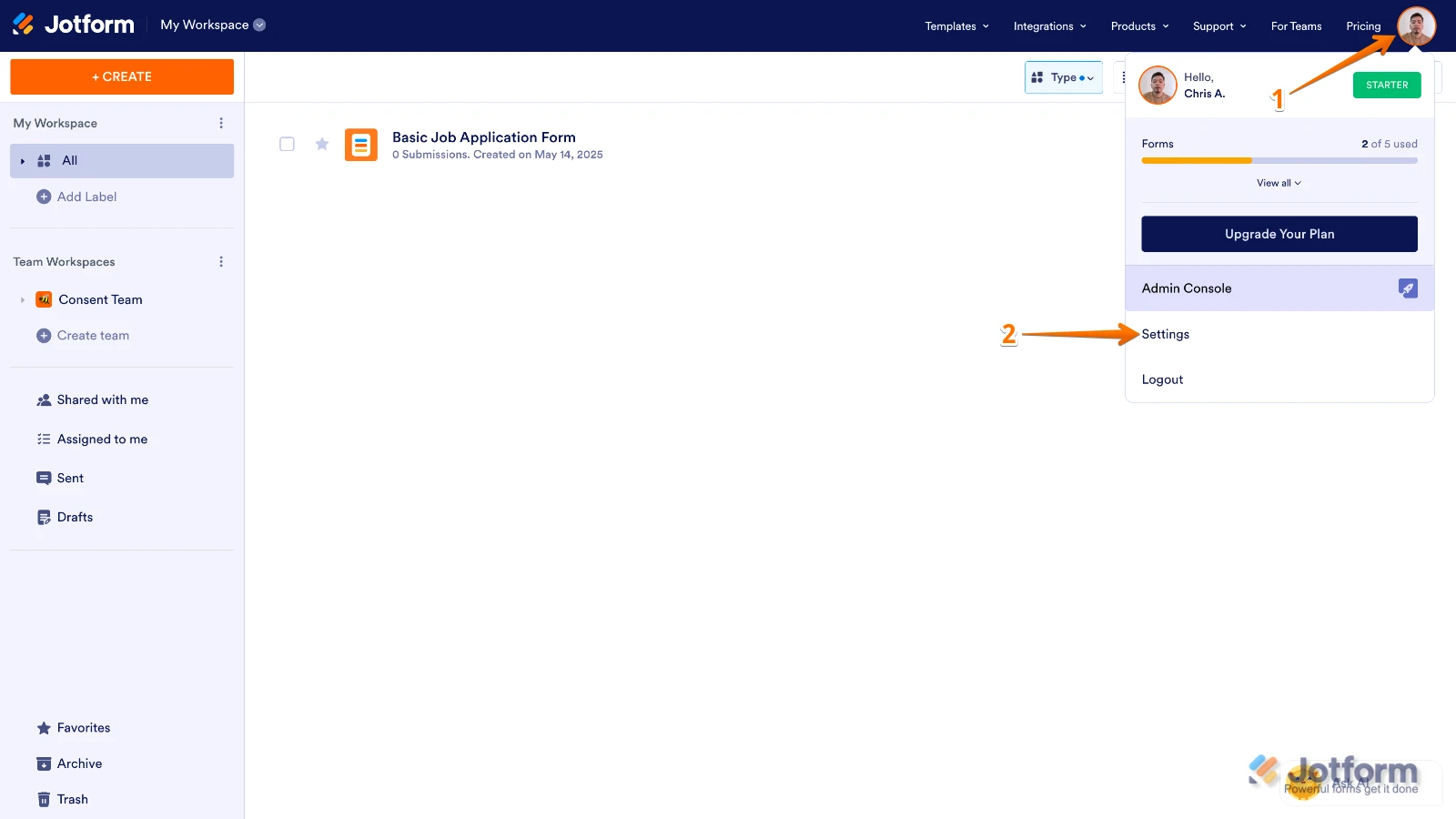
1. On your Workspace page, click on your Profile Image/Avatar on the top-right side of the screen.
2. Next, in the menu that opens, click on Settings.

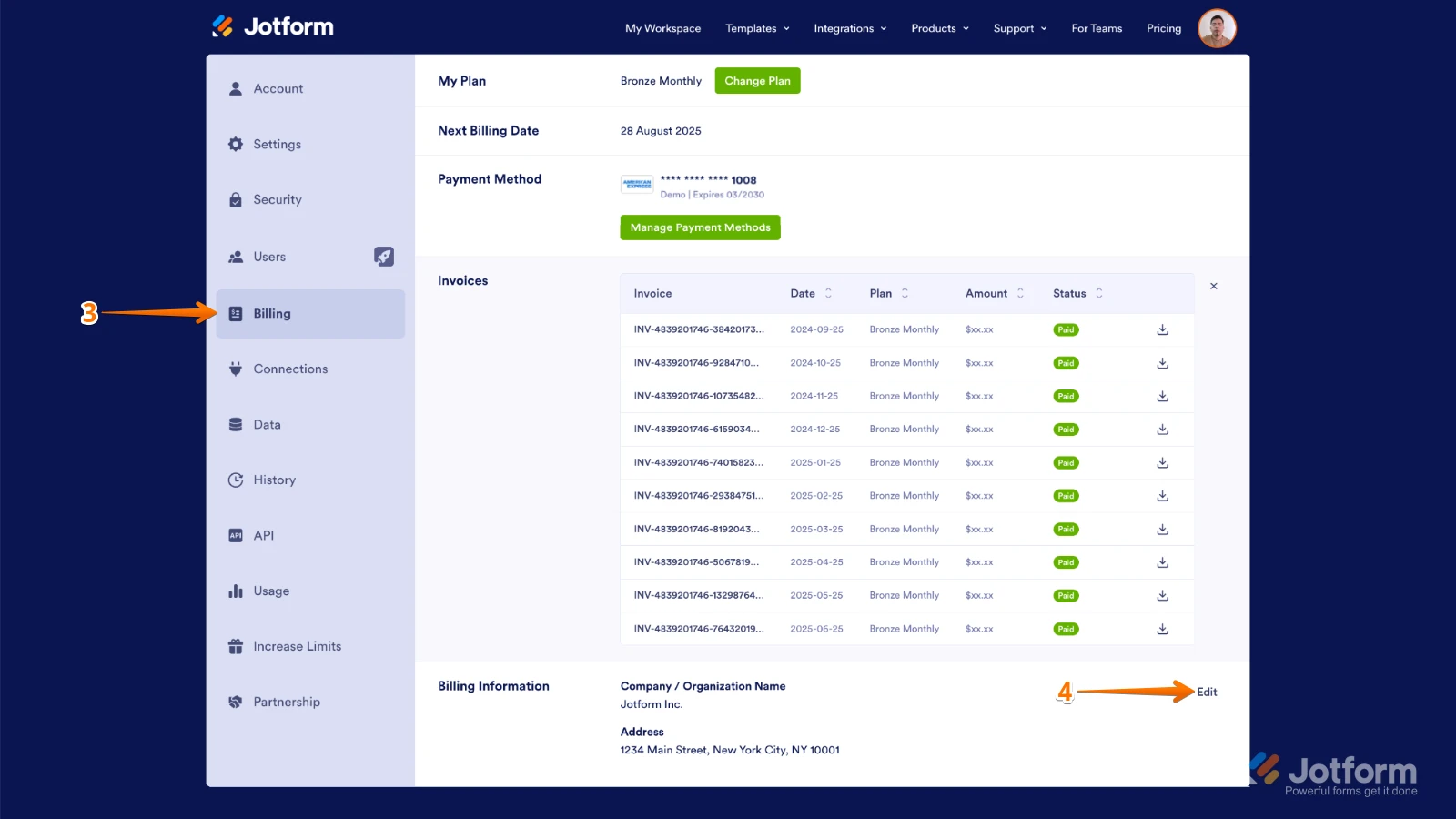
3. Go to the Billing tab in the menu on the left side of the page.
4. Then, in the Billing Information section, click on Edit on its right side.
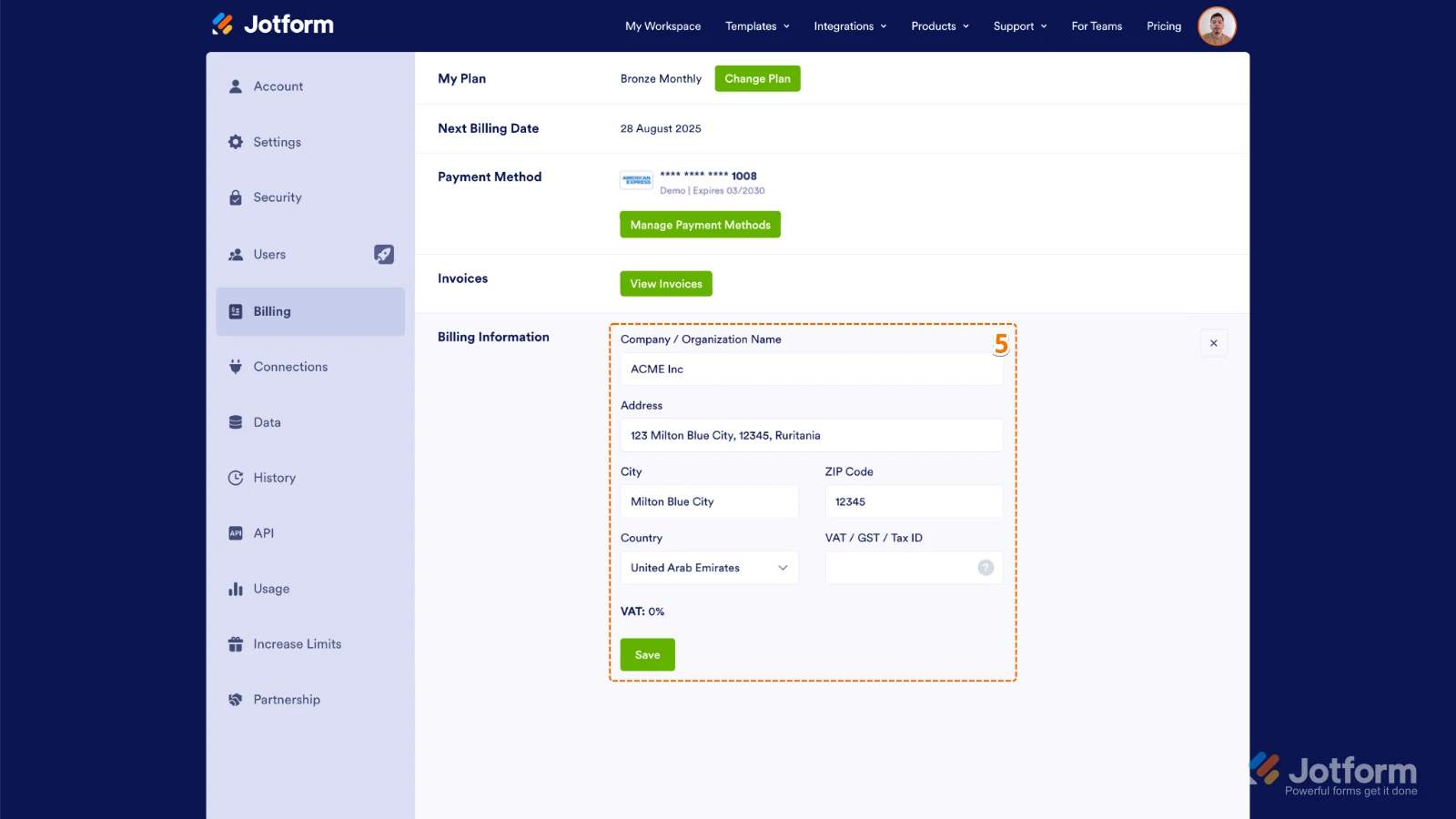
5. Finally, update your Tax ID, Company Name or Billing Address, and then click on Save.
Give it a try, and let us know if you have any other questions.