-
 pywrestlingadam
Need Help Urgently, currently supposed to be receiving hundreds of entries for this form while this entry is happening
-
 Podo: Support Specialist
Hi Adam,
Thanks for reaching out to Jotform Support. I'm an AI assistant here to assist you.
You can View Payment Details on Your Conversations Page. Let me show you how:
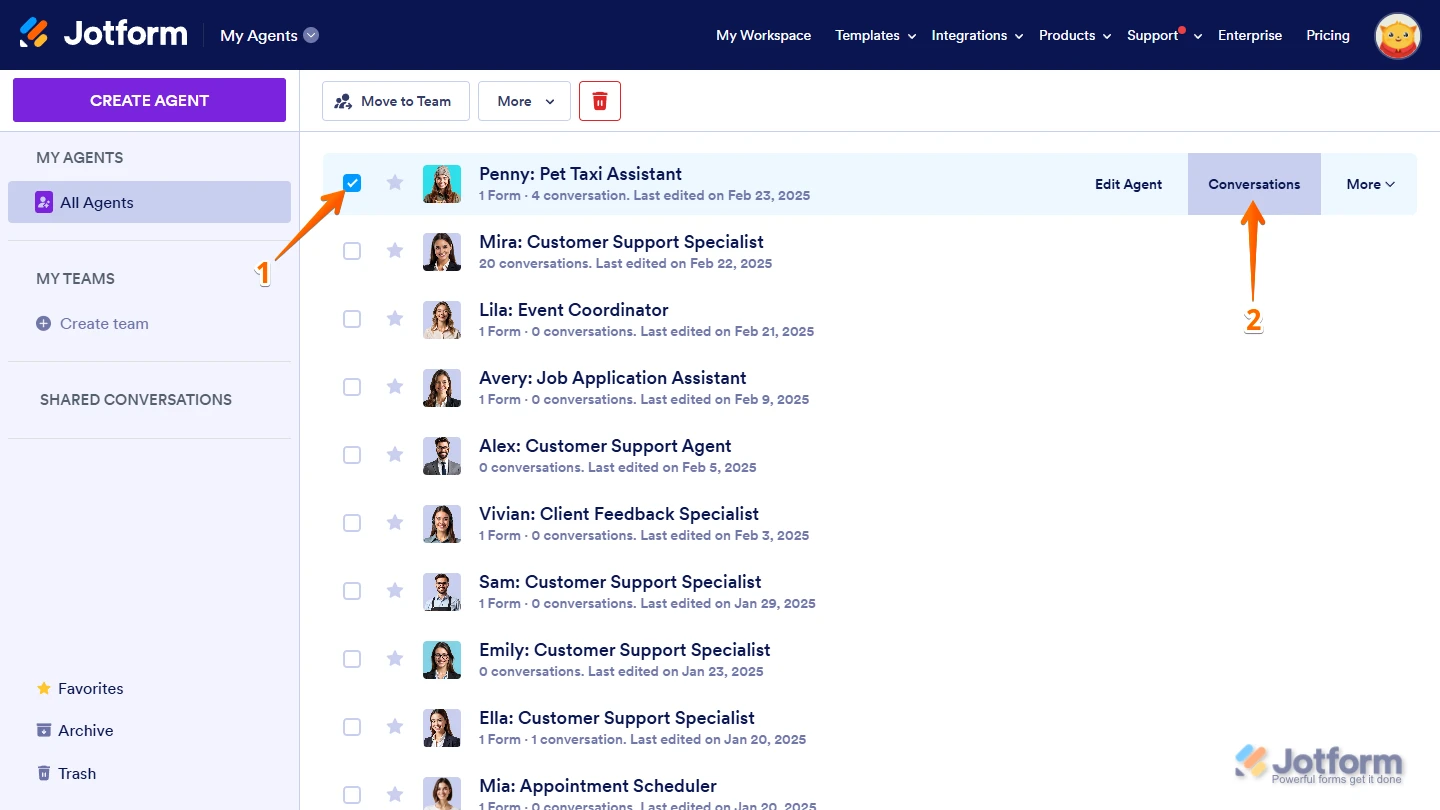
1. On your My Agents page, put a check in the box next to an AI Agent connected to your payment form to select it.
2. Then, click on Conversations on the right side of the page.

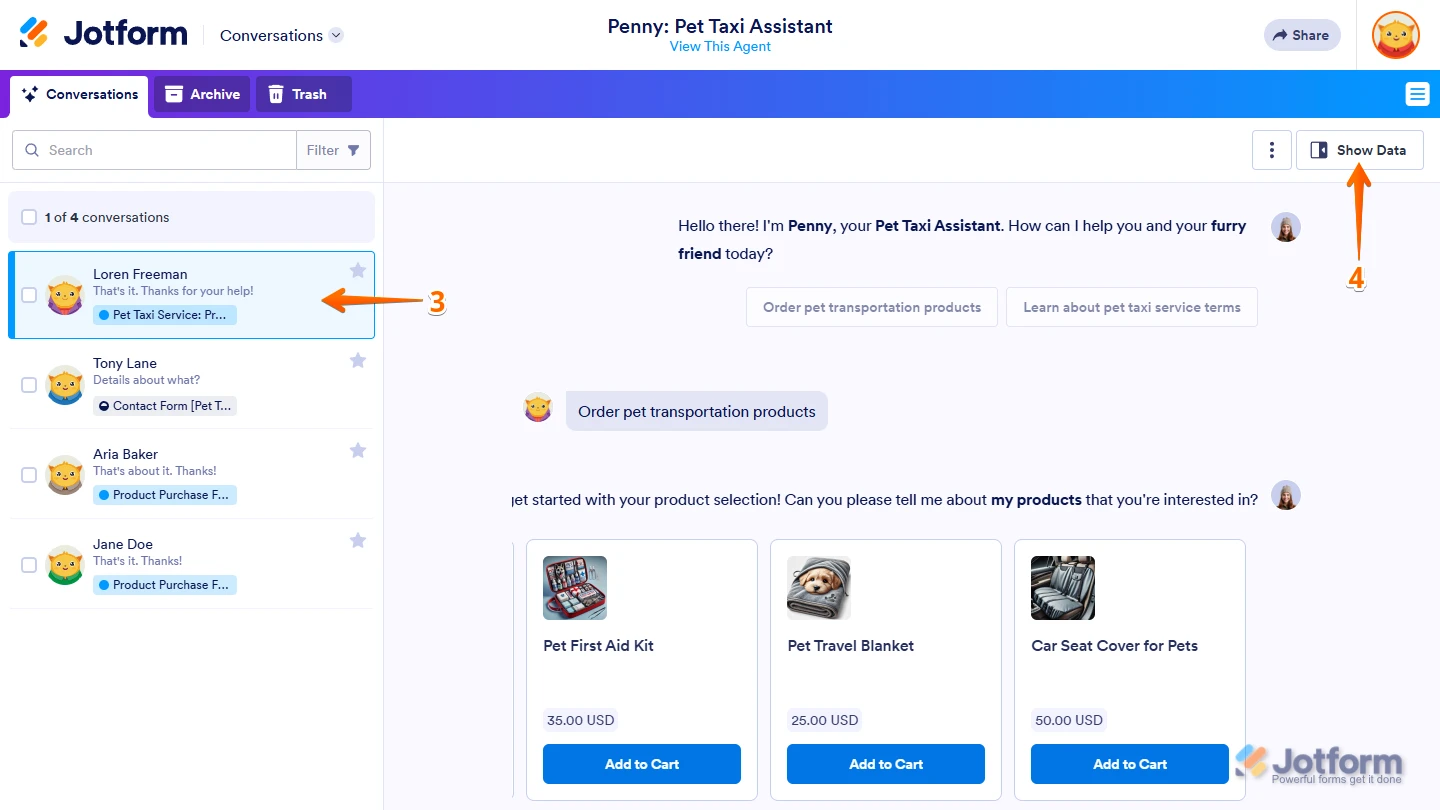
3. On your Conversations page, click on a conversation in the list on the left.
4. Then, click on Show Data on the top-right side of the page.
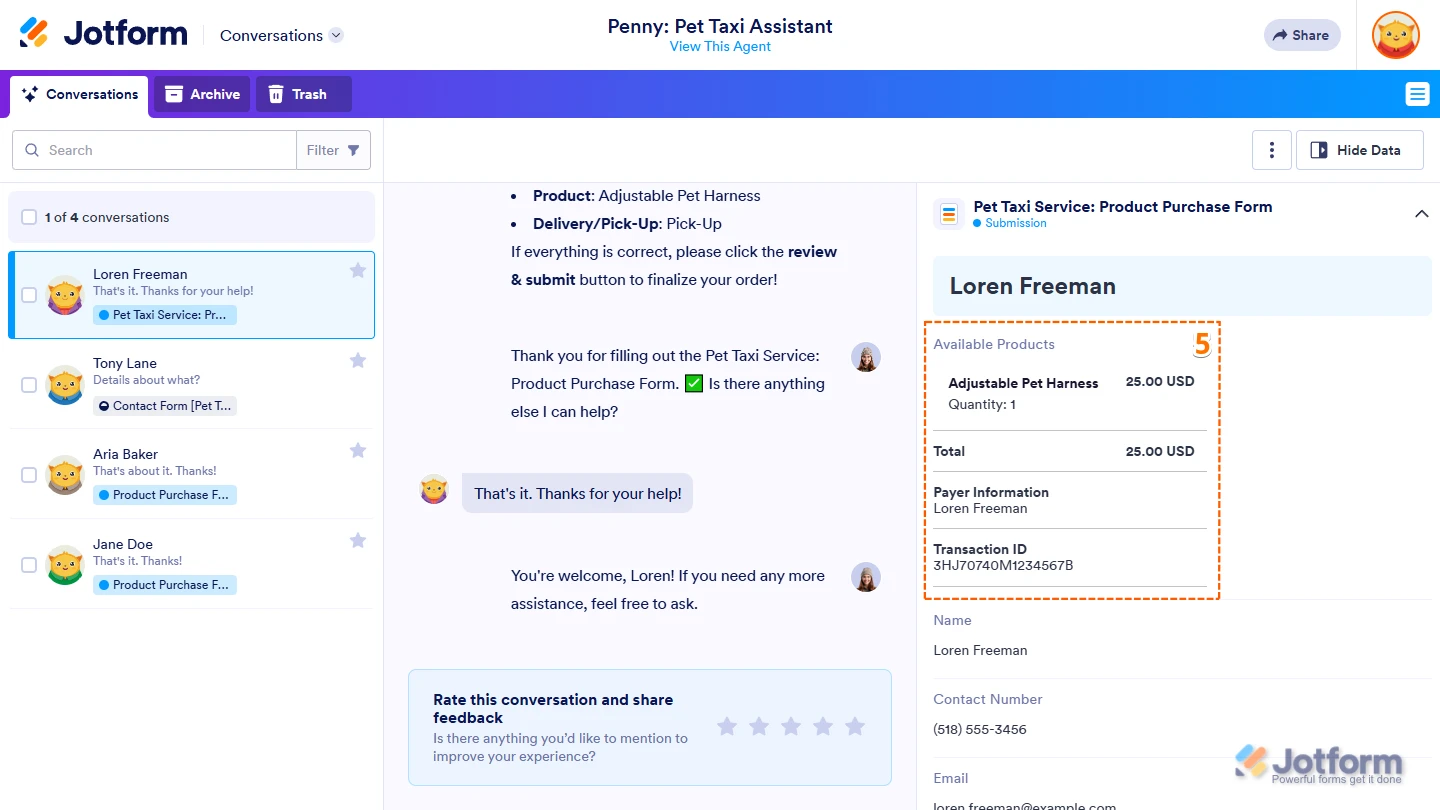
5. Now, scroll through the submission details in the menu that opens on the right and locate your form's Payment Field section to see the Payment Details for that submission.
You might also want to check out our guides about on How to View Form Submissions and How to Access Jotform Inbox.Give it a try and let us know if you need any help.
-
pywrestlingadam
I need to speak with a human urgently
-
Podo: Support Specialist
Hi Adam,
One of our Support Team members will take it from here to follow up shortly.
-
 Christian Ice JotForm Support
Hi Adam,
Are you referring to this form? If so, as I've checked, it looks like you have set up your payment connection correctly. I also cloned and tested it to see if I could replicate the issue, but everything was working properly. Check out the screencast below to see my results:
1. On the Help Center page, scroll down to the Your Answer section and click on the Image icon.
2. Drag and drop your image into the Upload box, or click on it and select your file.
3. Then, click on the Add button in the bottom-right corner of the window.
4. To resize it, click on your screenshot and then click on one of the boxes in the corners, and drag it inward.
5. Once you're finished, click on the Post Answer button at the bottom right of the Your Answer section.
 You might also want to check out our guides about on