-
 vansant786
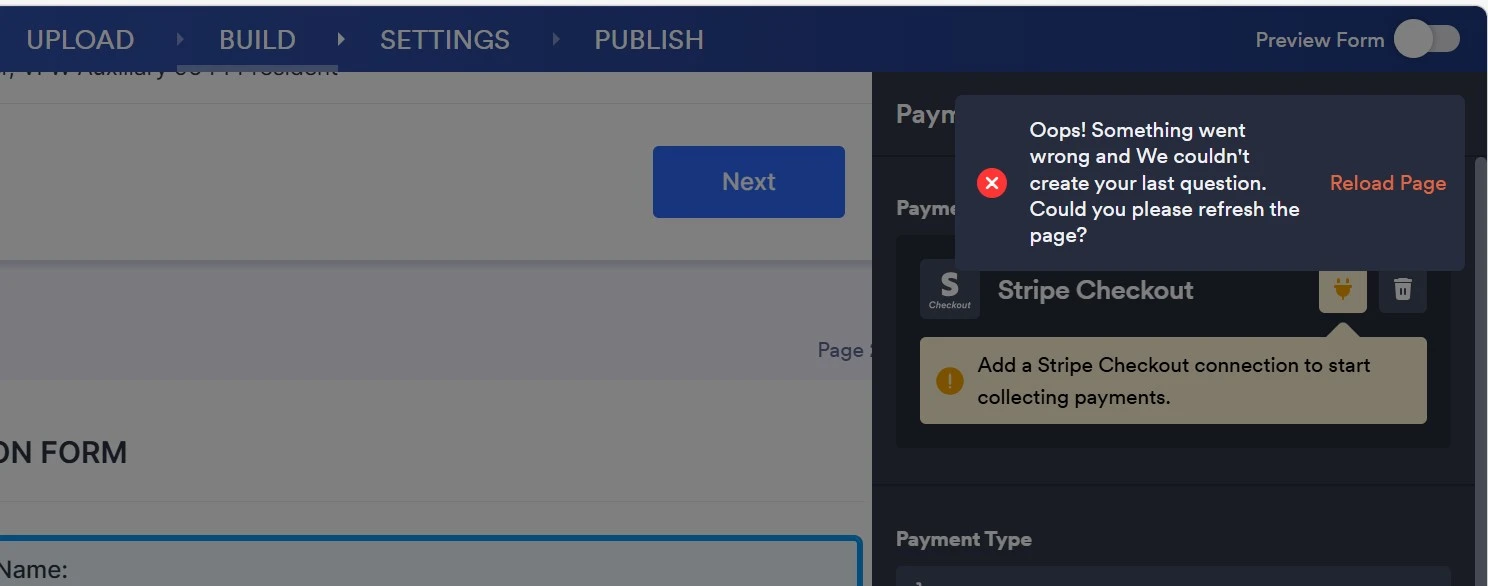
Since cloning still shows the same “Oops!” error, this is almost certainly a platform-side issue with Stripe Checkout on that form rather than anything you’re doing wrong. At this point the best next step is to contact Jotform Support and share:
- Form ID: 260705631064047 (2026 State Convention - Ditty Bag) and mention you also cloned it and saw the same error.
- Exact error text: Oops! Something went wrong and we could not created your last question. Could you please refresh the page?
- What you’re doing: “Trying to add the Stripe Checkout payment element to the form; no other payment field exists.”
- Environment: browser + version, and whether you tried incognito/another browser.

-
 Podo: Support Specialist
Hi Todd,
Integrating Stripe with your form is easy. Let me walk you through it:
1. In Form Builder, click on Add Form Element on the top-left side of the page, and then click on the Payments tab.
2. Under the Payments tab, click on Stripe to add it to your form.
3. In the menu on the right side of the page, click on Connect to connect your Stripe account (if you want to do a test, choose Test Mode in the Mode option).
4. After connecting to your Stripe account, in the popup window that comes up, scroll down and click on Continue in the bottom-right corner.
That's it. Now your form is integrated with Stripe, and you can start collecting payments. You can also check out our guides about How to Integrate Stripe With Jotform and How to Enable Payment Authorization for more detailed information.
Let us know if there’s anything else we can help you with.
-
vansant786
Same error for Stripe (NOT Stripe Checkout)
-
Podo: Support Specialist
Hi Todd,
Form '2026 State Convention - Ditty Bag' (ID: 260705631064047). There is no payment question in the form. Please specify the gateway that you want to add as a question.
-
vansant786
Integrate "Stripe Checkout"
-
Podo: Support Specialist
Hi Todd,
Form '2026 State Convention - Ditty Bag' (ID: 260705631064047). There is no payment question in the form. Please specify the gateway that you want to add as a question.
-
vansant786
Stripe Checkout
-
Podo: Support Specialist
Hi Todd,
Form '2026 State Convention - Ditty Bag' (ID: 260705631064047). There is no payment question in the form. Please specify the gateway that you want to add as a question.
-
 Reymae JotForm Support
Hi Todd,
I tested your form and had the same issue, so I created a ticket and escalated this to our Developers. Although we don't know exactly when it'll be fixed, we’ll circle back to this thread when we have an update.
-
 Özlem JotForm Developer
Hi Todd,
We are sorry for the issue you experienced.
The issue is fixed. Please try to add payment gateway into your PDF form.
Thank you for reporting the issue.



Your Reply
Something Went Wrong
An error occurred while generating the AI response. Please try again!