-
 Steamvestments
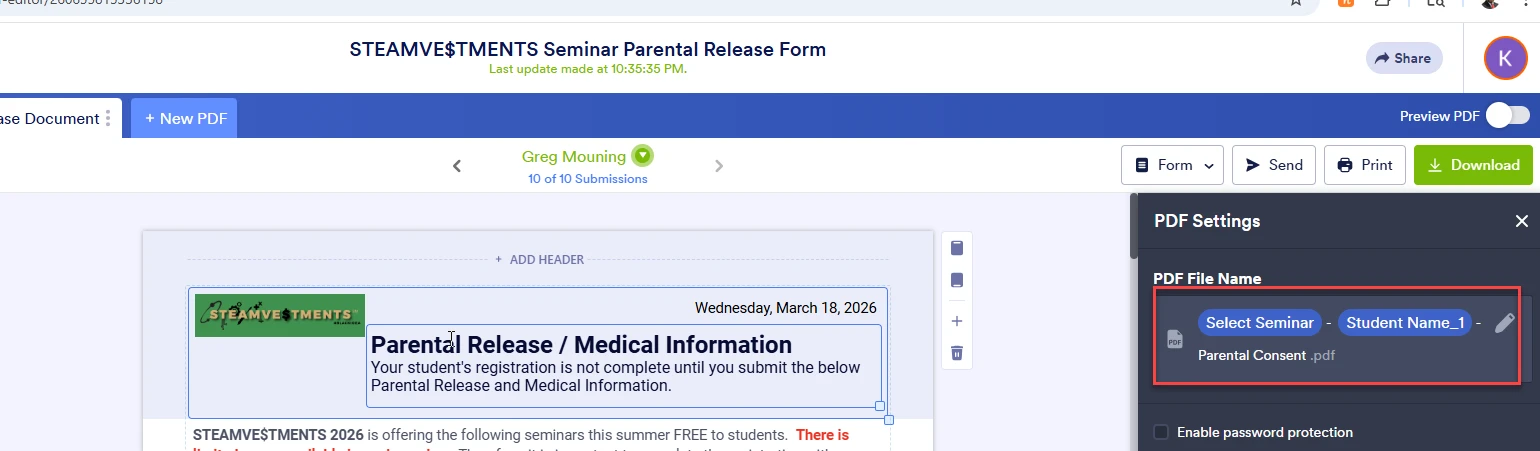
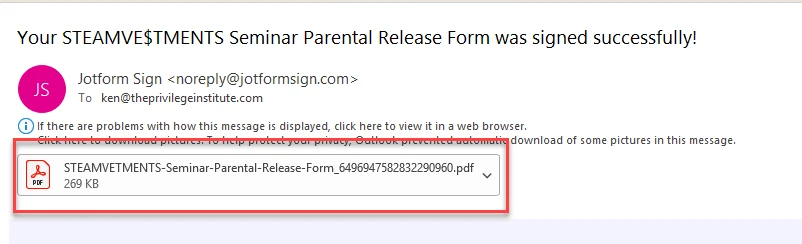
I used the PDF editor on my Parent Consent form so that the PDF that is attached contains the Seminar and Student name in the file name. However, when the email is sent to me as a "signed" document, it only has the form name with some numbers appended, instead of showing the Seminar and Student names. See attached images.

-
 Podo: Support Specialist
Hi Ken,
Thanks for reaching out to Jotform Support. I'm an AI assistant here to assist you.
Regarding your issue with the signed PDF email attachment not showing the custom file name with Seminar and Student names, this behavior occurs because the email notification's PDF attachment filename defaults to the form name with appended numbers, even if you have customized the PDF file name in the PDF Editor.
To clarify, the PDF Editor allows you to customize the PDF report filename for downloaded or printed PDFs, but the email notification's attached signed PDF uses the default naming convention based on the form name and submission ID.
Currently, the custom PDF file name set in PDF Editor does not automatically apply to the signed PDF attachment sent via email notifications.
If you want to customize the filename of the PDF attachment in email notifications, you would need to check the email notification settings under the Settings > Emails section in Form Builder and confirm if there is an option to customize the attached PDF filename there. However, as per the current system, this feature is limited and the signed PDF attachment filename remains the form name with numbers.
Let me know if you want guidance on how to check or adjust your email notification settings for PDF attachments.
Give it a try and let us know how it goes.
-
 Rica Support Team Lead
Hi Ken,
You can customize the file name of the Sign Document in Form Builder, not in PDF Editor. Let me show you how:
1. In Form Builder, click on the Settings tab at the top.
2. Select Jotform Sign on the left panel of the screen.
3. And then click on the Pencil icon under File Name.
Currently, you set it to show the Student Name and Seminar. I cloned your form to test it and I was able to replicate the issue. I fixed it by removing and re-adding the fields under File Name. Hre's the result:
Give it a try and let us know how it goes.