-
 dkpestpros
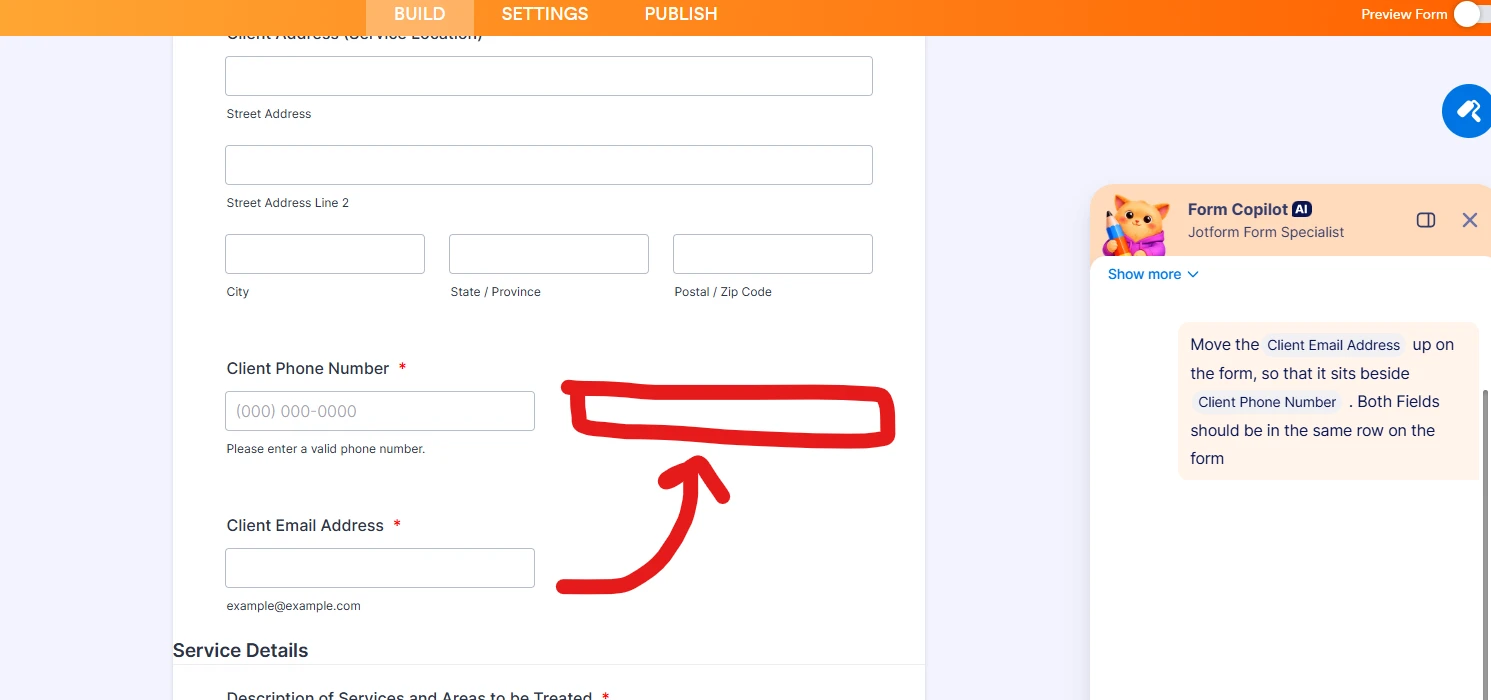
I simply want to move this Email Field up so it takes up that wasted space beside Phone Number. How?
I feel like I was have an infinitely easier time creating forms if in your 'Design Elements' menu, you simply had a Generic 'Insert Field' option, along with "Quantity Per Row". 1, 2, 3 etc and just let me assign the fields as I choose rather than these Rigid handful of options.
-
 Podo: Support Specialist
Hi Kenny,
Thanks for reaching out to Jotform Support. I'm an AI assistant here to assist you.
Let me help you with that:
To move the Email field beside the Phone Number field on the same row in your form, you can use the Shrink feature in Jotform Form Builder. Here’s how to do it:
- Click on the Email field to select it, then click the gear icon to open its Properties panel.
- Go to the Advanced tab.
- Toggle the Shrink option to On. This will reduce the field width so it can sit beside another shrunk field.
- Repeat the same steps for the Phone Number field to shrink it as well.
- If the fields don’t align side by side, make sure the Move to a new line option is toggled Off for both fields.
This will place both fields in the same row, optimizing the space beside the Phone Number field.
Regarding your feedback on the Design Elements menu, I understand the desire for a more flexible 'Insert Field' option with customizable quantity per row. Your suggestion is valuable and helps us improve the form-building experience.
Give it a try and let us know how it goes.