-
 Schaeffer_Julie
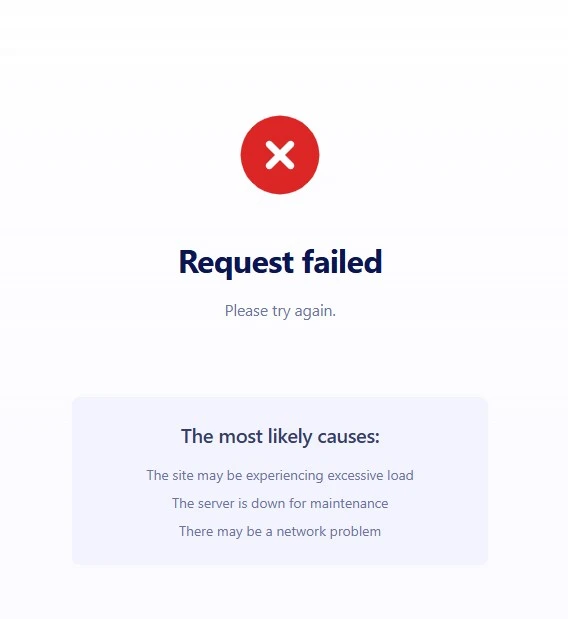
The site may be experiencing excessive load
the server is down for maintenance
There may be network problems

-
 Podo: Support Specialist
Hi Julie,
It seems like you are experiencing issues with the site possibly due to excessive load, server maintenance, or network problems. These types of issues can cause temporary disruptions in accessing or submitting forms.
Here are a few things to consider:
- The server might be down for maintenance or experiencing high traffic, causing delays or failures.
- Network problems on your side or the server side can interrupt the connection.
- If the form is disabled or over quota, it may show as unavailable.
If the problem persists, it could be related to server status or network connectivity that usually resolves after some time. You can also try clearing your form cache to rule out caching issues.
Give it a try and let us know how it goes.
-
Schaeffer_Julie
Already did all of this multiple people multiple devices including phones
-
Podo: Support Specialist
Hi Julie,
Since multiple people on multiple devices including phones are experiencing the same issue, it suggests the problem might not be related to individual devices or network connections.
Here are some additional points to consider:
- If you are using Jotform Mobile Forms, ensure that the forms are properly synced and that offline mode is enabled if needed. Offline submissions will sync once the device is online.
- Check if your form has any unique submission settings enabled under the Settings tab in the Form Builder. If Unique Submission is set to strict (checking cookies and IP), it may block multiple submissions from the same network or device.
- Verify if the form is over quota or disabled, which can cause submission failures.
- Consider if there are any form elements or widgets that require an internet connection and might be causing issues if offline.
If none of these apply, the issue might be related to server or network problems on Jotform's side, which usually resolve after some time.
Give it a try and let us know how it goes.
-
Schaeffer_Julie
None of these are set
-
Podo: Support Specialist
Hi Julie,
Since none of the common settings are causing the issue, let me show you how to double-check the Unique Submission feature, which can prevent multiple submissions from the same network or device. Here’s how:
- In Form Builder, in the orange navigation bar at the top of the page, click on Settings.
- Next, click on Show More Options.
- Scroll down to the Unique Submission section and select either Check Cookies Only or Check Cookies and IP Address.
If you want to allow multiple submissions from the same person, you can set it to No Check in the Unique Submission dropdown menu instead.
Give it a try and let us know how it goes.
-
Schaeffer_Julie
Those are already set to No check
-
Podo: Support Specialist
Hi Julie,
Since your Unique Submission setting is already set to No Check, which allows multiple submissions from the same person, the issue might not be related to submission restrictions.
At this point, the issue could be related to server or network problems on Jotform's side, or possibly a temporary glitch affecting form submissions across multiple devices.
If you haven't already, you might want to try the following:
- Clear your browser cache and cookies on the devices you are using.
- Try accessing the form from a different network to rule out any network-related blocks.
- Check if the form is over quota or disabled in your Jotform account settings.
If the problem continues despite these steps, it may require further investigation on our side.
Give it a try and let us know how it goes.
-
Schaeffer_Julie
This has been tried from different computers in different cities on different networks
-
Podo: Support Specialist
Hi Julie,
One of our Support Team members will take it from here to follow up shortly.
-
Schaeffer_Julie
All settings are good
-
 Kris JotForm Support
Hi Julie,
Thanks for reaching out to Jotform Support. I've cloned your form and made a test submission. The submission went through without any issues. You can check out the screencast below:
Can you tell us how many users reported the issue? Also, do the users have anything in common, like the devices they're using or browsers?
When we hear back from you, we’ll be ready to move forward.
-
 NASP_aps
Hello, I have a customer dealing with the exact same issue. We have gone through all of the recommendations in this thread. Can someone from Jotform Support please assist?
-
 Kyle JotForm Support
Hi Julie,
To help us investigate further, can you share a screenshot of the exact error message along with the browser console log at the time the error occurs?
As soon as we hear back from you, we can work on getting you a solution for this.
-
JJessica
-
 Lesther Support Team Lead
Hi Jessica,
I’ve gone ahead and moved your other question to a separate thread to keep things tidy, and someone from our Support Team will help you out with it here.
Keep us updated and let us know if you need any more help.
-
 SWP_UK
 -
 Joeni JotForm Support
Hi SWP_UK,
I’ve gone ahead and moved your other question to a separate thread to keep things tidy, and someone from our Support Team will help you out with it here.
Reach out anytime if more questions come to mind.