-
 BAC_Treasurer
Good morning,
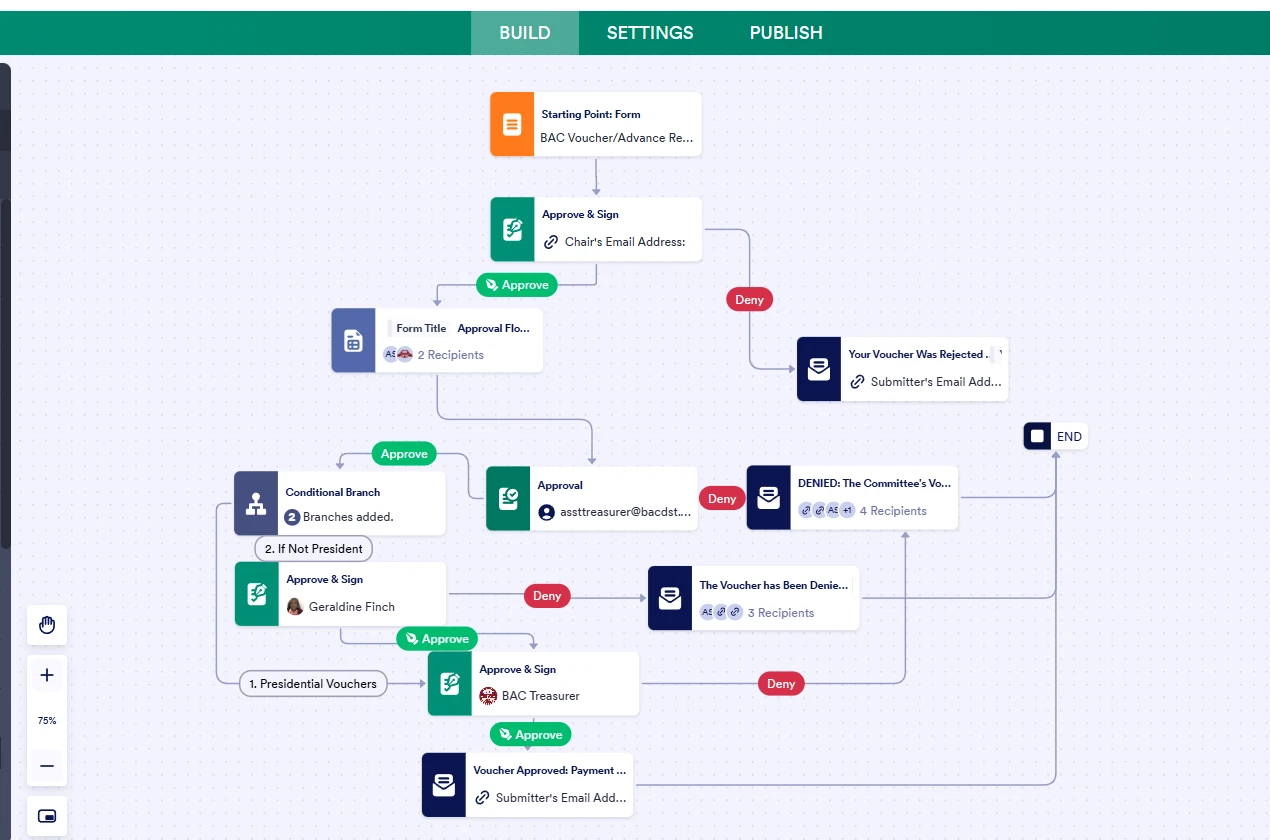
I need to share my workflow with another account. When I go to Publish, the only thing that is being shared is the actual form and not the workflow. I am trying not to reinvent the wheel. Please advise.
 Page URL: https://form.jotform.com/250768811480158
 -
 Podo: Support Specialist
Hi BAC,
Thanks for reaching out to Jotform Support. I'm an AI assistant here to assist you.
Unfortunately, Workflows cannot be transferred or shared between Jotform accounts at this time. When you share a form, only the form itself is shared, not the associated workflow. This means you cannot directly share your workflow with another account to avoid recreating it.
However, if you want to collaborate on forms and workflows within a team, Jotform offers an Enterprise plan that allows multiple users to work together with full control and visibility. Alternatively, you can use the Form Collaboration feature to allow multiple team members to work on the same form simultaneously.
If you want to share submission data, you can also share your submission tables with your team using Jotform Tables. More details can be found in the guide How to share your Jotform tables and collaborate.
For now, the only way to share your workflow setup is to manually recreate it in the other account or consider upgrading to Enterprise for better team collaboration features.
Give it a try and let us know how it goes.
-
BAC_Treasurer
Okay, thank you.
-
Podo: Support Specialist
Hi BAC,
One of our Support Team members will take it from here to follow up shortly.
-
 Mikhail JotForm Support
Hi BAC_Treasurer,
Podo is correct, Workflows cannot be transferred or shared between Jotform accounts. When you share a form, only the form itself is shared, not the associated workflow. This means you will need to manually recreate the workflow in the other account.
Reach out again if there’s anything else we can do for you.