-
 alamodonevents
Hi,
This is regarding account Alex Modon
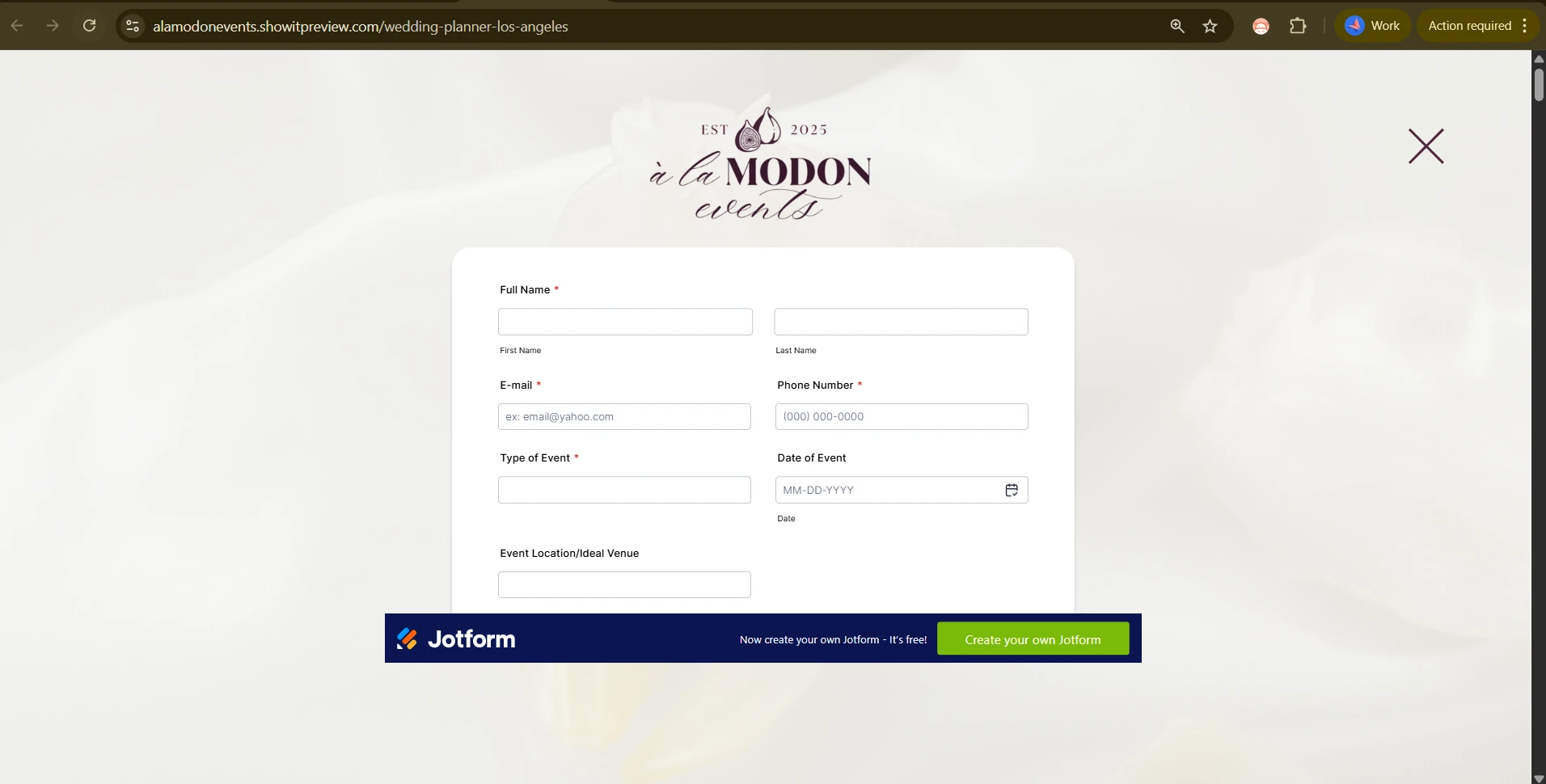
I’m having an issue with how my Jotform is displaying when embedded in Showit inside a popup canvas. The form appears cut off at the bottom, and scrolling is not working, so users are unable to view or complete the full form.
To view the issue, please click on the “Inquire” button in the header, which triggers the popup where the form is embedded.
My goal is for the form to display fully within the popup, or at minimum allow scrolling so the entire form is accessible.
Could you please advise on the best embed method or settings to ensure the form displays correctly and scrolls properly within a popup container?
Thank you.

-
 Podo: Support Specialist
Hi Alex,
Thanks for reaching out to Jotform Support. I'm an AI assistant here to assist you.
To ensure your Jotform displays fully and allows scrolling within a Showit popup canvas, the best approach is to use the iframe embed method. This method allows you to enable scrolling effectively if the form height exceeds the popup container.
Here’s how to do it:
- In Form Builder, go to the Publish tab.
- Select the Embed tab on the left menu.
- Choose the Iframe embed option and copy the embed code.
- In your website code, paste the iframe code inside the popup container.
- Modify the iframe code by setting the scrolling attribute to yes to enable scrolling within the iframe.
This will allow the entire form to be accessible by scrolling inside the popup.
If you are currently using the JavaScript embed method, switching to iframe embed with scrolling enabled often resolves issues with cut-off forms and non-working scrollbars in popup containers.
Give it a try and let us know how it goes.