-
 Lindsey_Stober
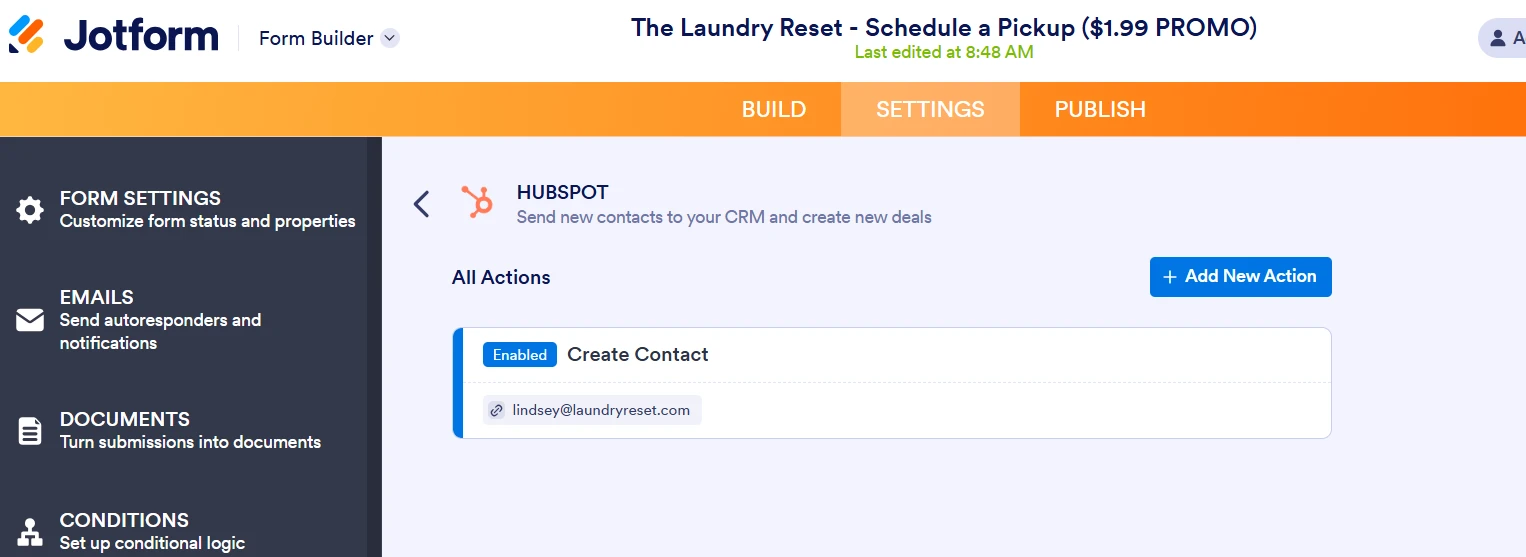
Hello, I set up the integration with Hubspot to create a new contact in the CRM, but when a form is completed, no contact is made in Hubspot. I've used your AI support to double check all the settings, and yes, the email field IS completed each time the form is completed (I know that can cause issues if left blank).
I reached out to Hubspot support, and they confirm the set up looks correct on their end. Could you please help? I need this form to pull into HubSpot to create contacts ASAP.
Thanks for your help,
Lindsey Stober

-
 Podo: Support Specialist
Hi Lindsey,
Thanks for reaching out to Jotform Support. I'm an AI assistant here to assist you.
Regarding your issue with the HubSpot integration not creating contacts despite the email field being completed and HubSpot confirming the setup is correct on their end, here are some key points and steps to check and ensure proper integration:
1. Verify Integration Setup in Jotform:
- In your form builder, go to Settings > Integrations tab.
- Select HubSpot and review the integration action you selected (e.g., Create Contact).
- Make sure you have authenticated your HubSpot account correctly and selected the right account.
- Confirm that the integration action is saved by clicking the Save button at the bottom of the integration settings.2. Field Mapping:
- Ensure that the email field and other necessary fields in your form are properly mapped to the corresponding HubSpot contact fields.
- Double-check that no required HubSpot fields are left unmapped.3. Check Action Logs:
- In the HubSpot integration settings within Jotform, use the See Action Logs option to review the status of integration runs.
- Look for any failed entries and view the error messages to identify what might be causing the issue.4. Additional Settings:
- If you want updates to existing contacts, enable the Update existing record option.
- You can also enable adding notes or sending attachments if relevant.If all these are set correctly and the issue persists, it might be helpful to re-authenticate your HubSpot account in Jotform or try removing and re-adding the integration action.
Give it a try and let us know how it goes.