-
SSarah Harn
Hello,
Your website says I already have an account. However I don't have a known password. When I request to change password, your site says it emails me. However, I never receive anything. When I try to create a new account, it says it knows me and cycle continues.
Please advice.
-
 Jan JotForm Support
Hi Sarah,
Thanks for using Jotform. The account registered to the email address you’re using was in dormant mode. I’ve reactivated it, so you can try accessing it again now. Resetting your Jotform account password is easy to do. Let me walk you through it:
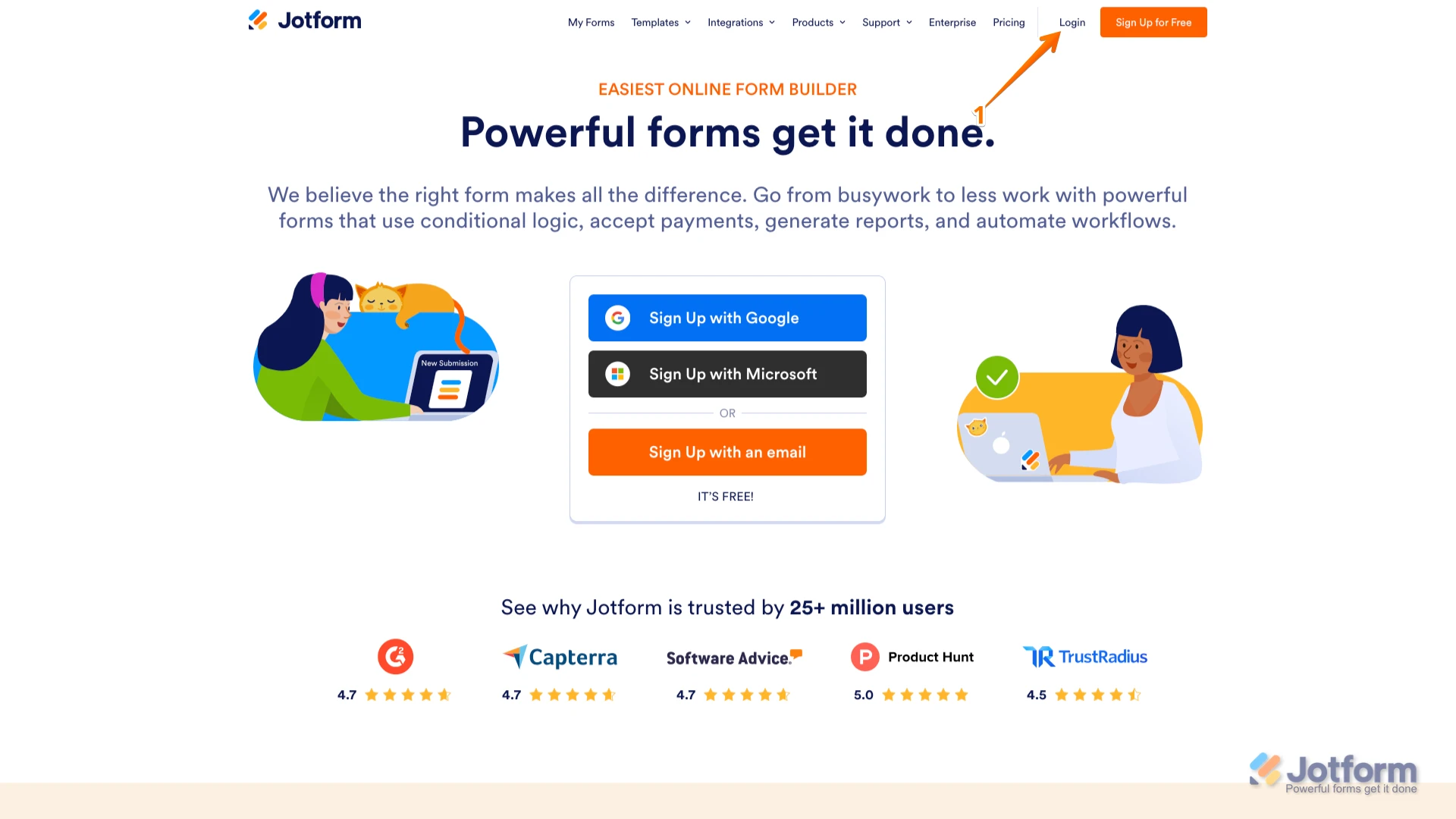
1. Go to the Jotform Main page and click on Login at the top-right corner of the page.

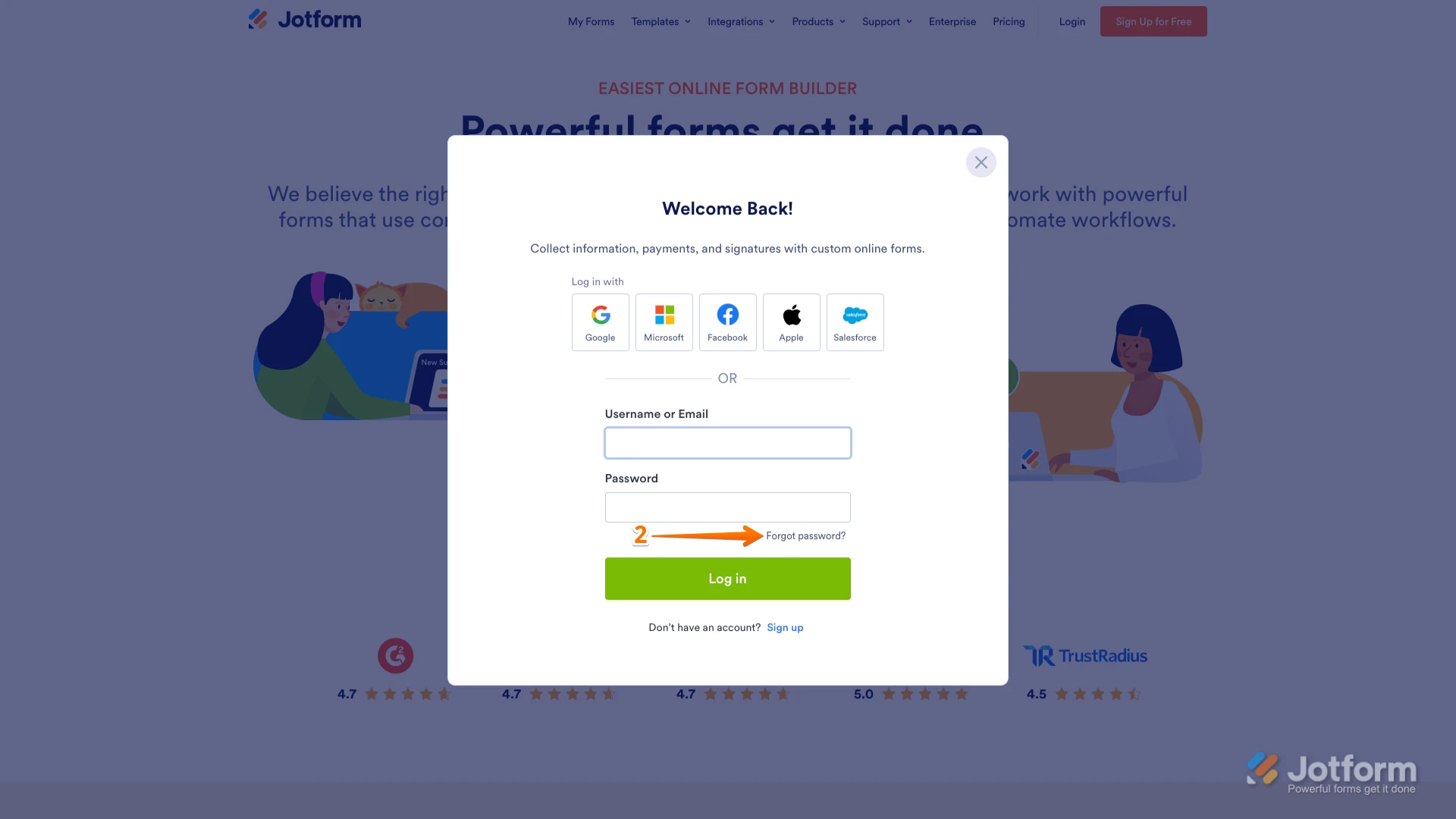
2. In the window that opens, click on Forgot Password?.
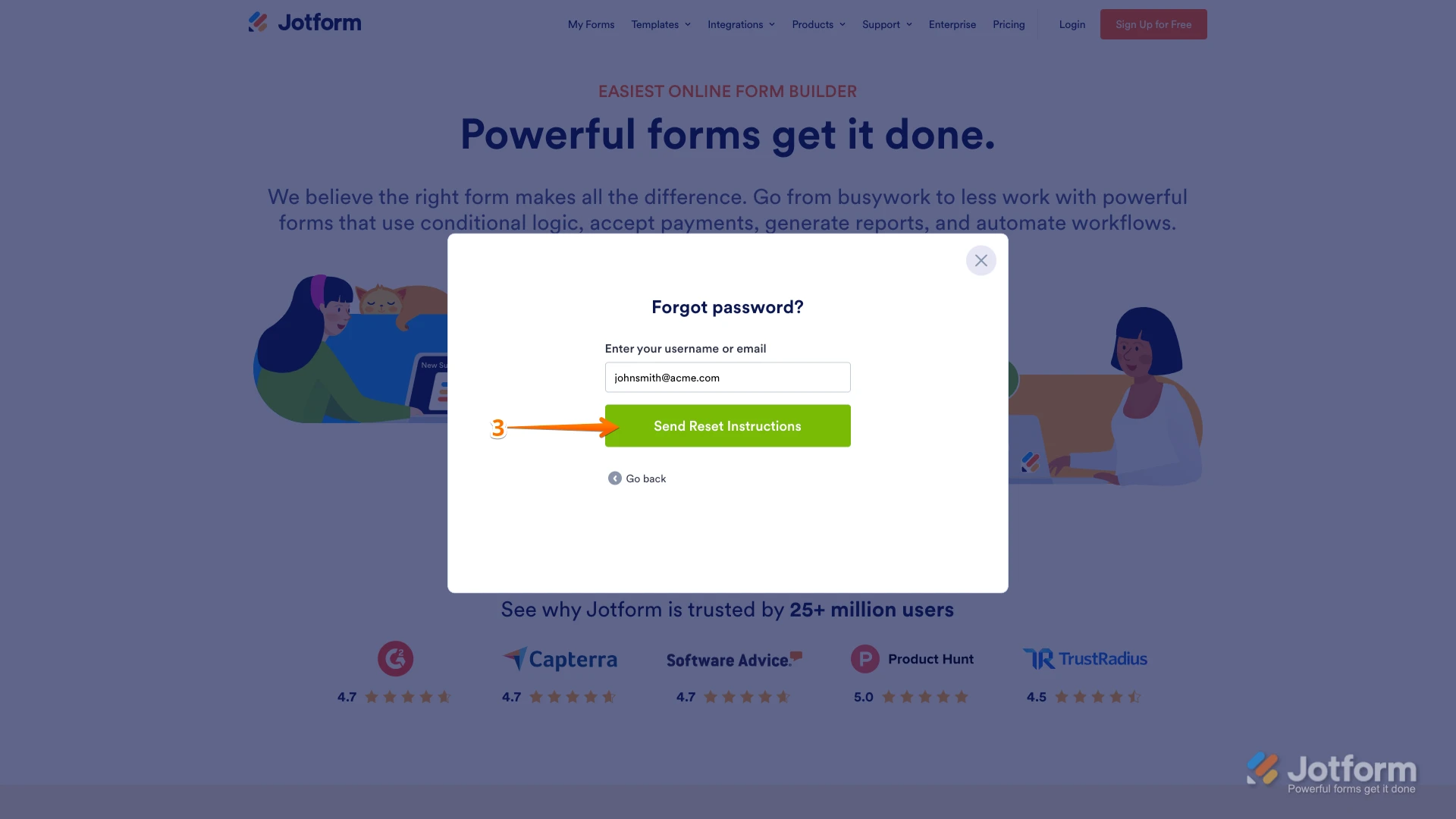
3. Enter your email address, and then click on Send Reset Instructions.
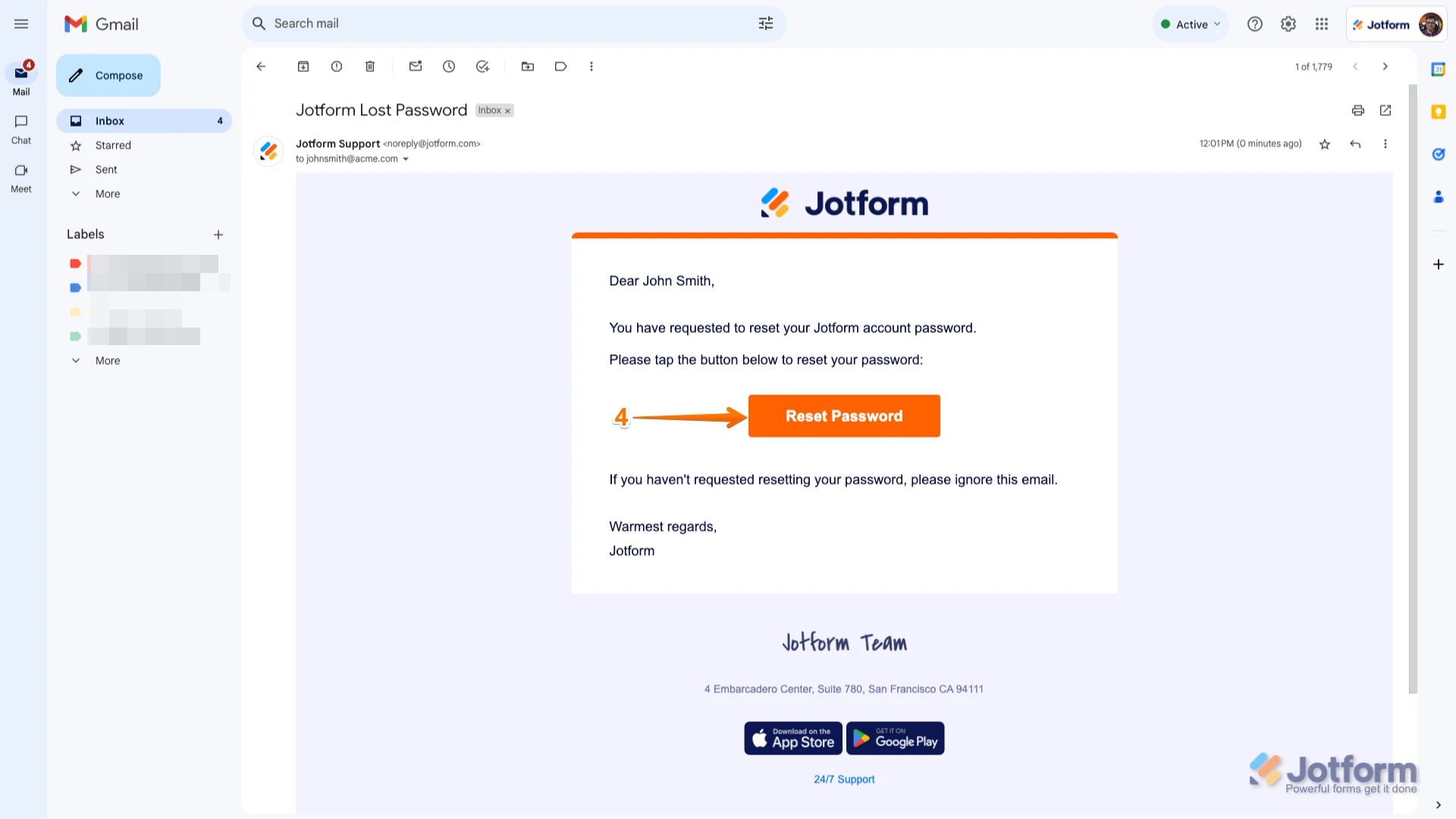
4. You'll receive an email with instructions on how to reset your password. Open the email and click on the Reset Password button.
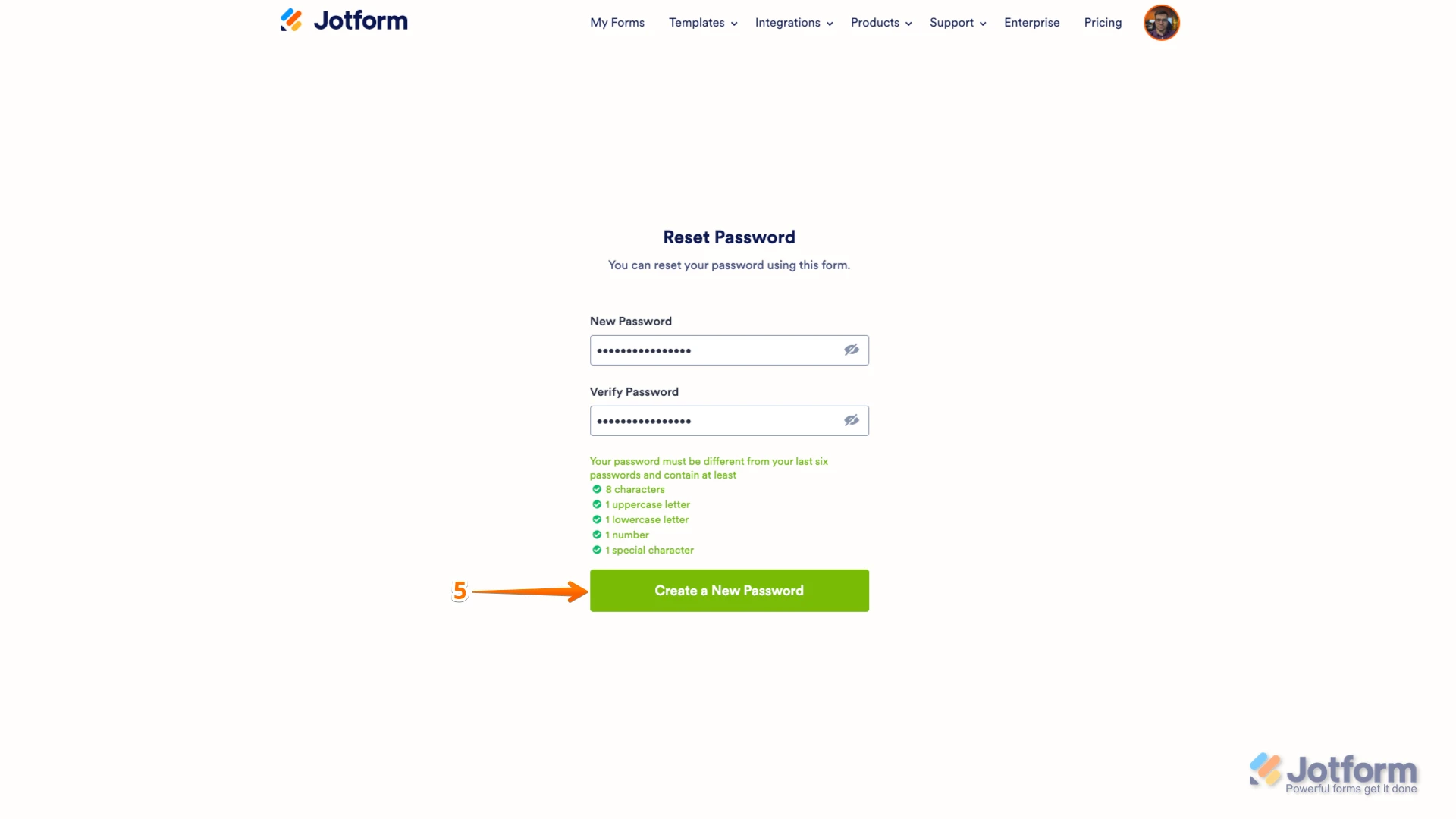
5. Enter your new password, enter it again to verify it, and then click on Create a New Password.
There you go. Your new password is now set, and you can use it to log into your Jotform account. You can also check out our How to Reset Your Jotform Password guide for more information.Reach out again if you need any other help.