-
 customerservice_customerservice
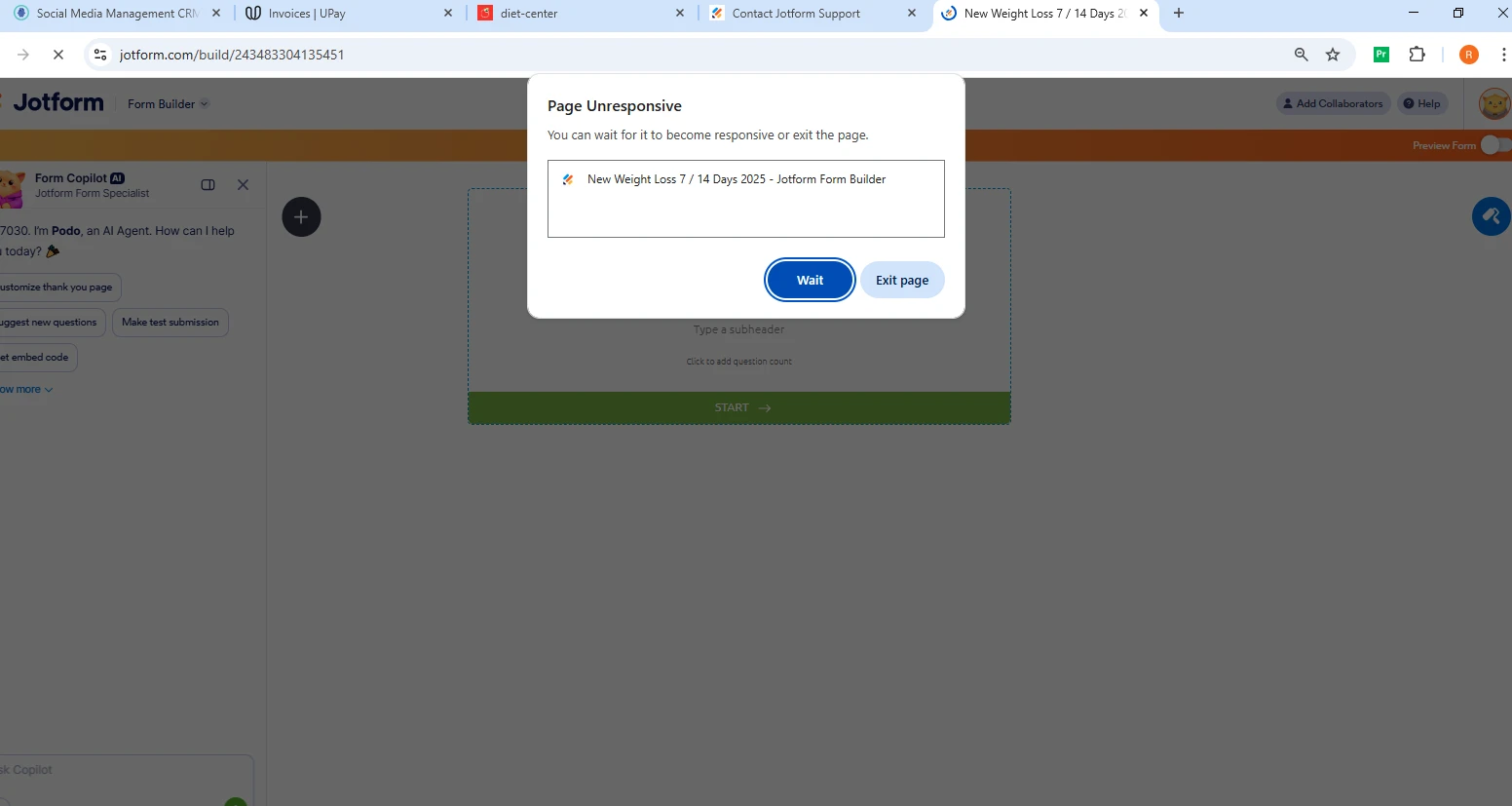
“Form Builder freezing on all forms in Edge and Chrome for account 7030 in Kuwait; tried different browsershttps://form.jotform.com/customerservice_customerservice/New-Weight-Loss-7-14-Days-2025 and cache already.”

-
 Podo: Support Specialist
Hi customerservice_customerservice,
Thanks for reaching out to Jotform Support. I'm an AI assistant here to assist you.
Regarding the Form Builder freezing on all forms in Edge and Chrome for your account, and since you have already tried different browsers and cleared the cache, here are some additional suggestions to try:
- Clear your account's form cache: Go to your Workspace page, click on your Profile Picture/Avatar on the top-right, select Settings to open Account Settings, then on the right side of the Form Caches section, click Clear Cache. You should see a confirmation message that all caches are cleared.
- Log out and log back in: Sometimes logging out of your account and logging back in after clearing browser caches and cookies can resolve loading issues.
- Try a different internet connection: Occasionally, network issues can cause loading problems, so testing on another connection might help.
- Check for browser extensions or security software: Some extensions or security settings might interfere with Form Builder functionality. Try disabling them temporarily to see if it resolves the issue.
If the problem persists after these steps, please provide additional details such as any error messages you see or screenshots of the freezing behavior to help further diagnose the issue.
Give it a try and let us know how it goes.
-
customerservice_customerservice
same issue we follow the same step
-
Podo: Support Specialist
Hi customerservice_customerservice,
Since you have followed the recommended steps including clearing cache and trying different browsers but still face the freezing issue in Form Builder, here are a few additional suggestions:
- Log out of your Jotform account and log back in to refresh your session.
- Try using a different internet connection to rule out any network-related issues.
- Disable any browser extensions or security software temporarily that might interfere with Form Builder functionality.
If the issue continues, please provide any error messages you see or screenshots of the freezing behavior. Also, sharing details about your device and browser versions could help diagnose the problem further.
Give it a try and let us know how it goes.
-
customerservice_customerservice
sorry how came this repeated answered wasted our time 3 hour to reach to solution from side and even the tecq support ai
this un satis. -
Podo: Support Specialist
Hi customerservice_customerservice,
One of our Support Team members will take it from here to follow up shortly.
-
customerservice_customerservice
waiting
-
customerservice_customerservice
?
-
 Joeni JotForm Support
Hi customerservice_customerservice,
I checked your form in both live view and builder mode, and I ran into the same issue in the builder. Take a look at the screencast below. Live mode:
Give it a try and let us know how it goes.