-
 Wendy_Hernandez_jhHernandez
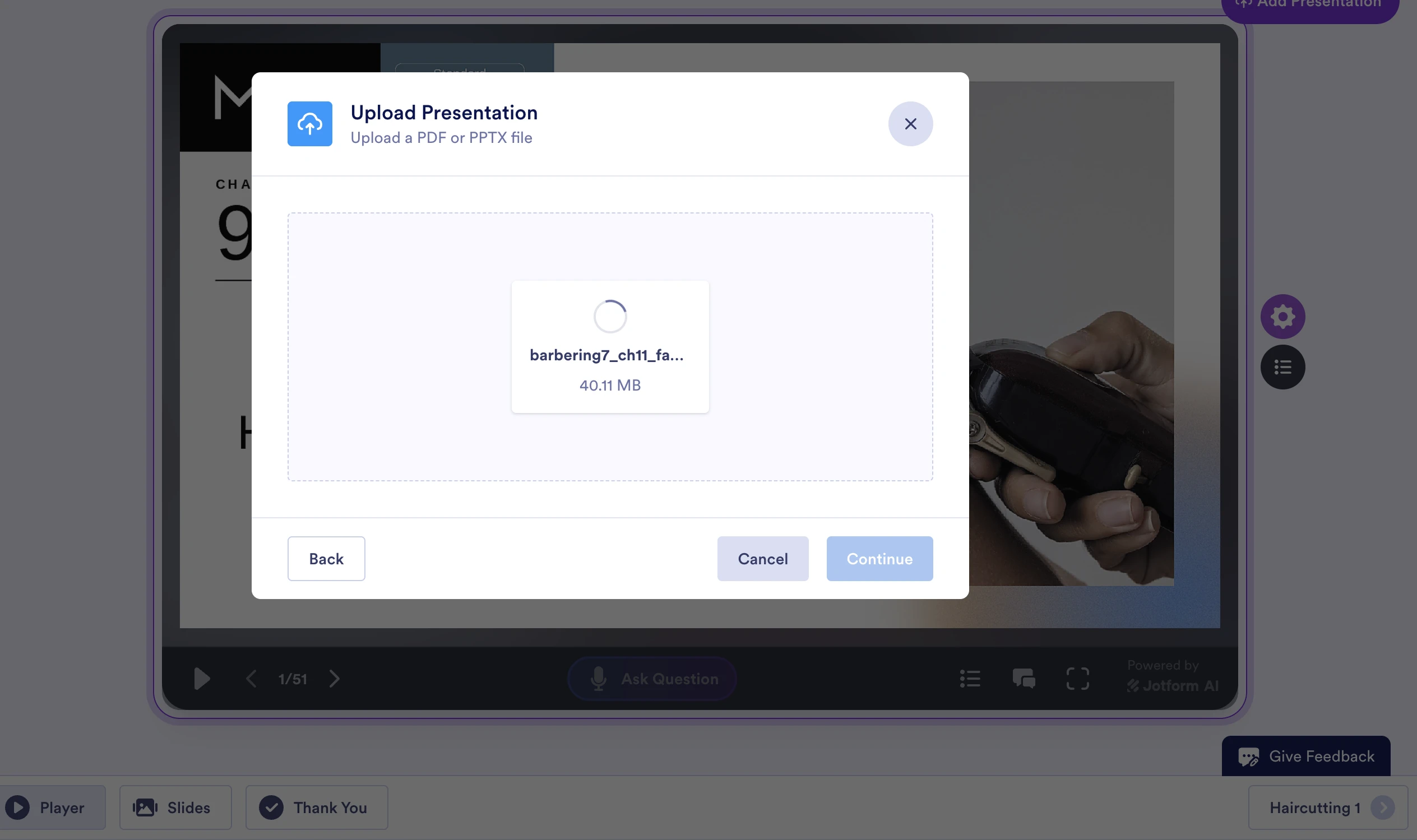
It is so frustrating i cannot create a presentation because upload does reads an error. last i emailed you you fixed the problem. can tou please fix it again. this is so frustrating. after so many tries in different areas it will work if im lucky

-
 Podo: Support Specialist
Hi Javier,
Thanks for reaching out to Jotform Support. I'm an AI assistant here to assist you.
I understand how frustrating it can be when you encounter an error uploading slides to create a presentation. Let me help you with that.
Here’s how to upload an image or file properly in Jotform App Builder:
- In App Builder, click on Settings in the purple navigation bar at the top.
- Next, click on App Name & Icon on the left side of the page, and then click on Edit Icon.
- Then, in the App Icon menu on the right side of the screen, go to the Image tab.
- Under the Upload tab, click on Upload File, and then select an image or file from your device.
If you continue to experience errors, please let me know the exact error message or any details you see on the screen so I can assist further.
Give it a try and let us know how it goes.
-
Wendy_Hernandez_jhHernandez
its not for app builder its for AI agent builder presentation
-
Podo: Support Specialist
Hi Javier,
One of our Support Team members will take it from here to follow up shortly.
-
Wendy_Hernandez_jhHernandez
I need a fast response.i need the presentation by tomorrow
-
Podo: Support Specialist
Hi Javier,
One of our Support Team members will take it from here to follow up shortly.
-
 Kris JotForm Support
Hi Javier,
I've tried to replicate the issue on our end by importing PDF and PPTX files into an AI Presentation. But was unable to replicate the issue. You can refer to the screenshot below:
Is this the AI Agent you're working on? To provide the most effective suggestions for your AI agent, our team would like to clone your agent along with its knowledge base to mirror your environment. Your data will be handled with the highest level of security and confidentiality, used only to enhance your experience, and deleted once the issue is resolved. May we have your permission to proceed with this process?
In addition, can you share with us the additional file you're trying to import? You can upload the file into Google Drive and share the link with us to download a copy.
Once we hear back from you, we can help you sort this out.
-
Wendy_Hernandez_jhHernandez
yes please
-
Wendy_Hernandez_jhHernandezhttps://docs.google.com/presentation/d/1lHFOkUm_BZu-YB7e0Pn_hXTShFdV_avg/edit?usp=drive_link&ouid=116849563959691406747&rtpof=true&sd=true
The Barber Education Academy CONFIDENTIALITY NOTICE- This message (including attachments) may contain confidential, proprietary, privileged and/or private information. The information is intended to be for the use of the individual or entity designated above. If you are not the intended recipient of this message, please notify the sender immediately, and delete the message and any attachments. Any disclosure, reproduction, distribution or other use of this message or any attachments by an individual or entity with any third party, without a written consent of the sender is strictly prohibited.
________________________________
... -
Wendy_Hernandez_jhHernandez
-
Kris JotForm Support
Hi Javier,
I've cloned your AI Agent and imported multiple files but haven't been stuck in loading files. Here's a screenshot you can refer to:
Can you share a copy of the file you'd like to add in the AI Presentation? We'll try to replicate the issue using the clone AI Presentation. Also, how long has the importing or loading been stuck in the AI Presentation?
When we hear back from you, we’ll be ready to move forward.
-
Wendy_Hernandez_jhHernandez
-
Wendy_Hernandez_jhHernandezhttps://docs.google.com/presentation/d/1lHFOkUm_BZu-YB7e0Pn_hXTShFdV_avg/edit?usp=drive_link&ouid=116849563959691406747&rtpof=true&sd=true
The Barber Education Academy CONFIDENTIALITY NOTICE- This message (including attachments) may contain confidential, proprietary, privileged and/or private information. The information is intended to be for the use of the individual or entity designated above. If you are not the intended recipient of this message, please notify the sender immediately, and delete the message and any attachments. Any disclosure, reproduction, distribution or other use of this message or any attachments by an individual or entity with any third party, without a written consent of the sender is strictly prohibited.
________________________________
... -
 Eliza Enterprise Support
Hi Javier,
The Google file you shared requires us access. Can you change the sharing settings to Anyone with the link? Also, we're unable to clone your AI Agent, as its access setting is set to Private. Would it be fine if you change the access setting just for us to clone it? Let me show you how to do that:
- In AI Agent Builder, click on Publish in the blue navigation bar at the top of the page.
- Next, select Standalone from the menu on the left and click on the Private Agent button.
- On the Settings window that pops up, under the General tab, click on the Private Agent button.
- Then, select Public Agent. That's it.
When we hear back from you, we’ll be ready to move forward.
-
Wendy_Hernandez_jhHernandez
This is the link to the ppt slide to uplosd. I have set the settings to be shared to anyone with the link:
-
Kris JotForm Support
Hi Javier,
I was able to access the Google Drive file you shared with us. Then downloaded a copy (I deleted it right after the test). I ran into an error, and the upload wasn't successful. This has been escalated to our developers to investigate. We'll share an update as soon as we receive one from them.
Thank you for your patience and understanding, we appreciate it.
-
Wendy_Hernandez_jhHernandez
When I first started using jotform it would go through with no errors. I hope to hear from you guys soon. Thank you
-
 Theo Product Operations Specialist
Hi Wendy_Hernandez_jhHernandez,
Thanks for patiently waiting while we were looking into it. I've just heard back from the Developers team that the issue should now be fixed. Check out the screencast below:
Can you give it a try and let us know how it goes?
-
Wendy_Hernandez_jhHernandezHello, the ppt still don't upload successfully. I really need these presentations for my class. If you cannot correct this issue, I would like to cancel my subscription and would like a refund. Thank you!
The Barber Education Academy CONFIDENTIALITY NOTICE- This message (including attachments) may contain confidential, proprietary, privileged and/or private information. The information is intended to be for the use of the individual or entity designated above. If you are not the intended recipient of this message, please notify the sender immediately, and delete the message and any attachments. Any disclosure, reproduction, distribution or other use of this message or any attachments by an individual or entity with any third party, without a written consent of the sender is strictly prohibited.
________________________________
... -
 Lorenz JotForm Support
Hi Javier,
I downloaded the Google Slide you shared before and uploaded it to generate an AI Presentation and I'm also still getting the error. I've reached out to the Developer team again about this. We’ll get back to you as soon as we get an update from them.
In the meantime, you can generate the AI presentation with the Import From URL option using the Google Slide you shared with us before. It seems to working using that import option. Check this out:
Give it a try and let us know if you have any other questions.
-
 Burak JotForm Developer
Hello,
Thank you for your understanding and patience. The issue should be resolved after the system update.
The file was pretty big. In the middle step, our system was having trouble matching transcripts with the correct slides. In my tests, it was able to generate a presentation for 81 slides in around 10 minutes.
Please take a moment to verify and let us know if you need further help.
Thank you.



Your Reply
Something Went Wrong
An error occurred while generating the AI response. Please try again!