-
 IncoltCO
-
 Podo: Support Specialist
Hi Incolt,
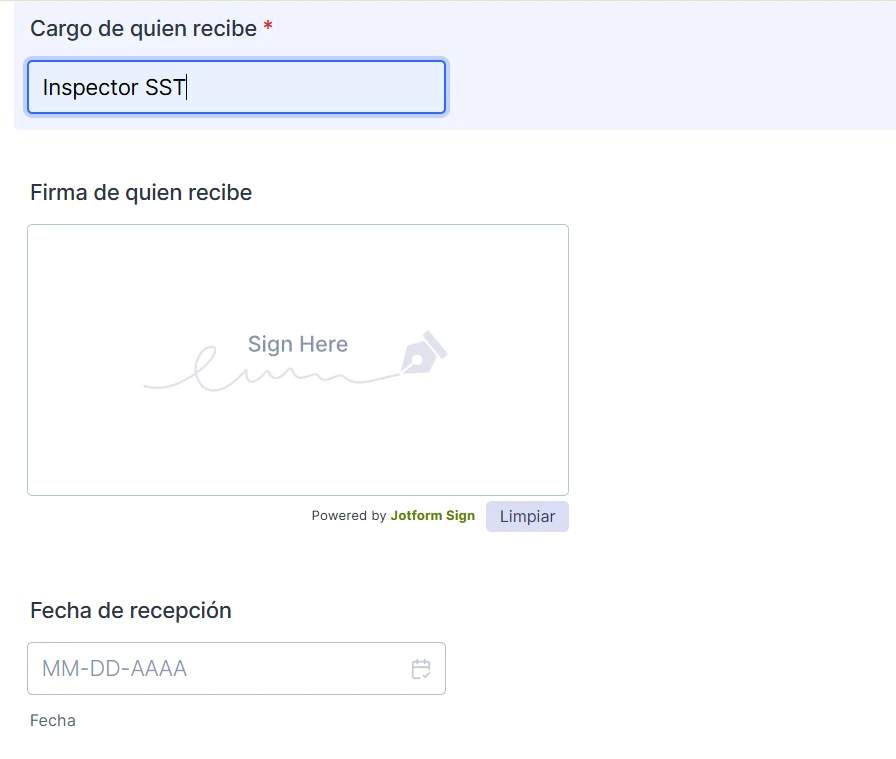
From the image description you provided, it looks like your form includes fields for the position of the person receiving (Cargo de quien recibe), a signature field (Firma de quien recibe) powered by Jotform Sign, and a date field (Fecha de recepción).
If you want the recipients to sign the form when you send it, the signature field you have is the correct element to use for capturing signatures electronically. When you send the form, users will be able to sign directly within the form using this signature widget.
Let me know if you need help with setting up the signature field properly or configuring the form to ensure the signature is required before submission.
Reach out again if you need any other help.
-
IncoltCO
I need them to sign this form when I send it.
-
Podo: Support Specialist
Hi Incolt,
Yes, you can require recipients to sign your form when you send it by using the signature field you already have or by integrating a DocuSign field for electronic signatures.
Here’s how to add a DocuSign field to your form for a quick setup:
1. In Form Builder, click on Add Element on the left side of the page.
2. Under the Widgets tab, search for DocuSign and add it to your form.
3. Authenticate your DocuSign account in the setup window.
4. Configure the document title, auto-submit options, and PDF template.
5. Click Update to save the settings.
You can also connect Jotform and DocuSign via Zapier for more integration options.
Give it a try and let us know if you need any help.
-
IncoltCO
I can talk to a human
-
Podo: Support Specialist
Hi Incolt,
One of our Support Team members will take it from here to follow up shortly.
-
IncoltCO
Thank You!
-
 Lesther Support Team Lead
Hi IncoltCO,
Thanks for reaching out to Jotform Support. If you want to force form responders to sign the Firma de quien recibe signature field, just make that field required. Right-click on it, and then select Require from the options. The following screencast shows how to do that:
Keep us updated and let us know if you need any more help.