-
CChante Da Silva
Hi,
I have registered my email through the company's account.
However, it is saying I need to verify my account and this is where I am having problems.
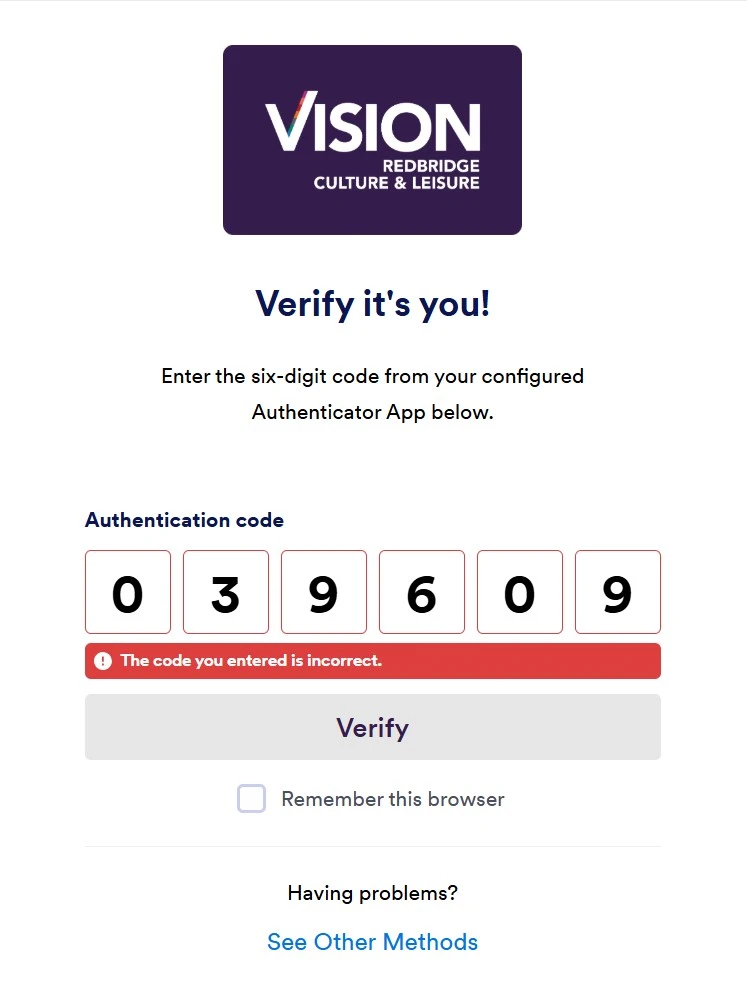
the code I have through Authenticator does not work, I was told the same thing happened to my managers account and she said she contacted the Jotform support team and they were able to help her with this.
-
 Gemmhel Enterprise Support
Hi Chante,
Thanks for reaching out to us for help. I understand that you’re trying to verify your account using the Authenticator code, but the code isn’t working for you. When I checked your previous threads, I saw that you have a Jotform Enterprise account.
To help you better, can you let us know exactly what happens when you try to use the Authenticator code? For example, are you receiving an error message? It would help us understand what’s happening if you could share a screenshot of what’s on your screen. You can follow this guide to upload it to the thread.
After we hear back from you, we’ll have a better idea of what’s going on and how to help.
-
CChante Da Silva

-
 Sheena JotForm Support
Hi Chante,
I’ve looped in our relevant team and will follow up with you as soon as possible.
-
 Parker Enterprise Support
Hi Chante,
Thank you for your patience. Please have one of your server admins go into the admin console and reset your 2FA settings and try logging in again after. Let's walk through how they can do that from the admin console.
- From their My Workspace, click on your avatar icon in the top right and select Admin Console.
- Then go to the Users tab and find your user.
- Finally, click on the 3 dots for more options and select 2FA settings and reset 2FA for user.
Please give this a try and let us know if you're still experiencing difficulty logging in.