-
 Team_Hope
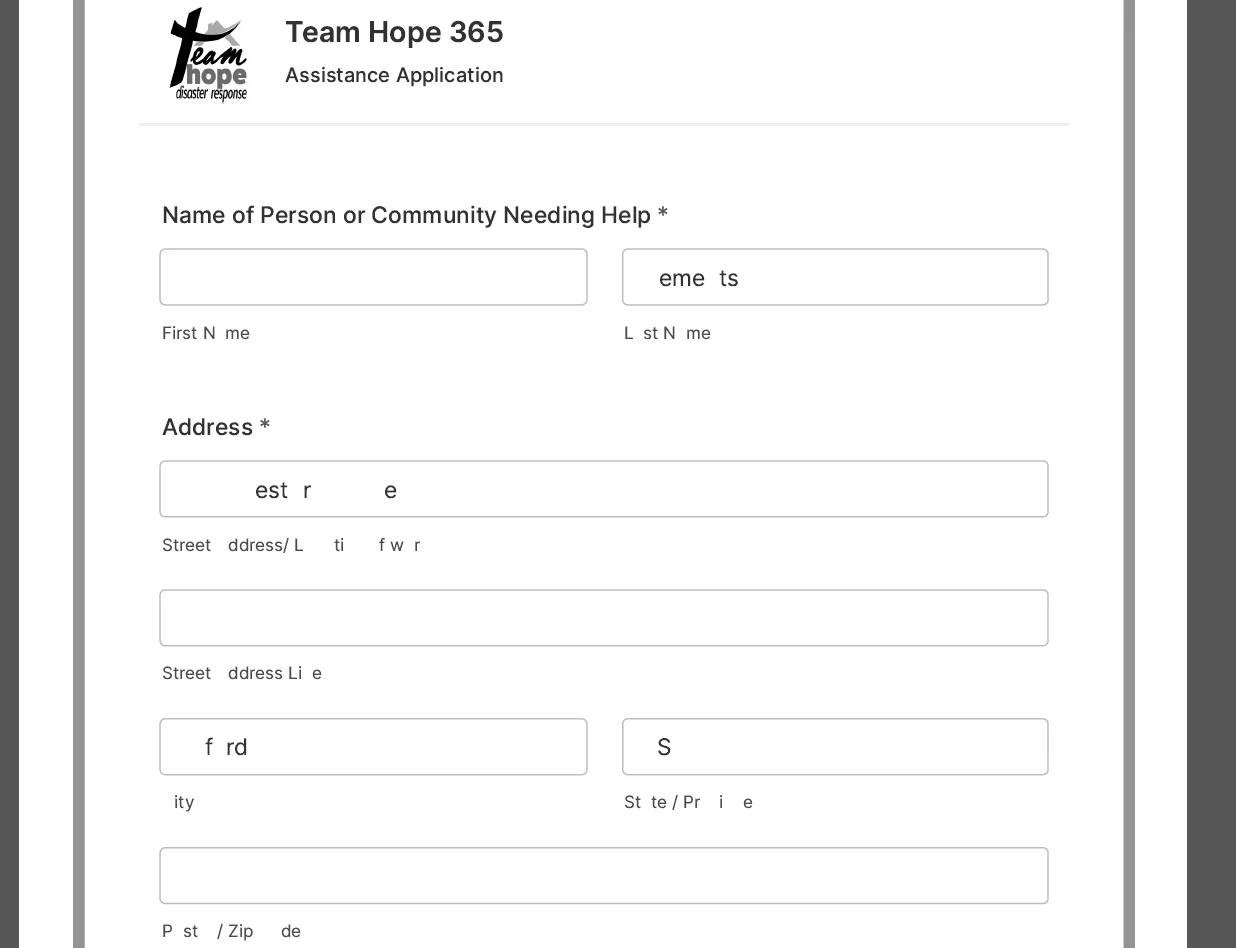
The form looks good on screen but when I print the attachment is the way it looks. I don't know if I am doing something wrong.

-
 Podo: Support Specialist
Hi Team,
Thanks for reaching out to Jotform Support. I'm an AI assistant here to assist you.
If your form looks good on screen but the printed attachment does not, this is a common situation because the PDF Editor in Jotform allows customization of PDF submissions but does not print the form exactly as it appears on screen.
Let me help you with that:
Option 1: Use the Print Button on Your Form
- Go to the Form Builder and ensure your form has a Print button. You can add it if it's missing. See the guide on Print Button on Forms.
- Submit the form and then use the Print button on the form itself to print the form with user data as it appears on screen.
Option 2: Use the Edit Link from Email Notifications
- In Form Builder, go to Settings > Emails and edit your email template.
- Add the Edit Link tag {edit_link} to your email template. When users receive the email, they can click the link to open the form with their data.
- Open the form via the Edit Link and use the Print button on the form to print the submission exactly as designed.
Option 3: Use Jotform Tables to Print Submissions
- Go to your Workspace and open Jotform Tables for your form submissions.
- View the submission you want to print and click the More icon, then Edit Entry.
- Print from the form in edit mode using the form's Print button to get the designed layout with data.
These methods help you print the form with user data in a way that resembles the on-screen design. The PDF attachment generated automatically may not match the on-screen form layout exactly.
Give it a try and let us know how it goes.