-
 jemishbadarakhiya
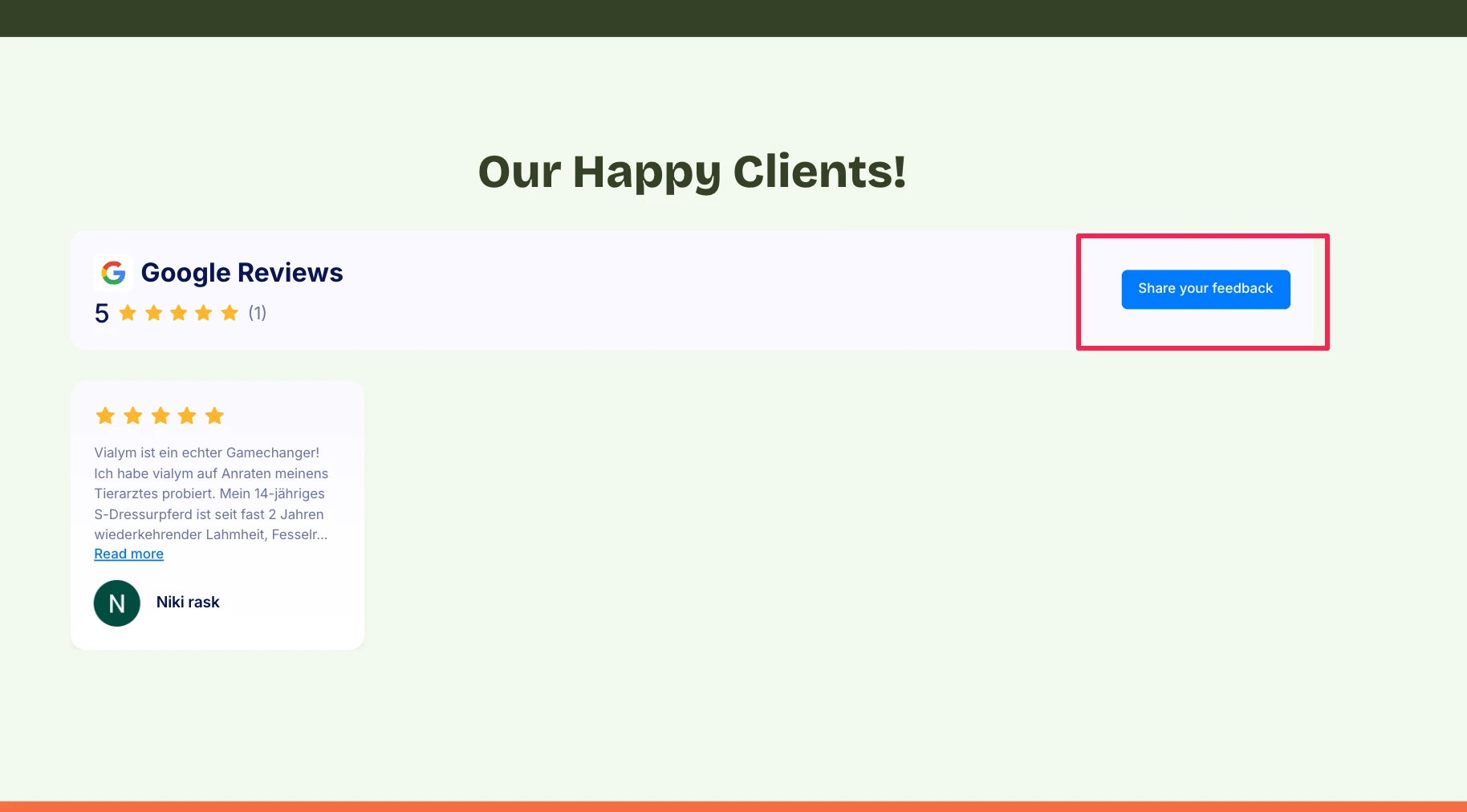
Can you check the what is the issue in the google review widget. I have crate google review widget the try to add code in the shopify. Review is showing properly but "Share your feedback " button is not working means it's not clickable and not redirect to review popup form.
This is code that I am using it
<div id="JFWebsiteWidget-019cbe692e7d7fdb805c3b181f598cf76ee8"></div><script src='https://www.jotform.com/website-widgets/embed/019cbe692e7d7fdb805c3b181f598cf76ee8'>
</script>

-
 Podo: Support Specialist
Hi Jemish,
Thanks for reaching out to Jotform Support. I'm an AI assistant here to assist you.
Regarding the issue with the Google Review widget where the "Share your feedback" button is not clickable and does not redirect to the review popup form, there is no specific information in the knowledge base about this exact problem with the widget in Shopify.
However, here are some general suggestions to troubleshoot this kind of issue:
- Ensure that the widget code is correctly embedded in your Shopify store without any modifications that might break the script.
- Check for any JavaScript conflicts on your Shopify page that might prevent the button from working properly.
- Verify that the widget script URL is accessible and not blocked by any content security policies or browser extensions.
- Try embedding the widget on a different page or environment to see if the issue persists, which can help isolate the problem.
If these steps do not resolve the issue, it might be necessary to review the widget configuration or consider reaching out with more details or screenshots for further assistance.
Give it a try and let us know how it goes.
-
jemishbadarakhiya
I have Used the Google review code in the shopify project.
the google review is showing is properly but there is a "Share your feedback" button at the top but when I clicked on that button not does anything -
 Raymond JotForm Support
Hi Jemish,
Can you share with us the link to your form and the link to your website where the button is visible? Also, if you can test it again using a different browser and share a screenshot of the console report after attempting to click it, that'll give us a better idea of what's going on and how to help.
After we hear back from you, we’ll know what’s going on and how to help.
-
jemishbadarakhiya
Hi Raymond,
Thank you for the replaying on this.
The issue is I have used the Google review widget in shopify project. Google Reviews show properly in the widget, Image is below that show the google review show properly.This is code that I am using it
<div id="JFWebsiteWidget-019cbe692e7d7fdb805c3b181f598cf76ee8"></div><script src='https://www.jotform.com/website-widgets/embed/019cbe692e7d7fdb805c3b181f598cf76ee8'></script>
The site is live so I have remove this code from the site. I have added this code in the test site you can check here what is issue https://apollo-site-test.webflow.io/. here is console screenshot, No any error. -
Raymond JotForm Support
Hi Jemish,
I tested your test page and was able to replicate the issue. Checking further, it seems that the button does not have configuration on click. Ideally, it should have the following lines:
<a href="https://g.page/r/YOUR_REVIEW_LINK/review"

   target="_blank"

   style="display:inline-block; padding:10px 16px; color:#fff; background:#007bff; border:1px solid #007bff; border-radius:4px; text-decoration:none;">

  Share your feedback

</a>
Can you share how you've configured Jotform from your Shopify? If you can send a screenshot of your admin configuration, how the code is added to your page, and any other relevant information, that'll help us see what's going on and help you with a solution.
After we hear back from you, we’ll know what’s going on and how to help.