-
 maria.salvatierrac
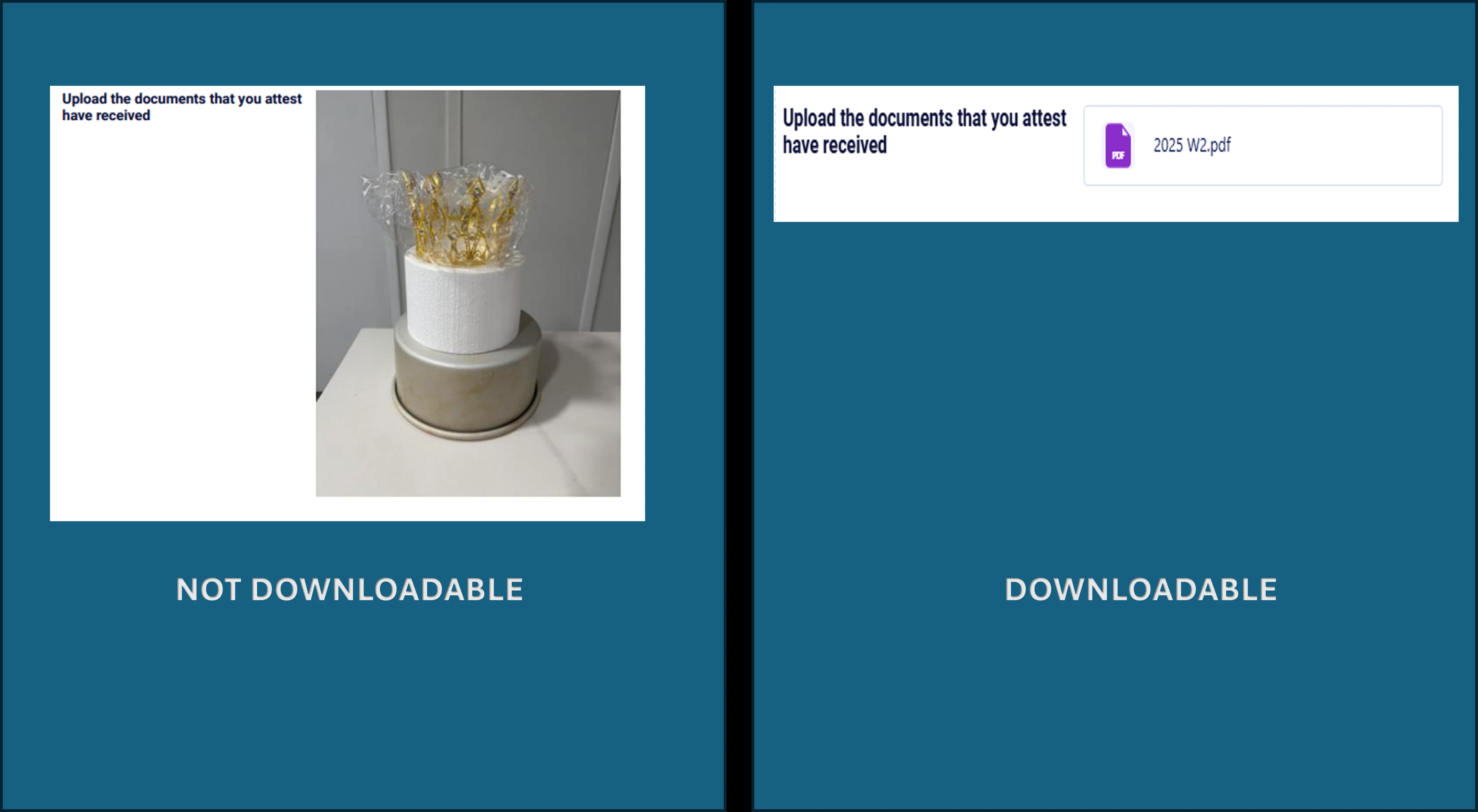
Hi. I have a form in which my customer can upload different of files with. Once I print the pdf (from pdf editor) I can get access to the files uploaded and I can download them with no problem.
But there is other forms that does not allows me that, even a clone from the original one.
This is the url of the orgininal one https://form.jotform.com/maria.salvatierrac/MsTaxes
This is the url of another form https://form.jotform.com/maria.salvatierrac/AGENDA-PAGOS
Please help me to understand what's goin on and how to solve it. Thank you!

-
 Podo: Support Specialist
Hi Maria,
Thanks for reaching out to Jotform Support. I'm an AI assistant here to assist you.
It sounds like you are having trouble downloading uploaded files from the PDF Editor in some of your forms, even though they are clones of the original form where it works fine.
Let me help you with that:
- Check the PDF Editor setup: Sometimes, the PDF template for cloned forms may not include the file upload fields correctly. Open the PDF Editor for the form that is not allowing file downloads and verify that the file upload fields are present and properly linked.
- Verify the file upload field settings: Ensure that the file upload fields are configured to allow file uploads and that the files are being saved correctly in the submissions.
- Compare the original and cloned forms: Look for any differences in the PDF Editor templates or form settings that might affect file access.
If you want, I can also guide you on how to add a Download PDF button on the Thank You page so respondents can download their submission PDFs easily.
Give it a try and let us know how it goes.