-
 jessicaspeas
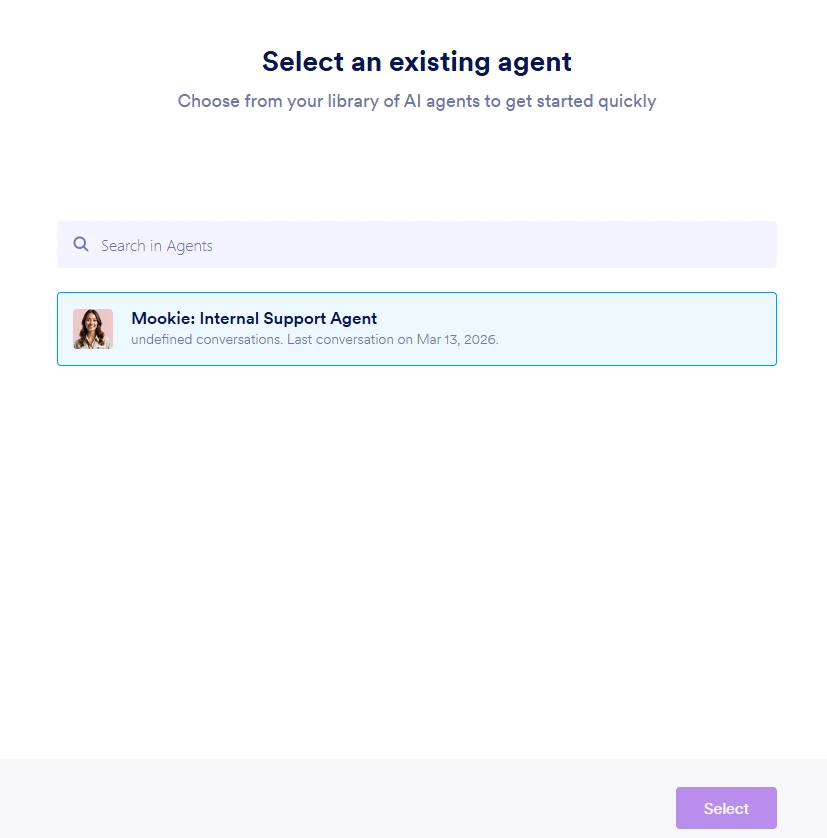
The chatbot I created is no longer linked to our app, and when I try to add it again, the attached image is what I get. The name of the agent is the same, but the icon is different, and when I click on the agent to select, the 'select' button is un-clickable.

-
 Ronald JotForm Support
Hi Jessica,
Thanks for reaching out to Jotform Support. You can first log out of your account and clear the cache of the browser before logging in and trying to connect your AI Agent again, as this helps with temporary issues.
If the issue persist, an you share a quick screen recording of what’s happening so we can try to replicate it on our end? You can upload it to Google Drive, Dropbox, or record with Loom and send us the link.
Also, in order to thoroughly troubleshoot the issue you're having, we'd like to clone your AI agent along with its knowledge base. Once we replicate that environment, we can more accurately identify the issue and work on a solution. Rest assured that all data will be handled securely and used only for troubleshooting purposes in line with our strict privacy and security policies. Once the issue is resolved, the cloned AI agent and all its cloned data will be deleted.
Would you agree to give us permission to go ahead with this? If you have any questions or concerns, we’ll happily answer them for you.
As soon as we hear back from you, we can move forward with a solution.