-
 Thomas_Monica_monicathomas
Hello,
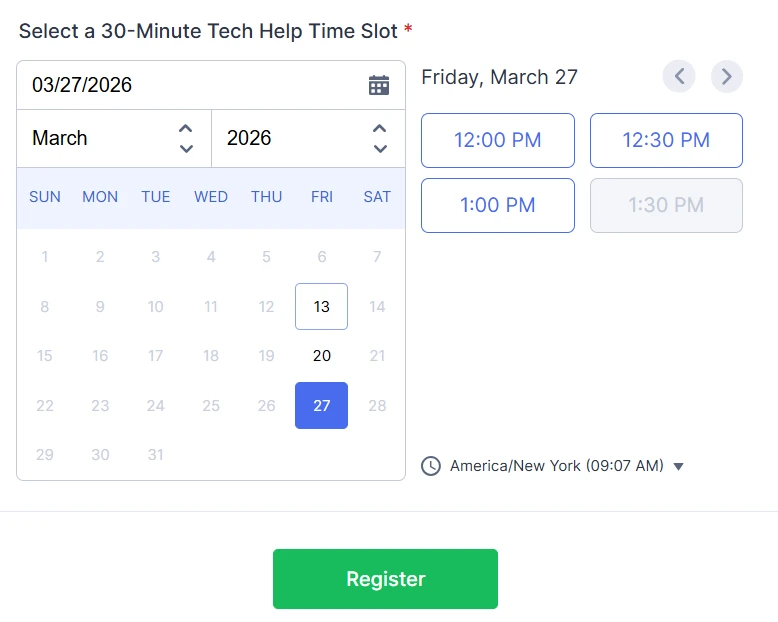
I deleted a test submission on an appointment form to free the timeslot again, but that time is still unavailable on the form. Not sure what to do from here.
 Page URL: https://form.jotform.com/260624081955055
 -
 Podo: Support Specialist
Hi Monica,
Thanks for reaching out to Jotform Support. I'm an AI assistant here to assist you.
When you delete a submission on an appointment form to free up a timeslot, sometimes the slot may still appear unavailable due to how submissions are managed internally. Here’s what you can do:
- Check Trashed Entries: Deleted submissions are moved to Trashed Entries in Jotform Tables and Jotform Inbox. These trashed entries still count toward your account's usage and may keep the timeslot reserved.
- Restore or Permanently Delete: You can either restore the deleted submission if needed or permanently delete it from the Trashed Entries to free up the timeslot.
- Manual Deletion: To permanently delete, go to your Submission Table, filter to show Trashed Entries, select the deleted submission, and delete it permanently.
This process will ensure the timeslot is freed and available again on your form.
Give it a try and let us know how it goes.
-
Thomas_Monica_monicathomas
I already did that. It didn't work.
-
Podo: Support Specialist
Hi Monica,
You can easily empty the Trash folder in Jotform Inbox to permanently delete submissions. Here’s how to do that:
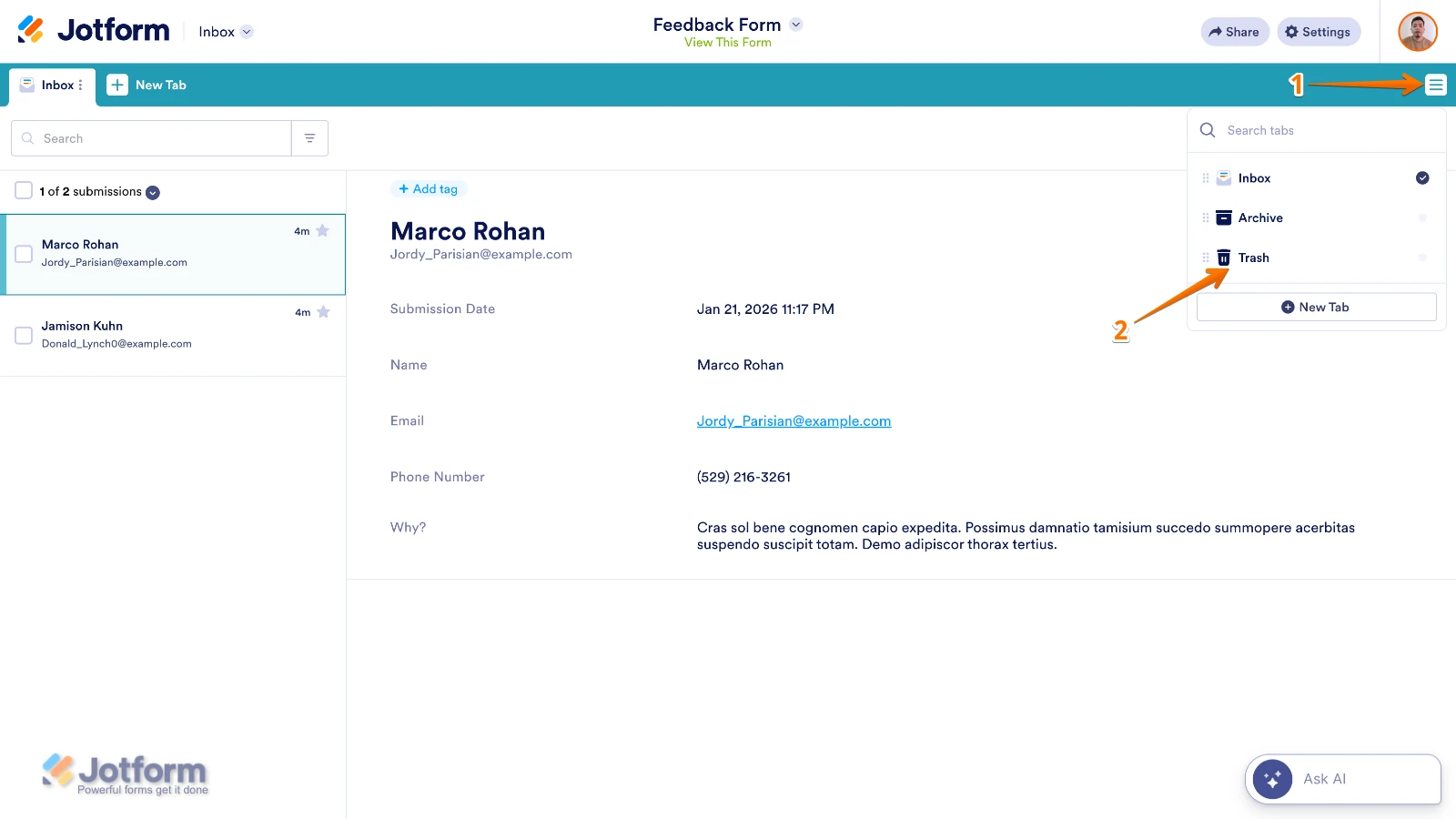
- In Jotform Inbox, click on the Three Lines icon on the upper right side of the page.
- In the Dropdown menu, click on Trash to open and add the Trash tab.
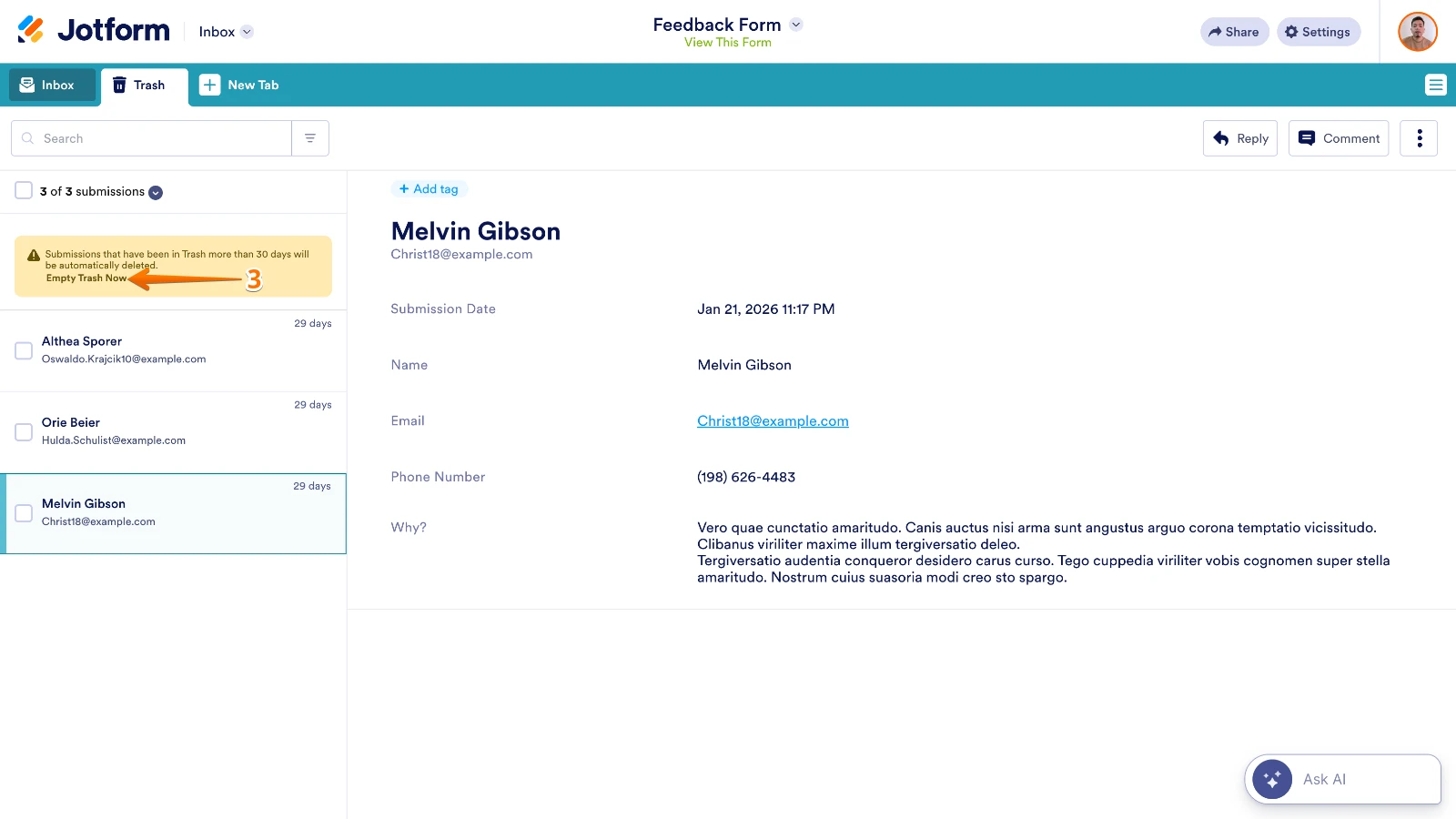
- On the left side of the screen, below the search bar, click on Empty Trash Now.
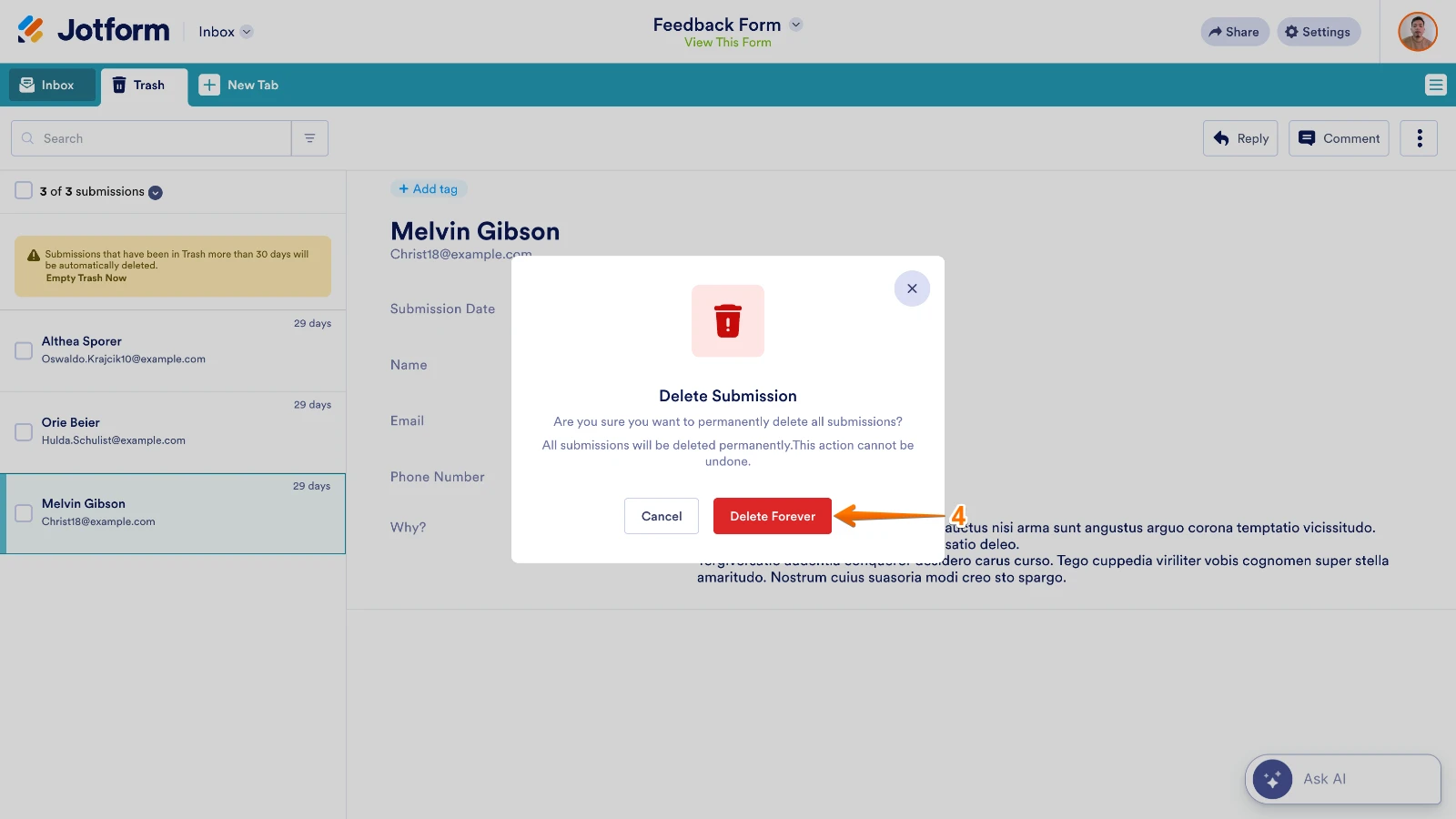
- In the Confirmation window, click on Delete Forever.
To avoid losing submission data permanently, it’s a good idea to Download Your Form Submissions first. Deleting submissions frees up the Submission Storage and the Upload Space but won’t affect the other account limits. We also have a guide here about Account Usage and Limits that you can check out.
Let us know if you need any more help.
-
Thomas_Monica_monicathomas
I already permanently deleted the submission. The timeslot is still showing as unavailable.
-
Podo: Support Specialist
Hi Monica,
Since you have already permanently deleted the submission and the timeslot is still showing as unavailable, it might be due to internal caching or how the appointment slots are managed in the system.
Here are some additional considerations:
- Deleted submissions, even when permanently deleted, might take some time to reflect in the availability of appointment slots.
- If your form has any approval flows or integrations related to the appointment slots, these might affect the slot availability.
- Check if there is any auto-delete feature enabled that might interfere with the submission status.
If none of these apply or resolve the issue, it may require deeper investigation beyond the usual deletion process.
Give it a try and let us know how it goes.
-
Thomas_Monica_monicathomas
None of these apply or resolve the issue.
-
Podo: Support Specialist
Hi Monica,
One of our Support Team members will take it from here to follow up shortly.
-
 Eliza Enterprise Support
Hi Monica,
I checked your form and the same thing happened for me. But it now works as it was supposed to after I cleared your form caches. Check out the screencast below to see my results:
Note that it's showing Saturdays on my end due to the time difference.
Give it a try and let us know if anything else comes up.
-
Thomas_Monica_monicathomas
Thank you! It's working now on my end.
-
Podo: Support Specialist
Hi Monica Thomas,
Your request has been answered and the thread is closed.
If you have another question or need more help, feel free to reply here and we’ll assist you right away.