-
 Agape_hr
Hi. How do I export my data to excel.
-
 Podo: Support Specialist
Hi Agape_hr,
Thanks for reaching out to Jotform Support. I'm an AI assistant here to assist you.
Let me show you how to download your submissions as an Excel file:
- On your My Forms page, select your form and click on Submissions in the upper-left corner next to the Create Form button. (This will take you to the form's Tables view.)
- In Jotform Tables, click on Download All on the upper-right side of the page and then select Download as Excel.

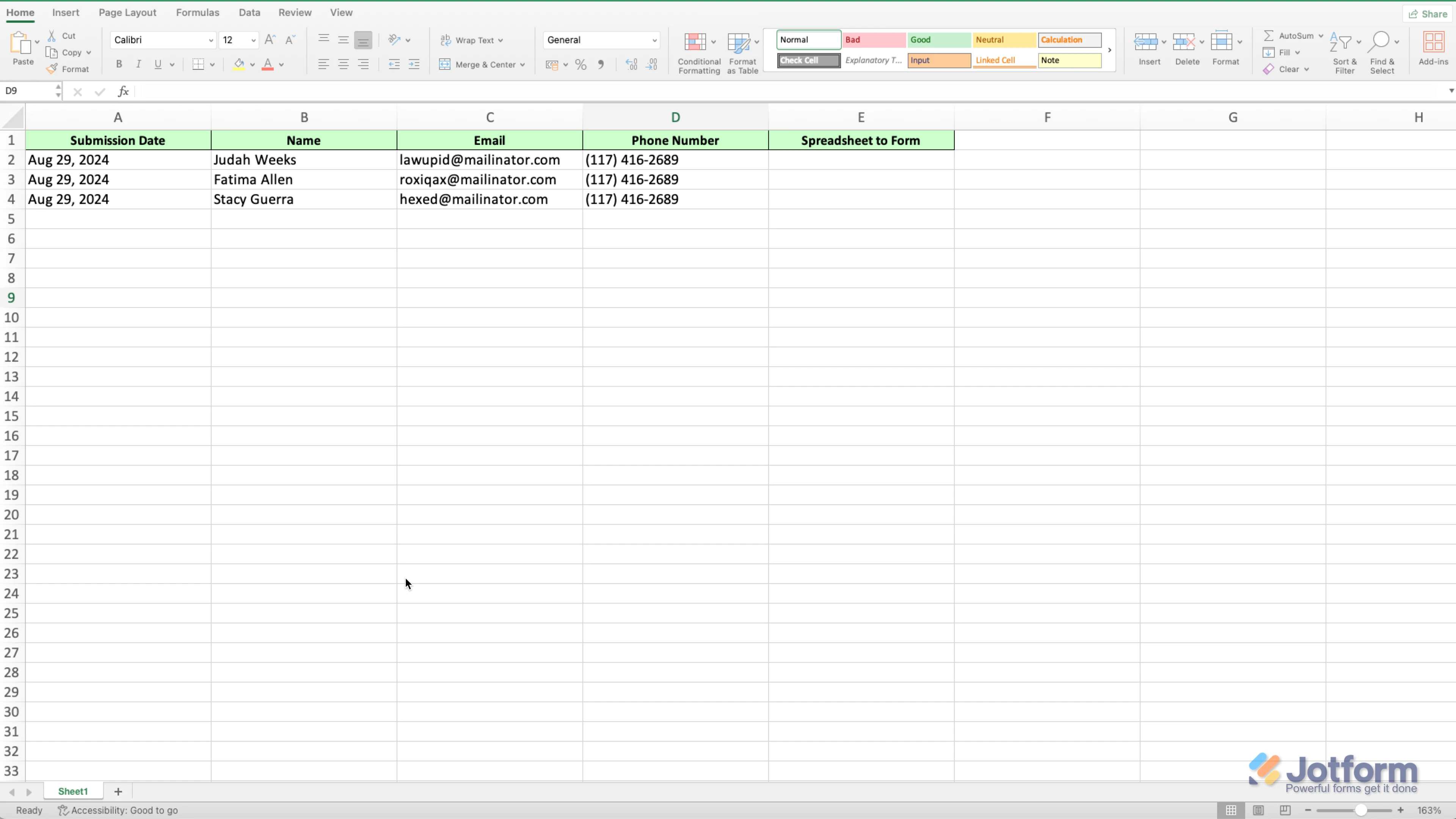
You can open the downloaded document and view your submissions using a program like Microsoft Office. The columns will appear the same as they do in Jotform Tables. Check out the screenshot below to see how it'll look:
We also have a guide about How to Download Form Submissions as Excel/CSV/PDF that you can check out.
Give it a try and let us know if you need any help.
-
Agape_hr
I am a collaborator and cant see any forms
-
Podo: Support Specialist
Hi Agape_hr,
You can easily invite a collaborator to view and manage submissions in Jotform Inbox. Let me show you how:
- In Jotform Inbox, click on Share on the top-right side of the screen.
- Then in the Share This Inbox window, under Invite By Email, enter the email address in the To field.
- Next, in the Dropdown menu on the right of the email address, select Collaborator.
- Now enter an invitation message, and then click on Send Invitation.
We also have a guide here about How to Share Your Form Inbox that you can check.
Let us know if there’s anything else we can do for you.
-
Agape_hr
I want to know how to find the owner of the document
-
Podo: Support Specialist
If you’re seeking identifying information on or concerning a Jotform user/customer, or person(s) who filled in and submitted a form, please see this web page: https://www.jotform.com/info-requests/">Requests for Personal Information If your question or concern is about how to send a legal request to Jotform for some other type of non-public information, you may send it to legal@jotform.com.
-
 Kris Ann JotForm Support
Hi Agape_hr,
When I checked, our system shows that you were added as a recipient to the Notification Email of a form that is under the account that is associated with the email man****ent@ag*pe-c*.c**. So if you want to download the submission entries, you will need to inform the form owner to share their Jotform Tables to you
using the Share button. Let me show you how:
1. On your Jotform Submissions Table, click on the Share button on the top-right side of the page.
2. Click on Share Settings and set your Table’s privacy options.
3. Now, click on Go Back in the top-right corner of the panel and use the Generated Link or the Invite by Email feature to invite people.
You can easily revoke the invites you’ve sent to others. Let me walk you through it:
1. While in Tables, click on the Share button to open Share Table.
2. Now, click on the avatars/icons of the people you invited next to the Shared with section.
3. Select the users that you want to revoke the access to by checking the boxes on the left, and click on Revoke.
4. Then, click on the Yes, Delete button. That’s it, you’re done.
Reach out again if you have any other questions.