-
JJose Sifontes
need to change main email
-
 Bojan Support Team Lead
Hi Jose,
Thanks for reaching out to Jotform Support. Changing your account email address only takes a minute. Let me show you how:
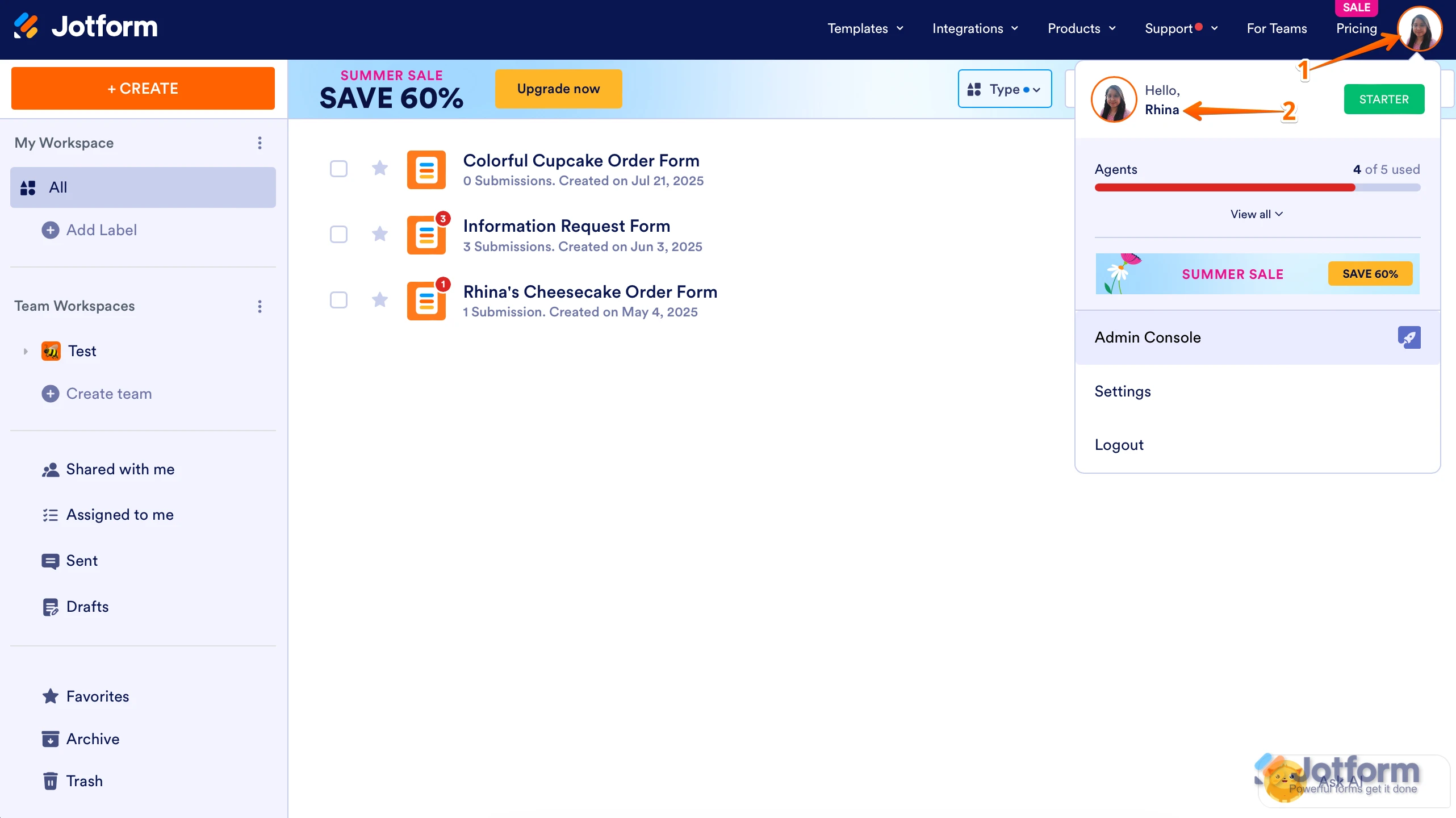
1. On your Workspace page, click on your Avatar/Profile Image in the top-right corner of the screen.
2. In the window that opens, click on your name.

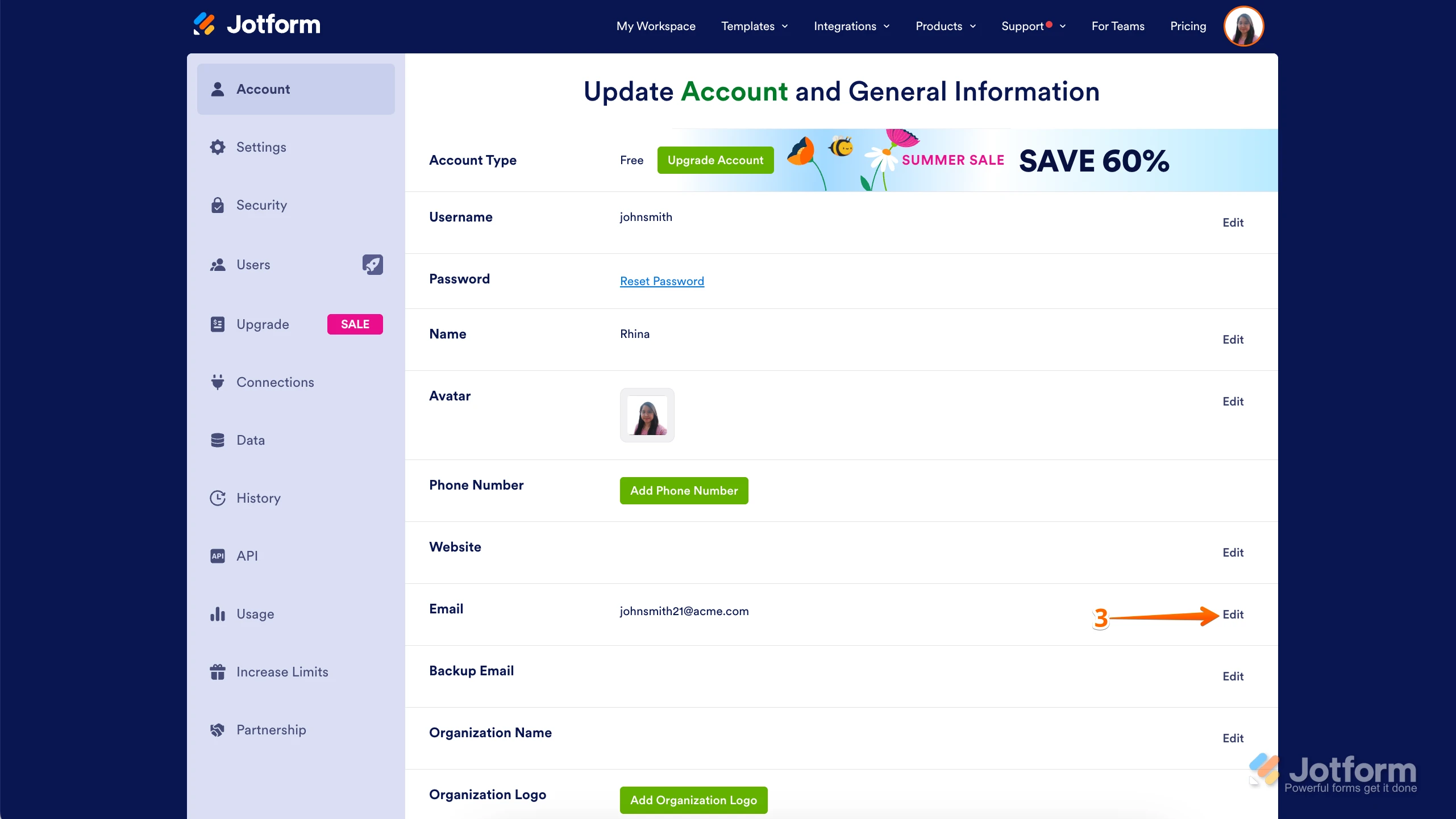
3. On the right side of the page, under the Email section, click on Edit.
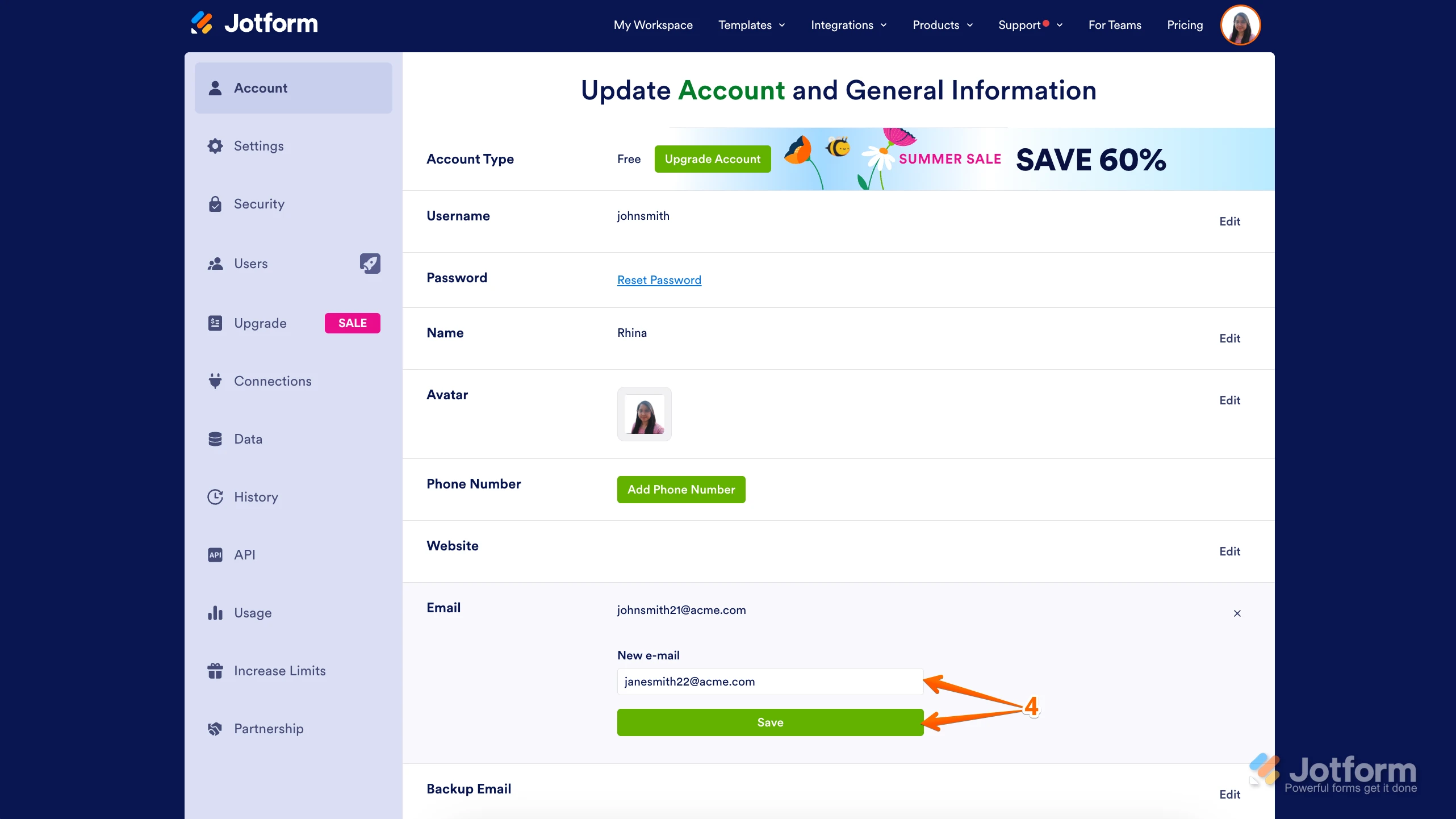
4. Next, enter the new email address you want to use and click on Save.
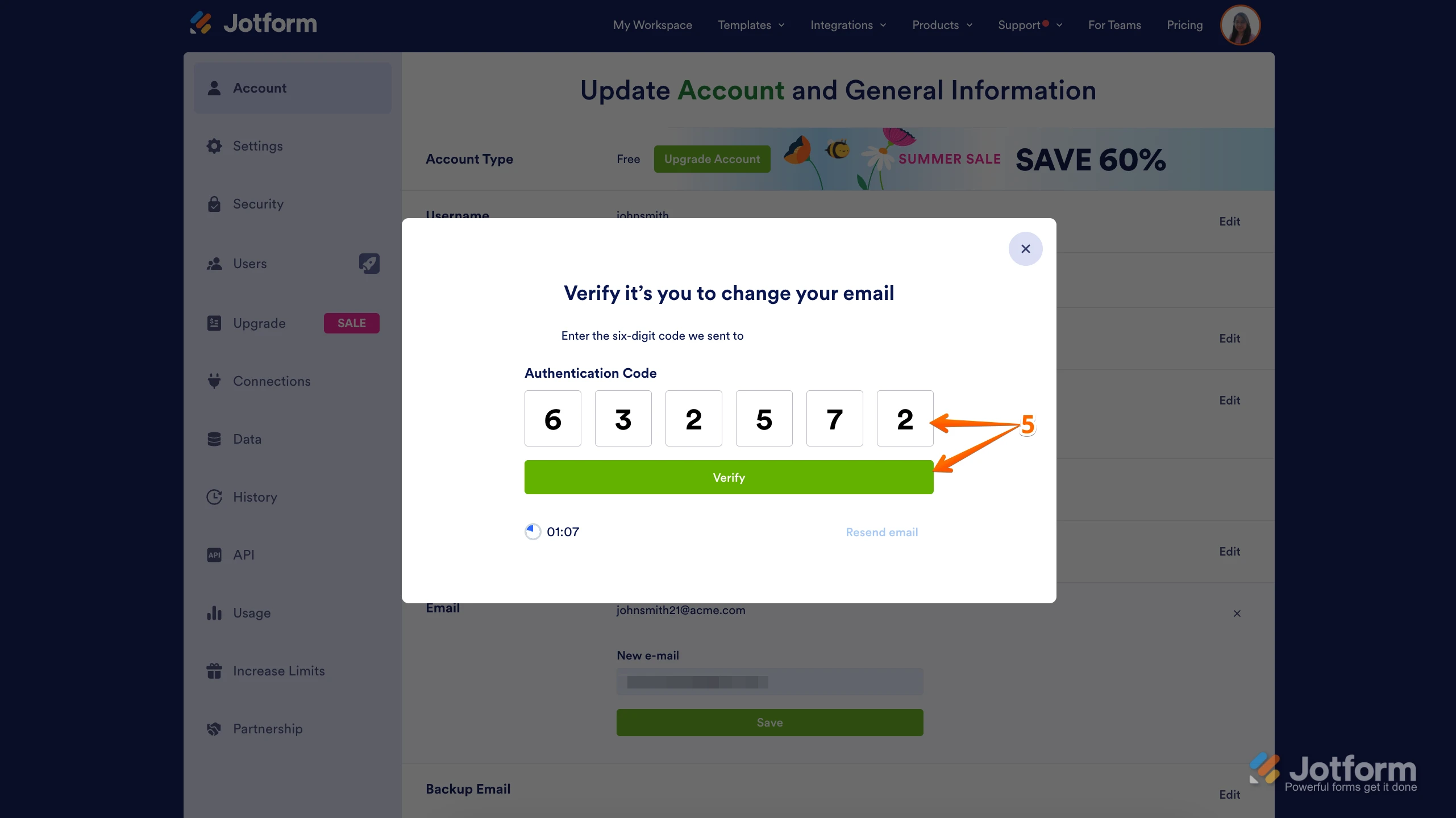
5. In the Confirmation window that opens, enter the Authentication Code sent to your new email and click on Verify.
Reach out again if there's anything else we can help you with.
 Reach out again if there's anything else we can help you with.