-
JJacksonCoachingGroup
Where does the automation for a the dm response to a keyword get set up?
I want to respond with a link
-
 Sheena JotForm Support
Hi JacksonCoachingGroup,
You can easily enable your AI Agent to respond to messages sent to your Instagram Business account. Let me show you how:
1. In Agent Builder, in the blue navigation bar at the top of the page, click on Publish.
2. Then, in the menu on the left, click on Instagram Agent.
3. Next, click on Log in with Instagram.

4. In the Instagram Login page, enter your Instagram credentials and click on Log In.
5. In the Confirmation window that opens, click on Allow.
Once you’ve connected your Instagram account, the Reply to DMs option is turned on by default. If you want to customize and further automate your replies, here’s the quick way to do it:
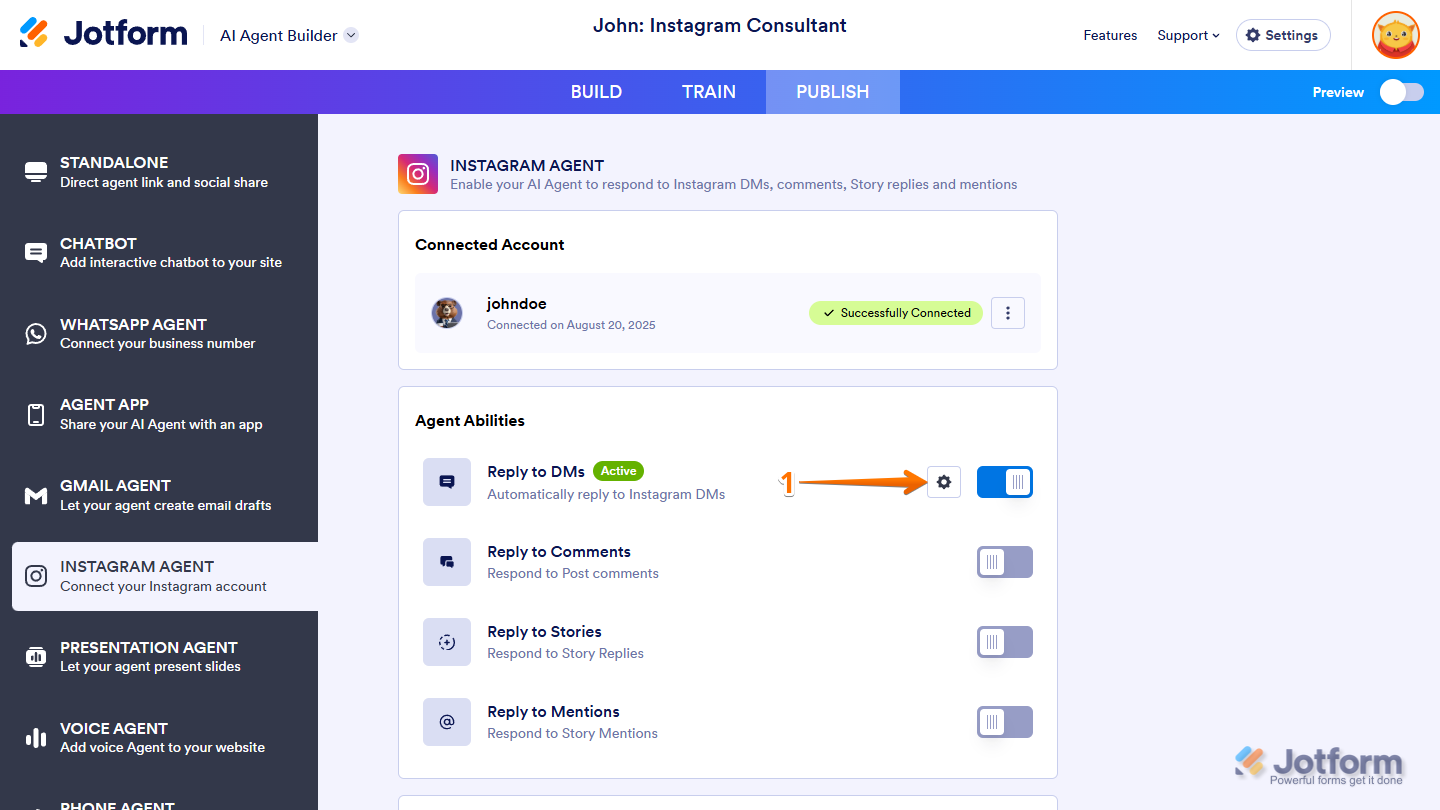
- While you’re on the Instagram Agent page, under the Agent Abilities section, click on the Gear icon next to Reply to DMs.
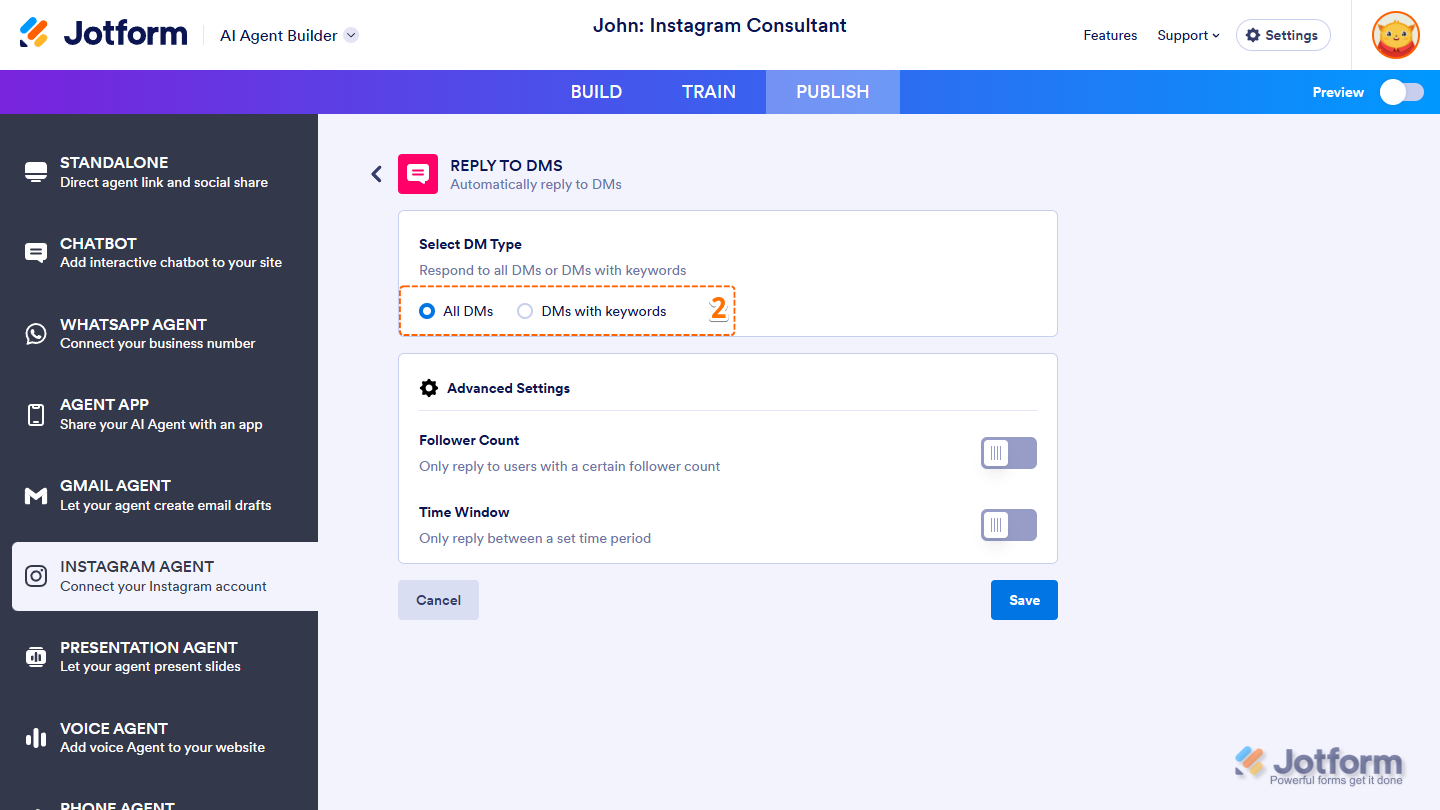
- Next, select DMs with Specific Keywords so it only replies when a message includes selected keywords.
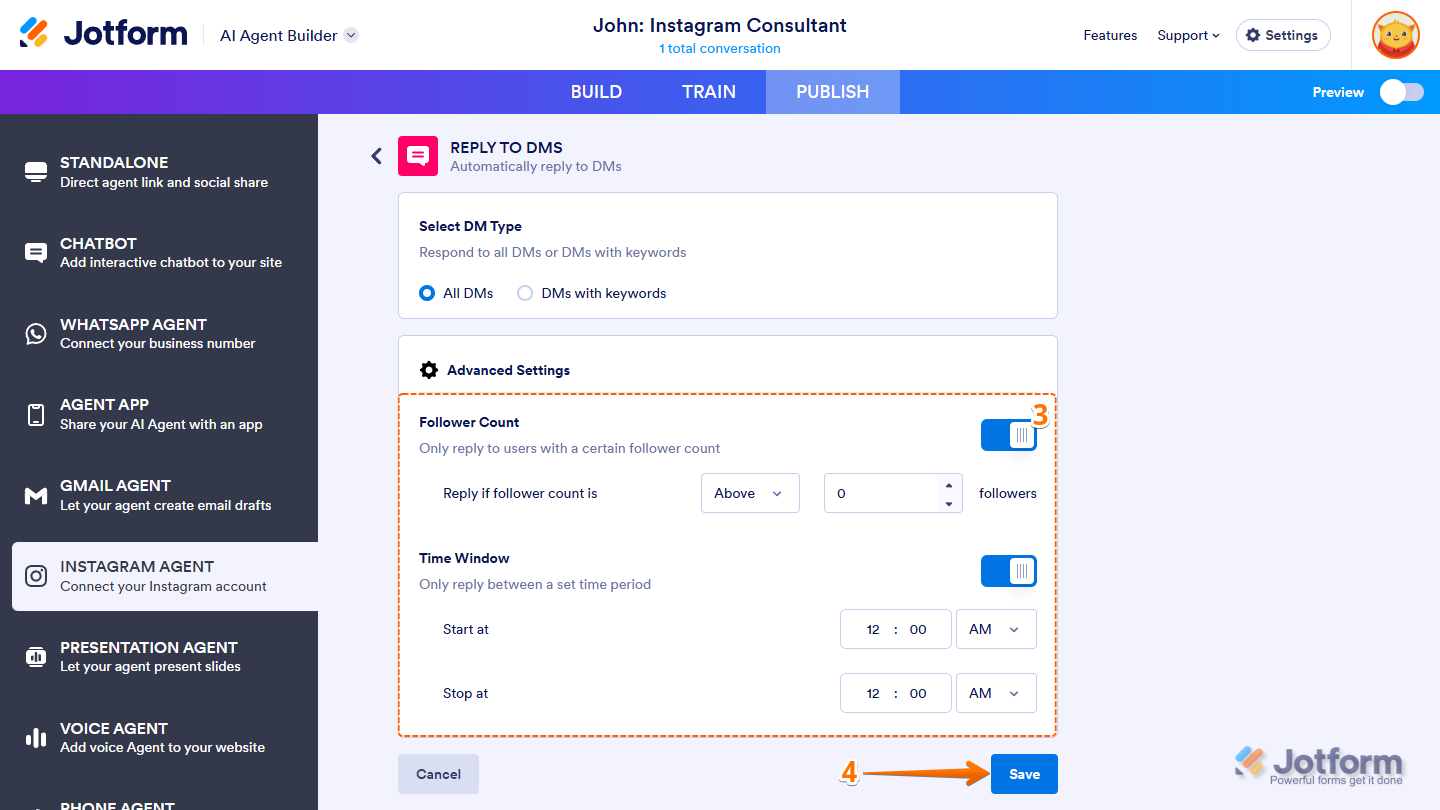
- Then, configure the Advanced Settings section.
- Finally, click on Save, and you’re all set.
Give it a try and let us know if you need any help.
- While you’re on the Instagram Agent page, under the Agent Abilities section, click on the Gear icon next to Reply to DMs.