-
 saes.professionalservices
Good afternoon, everyone,
I am contacting you to request assistance with the table(spreadsheet) in our main lead capture form: https://www.jotform.com/saes.professionalservices/saes-professional-services
Whenever I try to download the table, this happens:

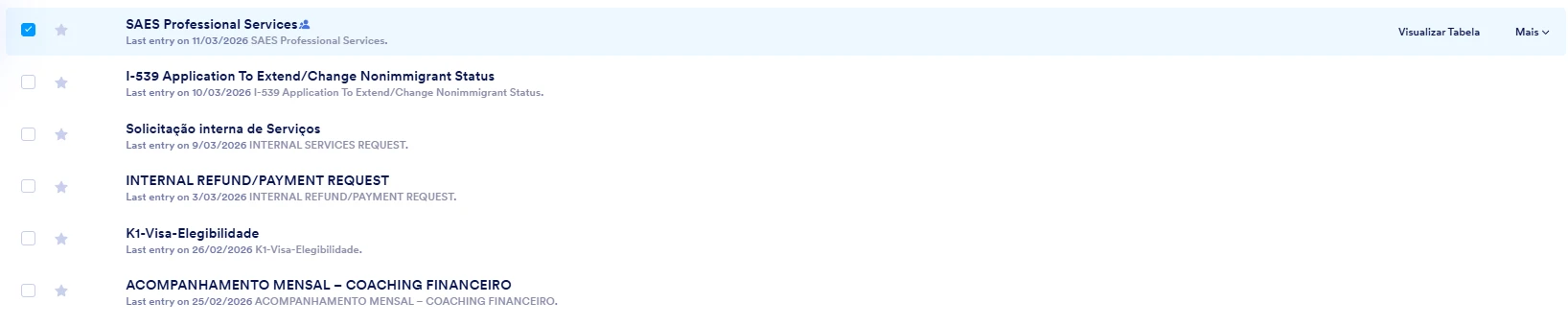
The table itself looks like this and does not load: When you click on download, it keeps loading and then freezes.
I needed to export the table because I will need the information to implement it in a CRM system.
Could you kindly help, please?
I look forward to hearing from your.Alessandra
-
 Podo: Support Specialist
Hi Alessandra,
Thanks for reaching out to Jotform Support. I'm an AI assistant here to assist you.
Regarding the issue you're experiencing with downloading the table (spreadsheet) from your lead capture form, it seems that the download process keeps loading and then freezes, showing an unexpected error message.
Let me help you with that:
- Go to Jotform Tables where your form submissions are displayed.
- Click on the Download All button located in the upper-right corner of the table view.
- Select your preferred file format (Excel, CSV, or PDF) from the dropdown menu to start the download process.
Please note that the file creation process may take some time depending on the number of entries in your form. For PDF downloads, a zip file will be created and sent to your registered email address.
If the download keeps freezing or showing an error, it might be a temporary issue on the platform side, as indicated by the unexpected error message you mentioned. In such cases, trying again after some time often helps.
If you need to download specific entries, you can select them using the checkboxes on the left before clicking Download. You can also apply filters to download filtered entries only.
Give it a try and let us know how it goes.
-
 Kris JotForm Support
Hi Alessandra,
I've cloned your form and made a couple of submissions. Then went to the submission Table to download. But I was unable to run into the same issue, as the download went through. Here's a screencast you can look at:
I’ve cleared the cache on your forms, this usually helps fix this kind of form issue. You can also do this in your Jotform account settings. Although Clearing Your Form Caches isn't done automatically, it's easy to do it manually. Let me show you how:
1. On your Workspace page, click on your Avatar/Profile Image icon.
2. In the dropdown menu, click on Settings.
3. In the Settings menu, click on Clear Cache. And that's it, you're done.
I also suggest clearing the cache and cookies of the browser you use most of the time before checking again. In addition, you can also try to use other browsers and incognito mode to see if you'll get the same result. If the same issue happens, capture a screenshot of the browser's console report. You can check this link about the helpful guide you can follow in getting the browser's console report.
Give it a try and let us know if you need any other help.
-
saes.professionalservices
Hi, Kris
Thank you for your quick response.
I did everything as you suggested and it did not work
I clear cache on jotform ( under user settings)
I cleared my browser cache and cookies and it did not work.
Could it be related to workflow i have set up for this form?
I tried a different tablet that we do not have a workflow and it worked just fine -
Kris JotForm Support
Hi Alessandra,
We'd like to access the said submission Table through your Jotform account. The Jotform Support Access feature is already enabled. We're asking your permission to access your Jotform account to check the submission Table try replicating the issue. Can you also attach a screenshot of the browser's console report while the issue is happening in the submission Table?
When we hear back from you, we’ll be ready to move forward.
-
saes.professionalservices
Yes, please.
Here it is:
Thank you very much -
Kris JotForm Support
Hi Alessandra,
I got access to the submission Table through your Jotform account and was able to replicate the issue. So I've escalated the issue to our developers to investigate. We'll share an update as soon as we receive an update from them.
Thank you for your patience and understanding, we appreciate it.
-
saes.professionalservices
Thank you, Kris.
I look forward to hearing from you.
Alessandra -
saes.professionalservices
Good afternoon, Jotform Team,
I am writing to follow up and kindly ask if there are any updates or possible solutions regarding the issue we previously reported.
Additionally, I would like to mention that while attempting to make adjustments to the flow I created for our main form (SAES Professional Services), the platform consistently becomes very slow and eventually crashes whenever I try to implement changes.
Could you please advise if there is a known issue related to this behavior or recommend any steps we can take to resolve it?
Thank you for your time and assistance.
Best regards,
Alessandra -
 Lauren
Hi Alessandra,
The Jotform Support Team will respond as soon as they can on the previous reported issue.
For the slow platform issue, you can try these steps below:
- Simplify and segment the workflow: Break very large workflows into multiple smaller workflows or forms, and remove unused branches or elements where possible.
- Reduce heavy conditions and emails: Minimize very complex conditional logic and large numbers of email notifications/autoresponders firing from a single step, and consolidate where you can.
- Check your browser and cache: Use a modern browser (Chrome/Edge/Firefox), open Workflow Builder in a fresh incognito/private window, and clear cache/extensions that might interfere.
- Test on another network/device: Try editing the workflow from a different browser, device, or network to see if the slowness is local or account/workflow-specific.
- Duplicate and test: Create a copy of the workflow, remove half the steps, and see if performance improves to identify which section is causing the issue.
Give it a try and let us know how it goes!
Thank you for your patience and understanding, we appreciate it.
-
 Olivia Product Operations Specialist
Hi Alessandra,
Thanks for waiting patiently. I know the loading issue with Tables is taking longer than expected, and I appreciate your patience. We’re still on it and will update you as soon as we have something new.
For your other question, we've split it and moved to a new thread to prevent confusion. You can check our answer here.
Let us know if you need any other help.




Your Reply
Something Went Wrong
An error occurred while generating the AI response. Please try again!