-
KKarolina
Hello,
Could you please let me know when the submission limit will be reset? I created the form on 5.02.2026 and received an email saying “You've reached your submission limit.”
I’m wondering when the limit will renew.
Thank you in advance.
Best regards,
Karolina Nicer
-
 Ronald JotForm Support
Hi Karolina,
Thanks for reaching out to Jotform Support. You’re seeing the Overlimit status because your account has already received more than 100 submissions this month. Accounts under the Starter subscription have a limit of 100 monthly submissions, and once you reach that limit, your forms will display the Overlimit message.
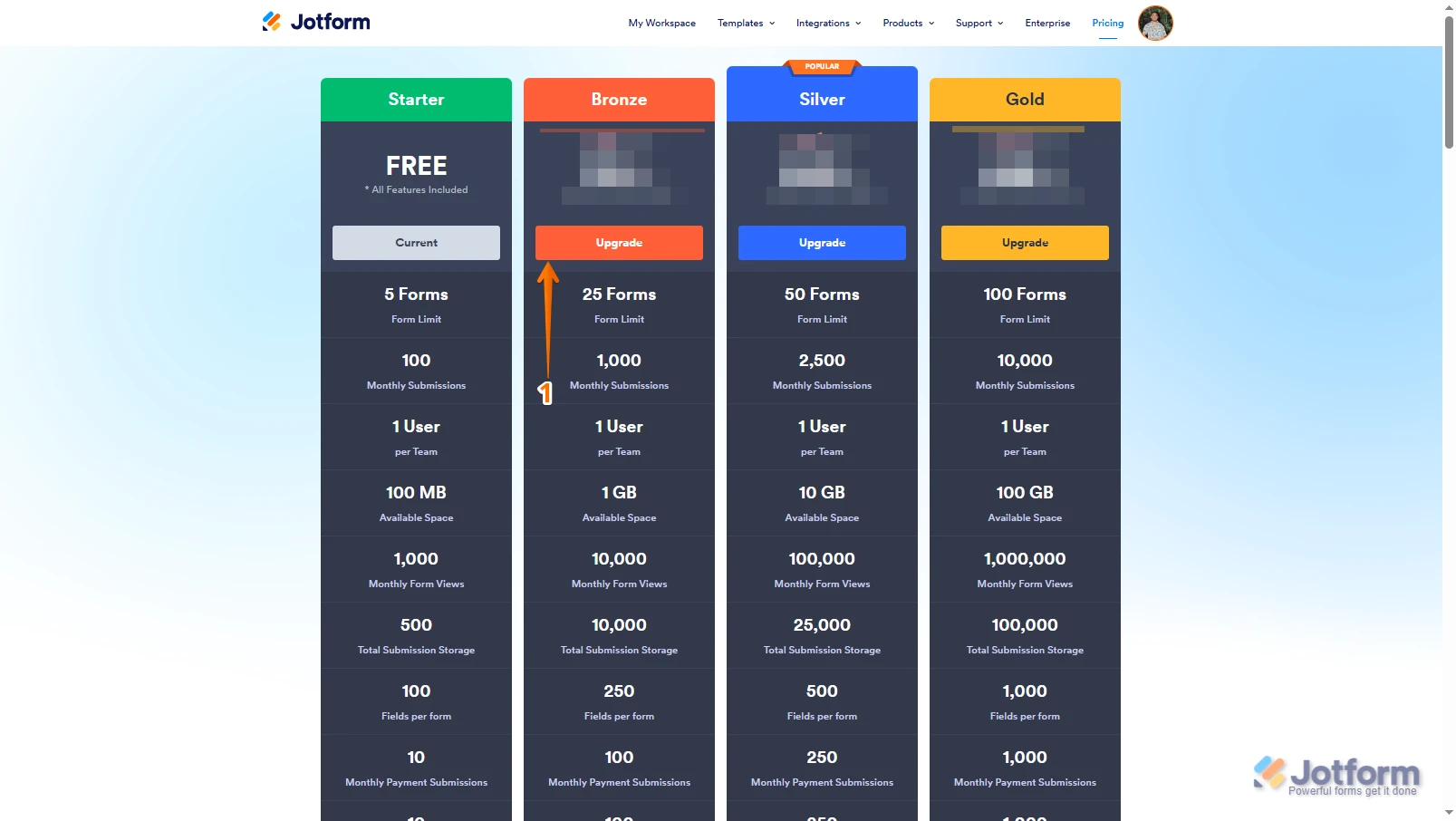
You can either wait for your next Monthly reset date on every 8th of the month or upgrade your subscription to be able to receive submissions again. Upgrading your account is easy. Let me show you how:
1. Log in to your Jotform account, go to the Pricing page, and click on Upgrade under the subscription plan you want.

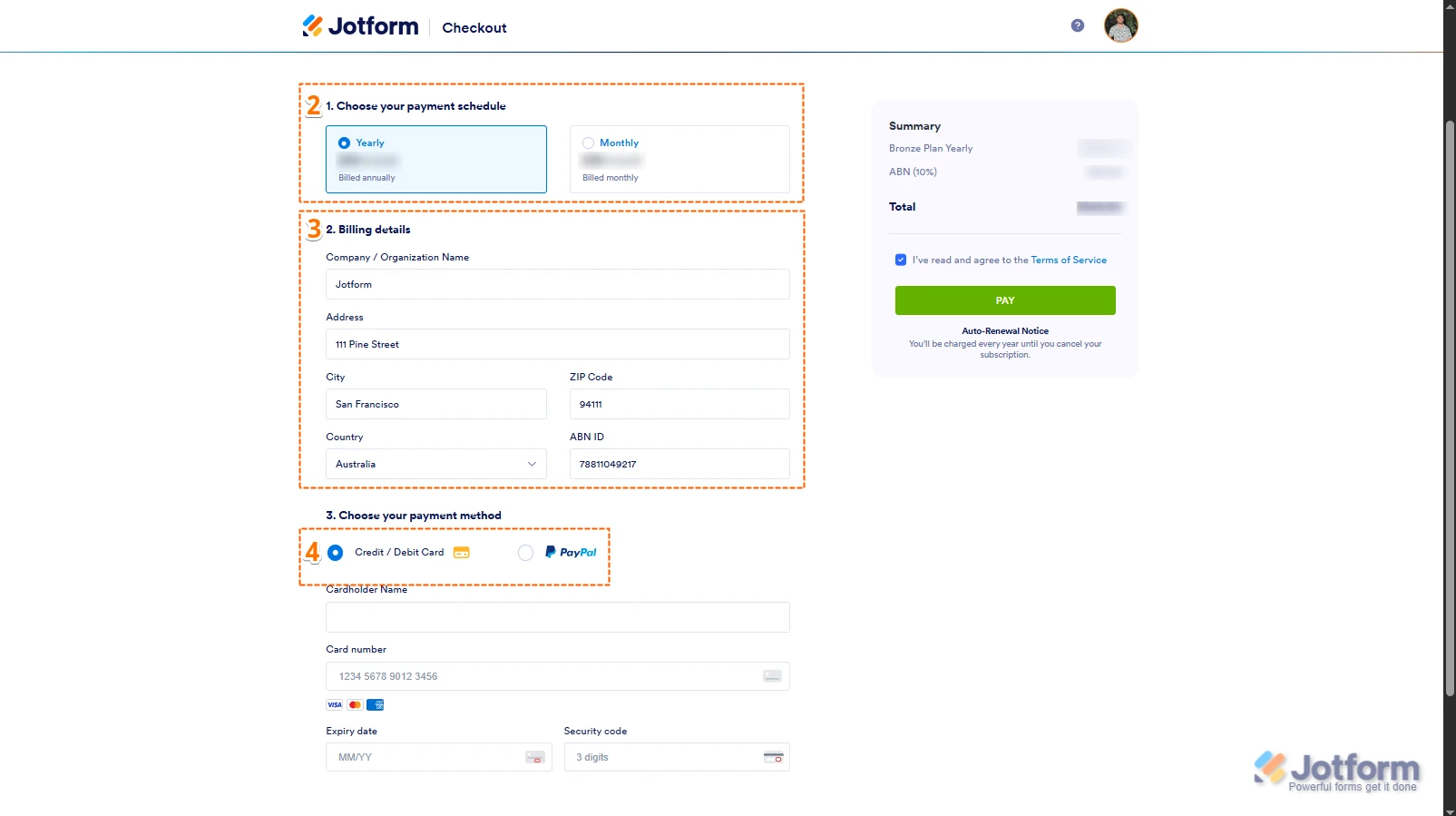
2. In the Choose Your Payment Schedule section, select Yearly or Monthly.
3. Then, enter your billing details in the Billing details section.
4. In the Choose your Payment Method section, select Credit/Debit Card or PayPal.
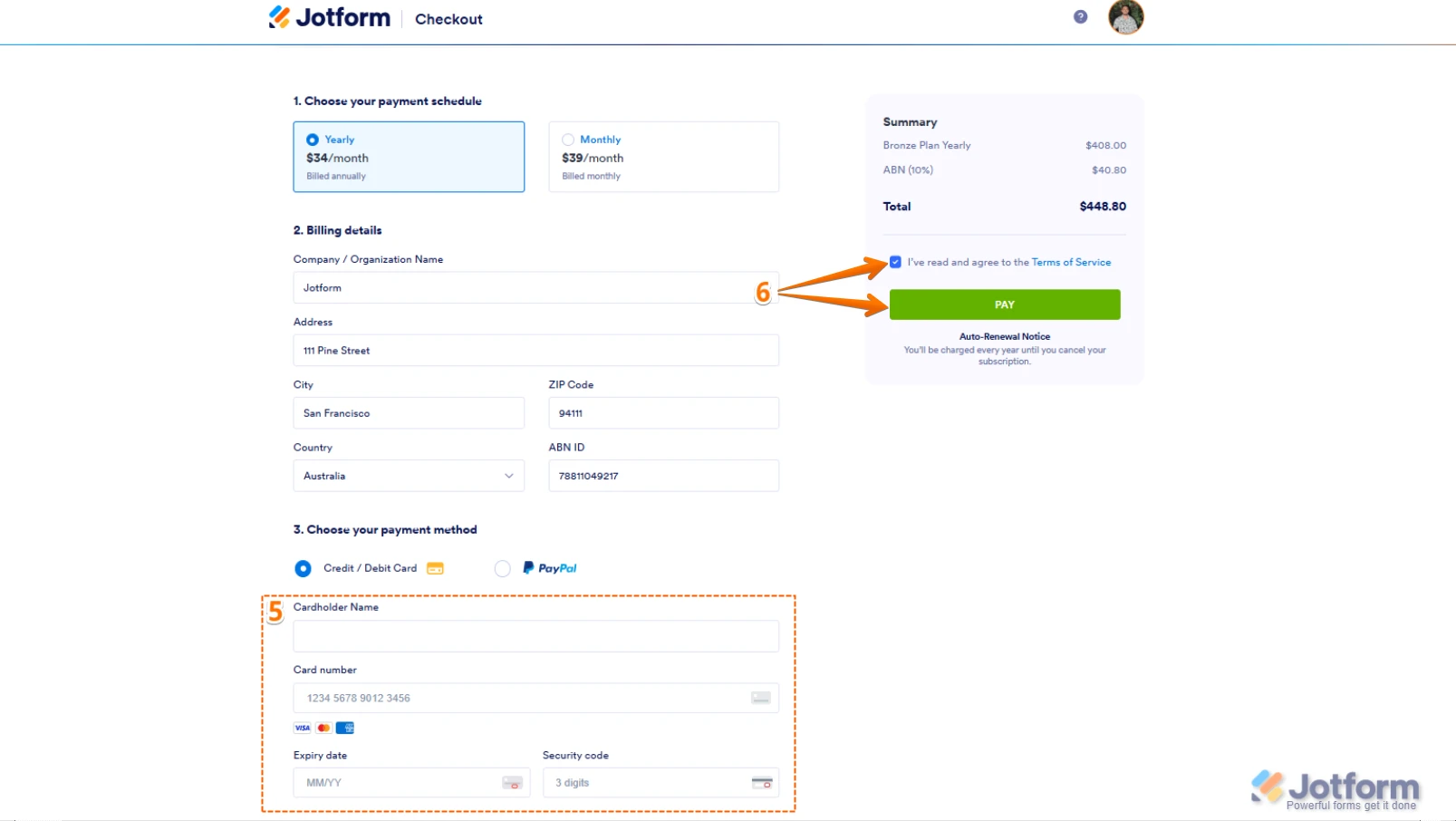
5. If you choose Credit/Debit Card, you can enter your Credit/Debit Card information below the Credit/Debit Card option.
6. Next, in the top-right corner of the page, in the Summary section, tick the box next to I’ve read and agree to the Terms of Service, and click on Pay.
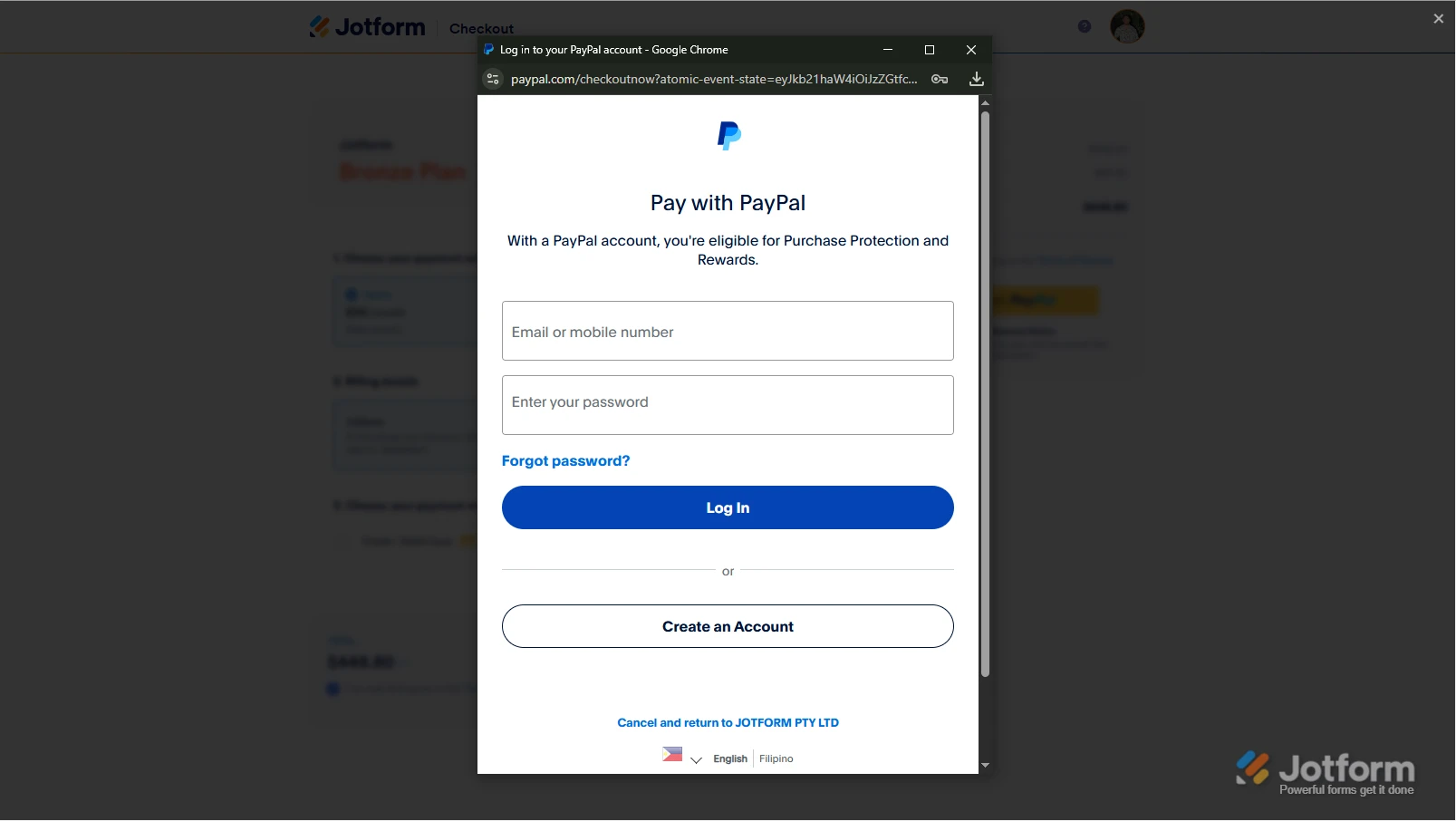
But, if you select PayPal as the payment, a PayPal Payment window will open, where you can log in and complete your payment after clicking on the Pay with PayPal button. Check out this screenshot below:After the subscription is successfully paid, the features and limits for the chosen subscription plan will be applied to your account right away.Reach out again if you have any other questions.