-
 Nicole_Hodson
Hi.
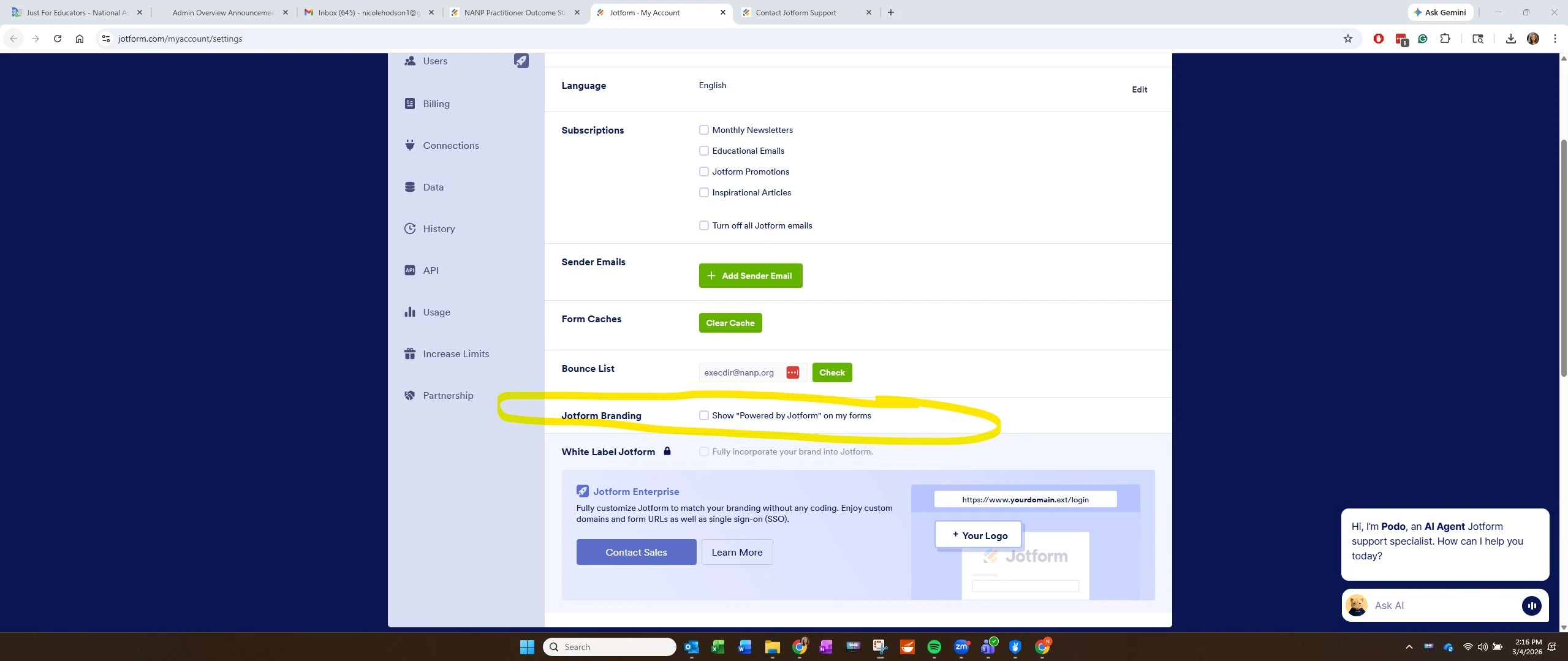
Yesterday, I was told I could remove the JotForm branding at the bottom of my sign document by buying a subscription, which I did. I made the necessary adjustment to my settings. However, the branding is still there. I was supposed to hear from someone in support, but I have not heard anything. Please help me.
Thank you.

-
 Podo: Support Specialist
Hi Nicole,
Thanks for reaching out to Jotform Support. I'm an AI assistant here to assist you.
Regarding the issue with the Jotform branding still showing after purchasing a subscription and adjusting your settings, I recommend double-checking the following:
- Ensure that your subscription plan supports the removal of Jotform branding.
- Verify that you have saved the changes in your form settings to remove the branding.
- Clear your browser cache or try viewing the signed document in a different browser or incognito mode to see if the branding is still visible.
If the branding still appears after these steps, it might be an issue that requires further investigation by our support team.
Once we hear back from you, we'll be able to move forward with a solution.
Reach out again if you need any other help.
-
Nicole_Hodson
I have confirmed all of the actions recommended above, including clearing my cache. The JotForm branding persists.
-
Podo: Support Specialist
Hi Nicole,
You can easily remove the Jotform Branding if you have a Bronze, Silver, or Gold Jotform subscription. Let me show you how to do that:
- In Form Builder, scroll down to the bottom of the page, click on the Submit field.
- Next to Powered By Jotform, click on the X.
To remove it in App Builder:
- In App Builder, scroll down to the bottom of the page.
- Then, click on Remove Branding above the Create Your Own App button.
Let us know if you have any other questions.
-
Nicole_Hodson
There is no way to get an "x" at the bottom of the page in the Builder.
-
Podo: Support Specialist
Hi Nicole,
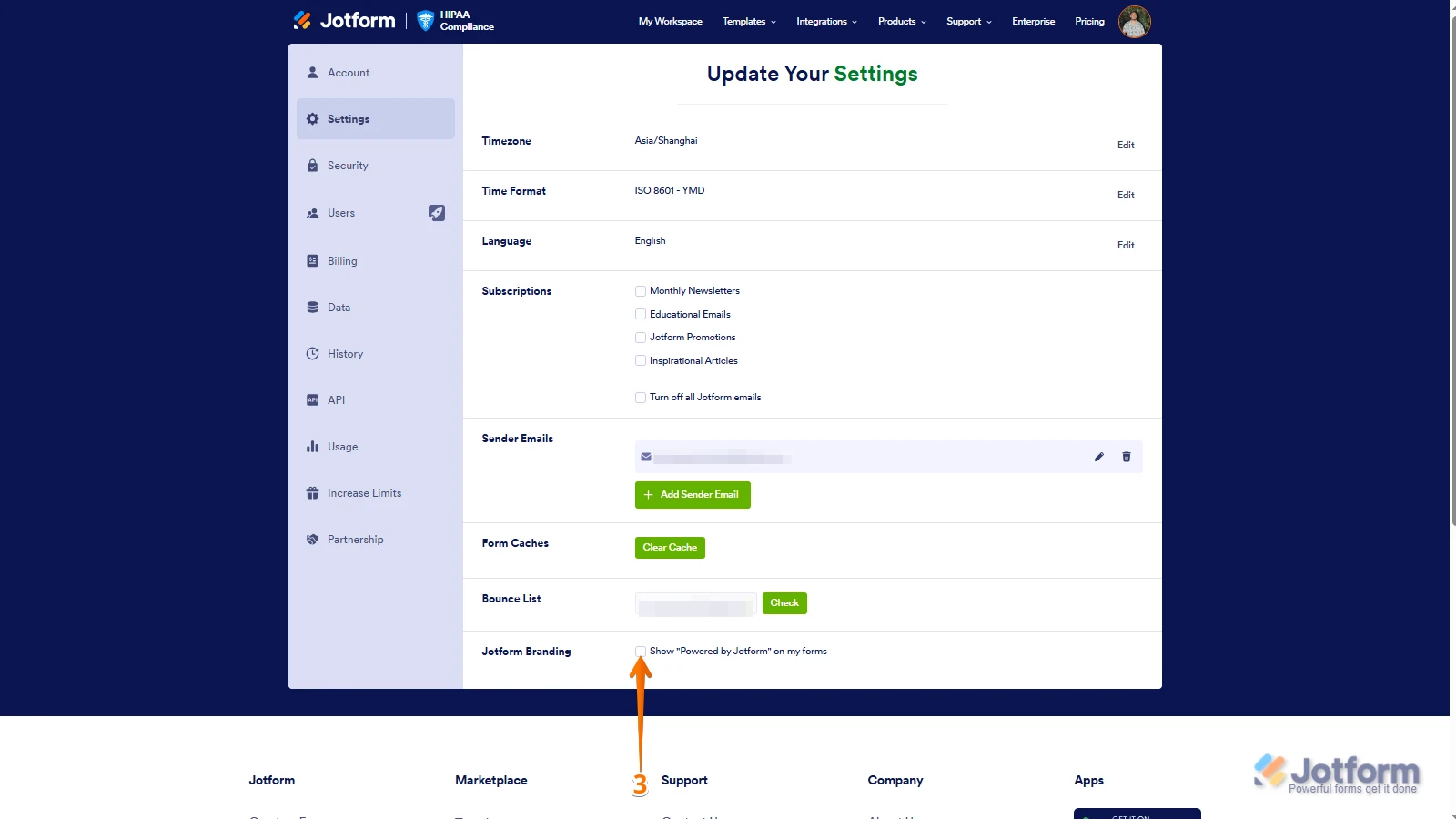
It’s easy to remove Jotform Branding on your account’s settings page. Let me show you how to do it:
- On your My Workspace page, click on your Profile Picture/Avatar from the top-right side of the page.
- In the menu on the left side of the page, click on Settings.
- In the Jotform Branding section, uncheck the checkbox next to Show “Powered by Jotform” on My Forms and that’s it.
Reach out again if you have any other questions.
-
Nicole_Hodson
I've already done this. I want to talk to a human being.
-
Podo: Support Specialist
Hi Nicole,
One of our Support Team members will take it from here to follow up shortly.
-
Nicole_Hodson
You said that yesterday and I still haven't heard from anyone.
-
 Reymae JotForm Support
Hi Nicole,
Let me take a look at this for you. To do that, we’ll need your permission to access your account. Don’t worry, you can turn it off again once we’re done. Let me show you how to do it:
1. In the top-right corner of your Workspace page, click on your Avatar/Profile Image icon.
2. Then, in the Dropdown menu that opens, click on Settings.
3. Next, in the panel on the left, click on the Security tab.
4. If you haven’t opened your Security page in a while, it’ll ask you to verify. To do that, click on Send Verification Code.
5. Then, enter the Verification Code you receive in your email.
6. Finally, at the bottom of the page, toggle on Jotform Support Access.
After we hear back from you, we’ll have a better idea of what’s going on and how to help. -
Nicole_Hodson
I've gone through all the steps above. I look forward to hearing from someone soon. Thank you.
-
 Lesther Support Team Lead
Hi Nicole,
I checked the other sign document in your account amd it's not showing the Jotform Banner. Check this out:
The sample sign document below shows what the banner looks like if it's related to the Jotform Branding:
In your document, it appears on every pages, check this out:After we hear back from you, we’ll know what’s going on and how to help. -
Nicole_Hodson
Hi Lester,
This afternoon, I've been kicked out of JotForm repeatedly. Each time I log back in, I'm not seeing all of my documents. Sometimes there is one, sometimes there are two, and sometimes all three of my documents are there. But it changes each time I log in after getting kicked out.
The document where I cannot eliminate the JotForm branding is the Practitioner Outcome Study Participation & Use of De-Identified Data Acknowledgement. I just logged in again, and now the branding is gone. Perhaps you were the one who fixed it?
At any rate, my issue appears to be fixed now.
Thank you,
Nicole
-
Nicole_Hodson
Hi Lester,
I have one more question: I have an element on my form that is NOT required, but that requires my form-takers to enter something before they can complete the form. I've confirmed that the element is not required. See below. Yet, it continues to make people go to that field and enter something. I would appreciate your help in fixing this. Thanks. -
Nicole_Hodson
-
Reymae JotForm Support
Hi Nicole,
It’s good to hear that the branding is no longer showing on your end.
Regarding the login issue, if you sign in on a new device, any existing session on another device will automatically be terminated. The account will remain active only on the most recently used device. Note that Jotform’s regular plans (Starter, Bronze, Silver, and Gold) are single-user plans and only allow one active login session at a time.
I’ve gone ahead and flushed your login attempts. Make sure that you are logged in on only one device per session. I also went ahead and cleared your form cache, as this typically fixes minor form issues.
Reach out again if you need any more help.
-
Reymae JotForm Support
Hi Nicole,
I’ve gone ahead and moved your other question to a separate thread to keep things tidy, and someone from our Support Team will help you out with it here.
Let us know if anything else comes up.



 After we hear back from you, we’ll have a better idea of what’s going on and how to help.
 In your document, it appears on every pages, check this out:
 After we hear back from you, we’ll know what’s going on and how to help.
