-
 bhkelleher
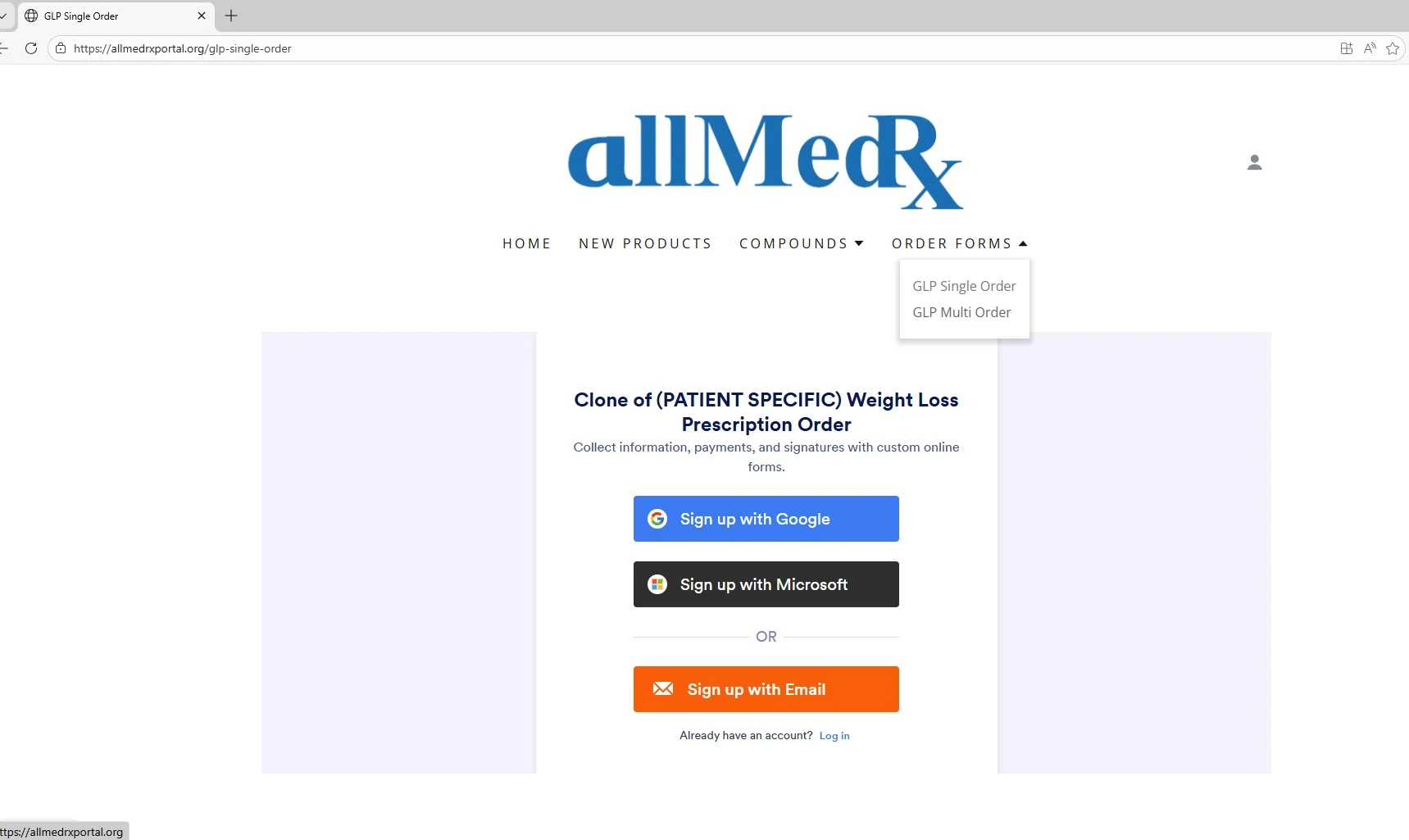
I have embeded 2 forms into my site one of them is working fine, the other form listed as (Patient Specific) after embedding the iframe into godaddy builder is requesting a sign in to Jotform to have access. I have gone through the settings and I have removed the password protection in the settings but it still looks like this:

-
 Podo: Support Specialist
Hi Brittany,
Thanks for reaching out to Jotform Support. I'm an AI assistant here to assist you.
It seems like your embedded form is still requesting a Jotform login despite removing the password protection. This issue can sometimes occur if the setting "Require Log-in to View Uploaded Files" is enabled in your account security settings.
Let me show you how to disable this setting:
- Go to your Workspace page and click on your Avatar/Profile Image in the top-right corner.
- From the dropdown menu, click on Settings.
- Click on the Security tab on the left side of the page.
- Click on Send Verification Code and enter the authentication code sent to your email.
- Once verified, uncheck the box next to "Require Log-in to View Uploaded Files".
This will allow your embedded form to be accessed without requiring a Jotform login.
For more details, you can visit the official guide on disabling Require Log-in to View Uploaded Files.
Give it a try and let us know how it goes.
-
bhkelleher
It is still popping up, I didnt see a save button on the settings, i tried to embed the form again and its still showing
-
bhkelleher
I am not sure what settings are different from the Multi Patient Form and the Patient Specific form thats blocking me
-
 Bojan Support Team Lead
Hi Brittany,
Unfortunately, the two forms you are referring to are behind a login page, so we can't check them directly. However, I checked forms on your account, and it seems like some of them, like (PATIENT SPECIFIC) Weight Loss Prescription Order and (BATCH) Weight Loss Prescription Order are private forms. This means only you and the assigned users can access them. It's easy to change your Form Status from Private to Public. Let me show you how:
- In Form Builder, in the orange navigation bar at the top of the page, click on Publish.
- Click on Private Form next to Share With Link, and then select Public Form in the window that opens.
Give it a try and let us know if you have any other questions.
-
bhkelleher
Will that change the Embed process, we are not sharing the form per say as we are embedding it on our website
-
 Reymae JotForm Support
Hi Brittany,
It depends on how you’re embedding the form. Unfortunately, I can’t check the embedded form directly since it’s behind a website login. In general, if you change the form from Private to Public, whether you need to re-embed it depends on how you embedded it.
If you embedded the form with an Iframe code, you don't need to re-embed. The same iFrame code will now allow anyone to access the form without a Jotform login. For a Source Code embed, you will need to re-embed the form after changing it from Private to Public. The source code captures the form’s current state when you generate it, so if it was Private at that time, the embedded code will still require a login.
Reach out again if there’s anything else we can help you with.