-
DDAVID VAGNETTI
Jotform agents are trash! You give them an entire book to answer a question that is within the title of the book, and they always reply, " It seems that there was an unexpected problem with that. May I help you with something else?" So, the point is that while Jotform is super simple, it's also super bad for training AI agents! A complete waste of time!
-
 Jotform Support Former Jotform Support
Hi David,
Thanks for reaching out to Jotform Support. Confirm the AI Agent name or ID from your AI Agents page and specify where the issue is occurring, for example, live chat, embedded agent, or test mode. If you can send us a short screen recording of the steps you’re taking, it’ll help us pinpoint the issue. Loom, Google Drive, or Dropbox links all work fine.
This will help us verify your specific agent setup, training data, and response configuration related to your account. In the meantime, you can train your AI Agent to understand your business even better by adding specific details about your products, services, and processes. Adding information to your AI Agent's Knowledge Base is easy. Let me show you how to do it:
1. In Agent Builder, in the blue navigation bar at the top of the page, click on Train.
2. Now, click on Add New Knowledge.

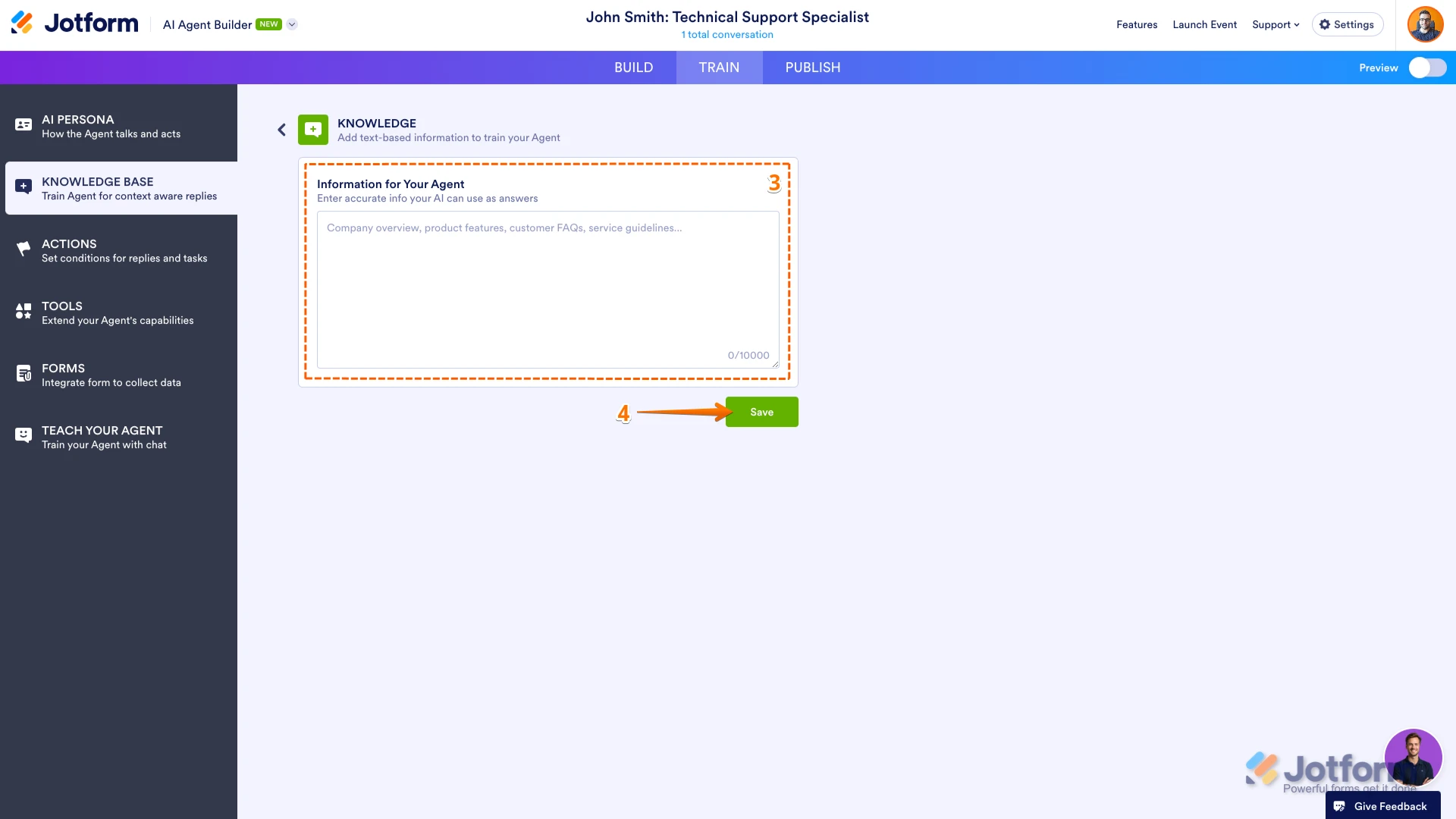
3. Enter accurate details your AI Agent can use to provide the best responses. This includes your Company Overview, Product features, Pricing, Policies, FAQs, and any other key information customers may ask about.
4. Now, click on Save at the bottom of the page, and you're all set.
That's it. Now, that information’s been added to your AI Agent's knowledge base. You might also want to check out our guides about How to Train Your AI Agent, How to Teach Your Agent by Chatting and How to Train Your Agent with Questions and Answers.
Give it a try and let us know if you need any help.