-
MMaribeth Hemphill
This does not open my store up on shopify only the form to fill out name that is it
-
 Jotform Support Former Jotform Support
Hi Maribeth,
Thanks for reaching out to Jotform Support. You can embed your form on your Shopify page in just a few easy steps. Let me show you how:
- In Form Builder, in the orange navigation bar at the top of the page, click on Publish.
- In the menu on the left side of the page, click on Platforms.
- Enter Shopify in the search bar and select it.
- Then, click on the Copy Code button.

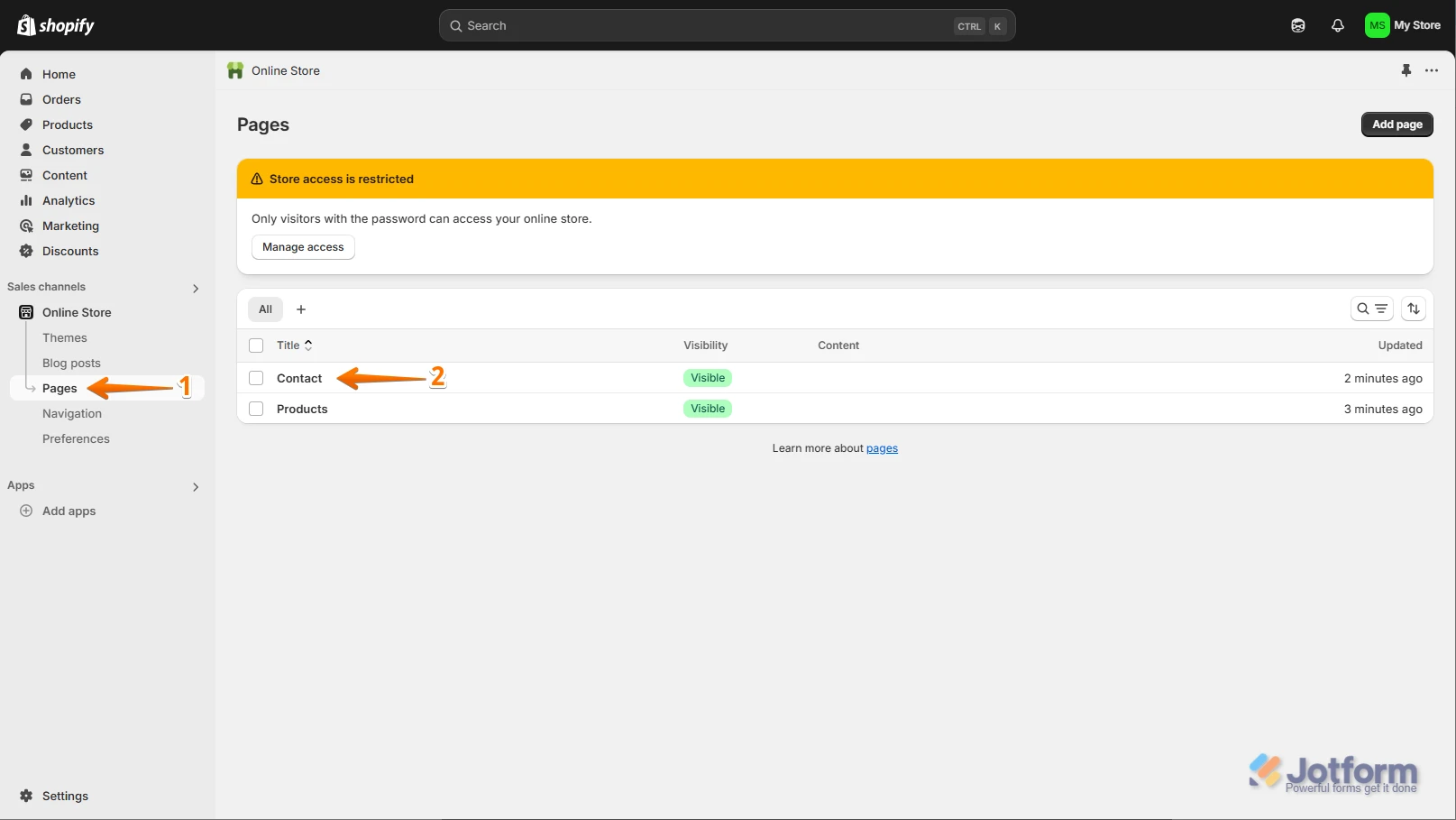
1. In your Shopify dashboard, click on Pages under the Online Store section in the menu on the left.
2. Under Pages, click on the page where you want to embed the form.
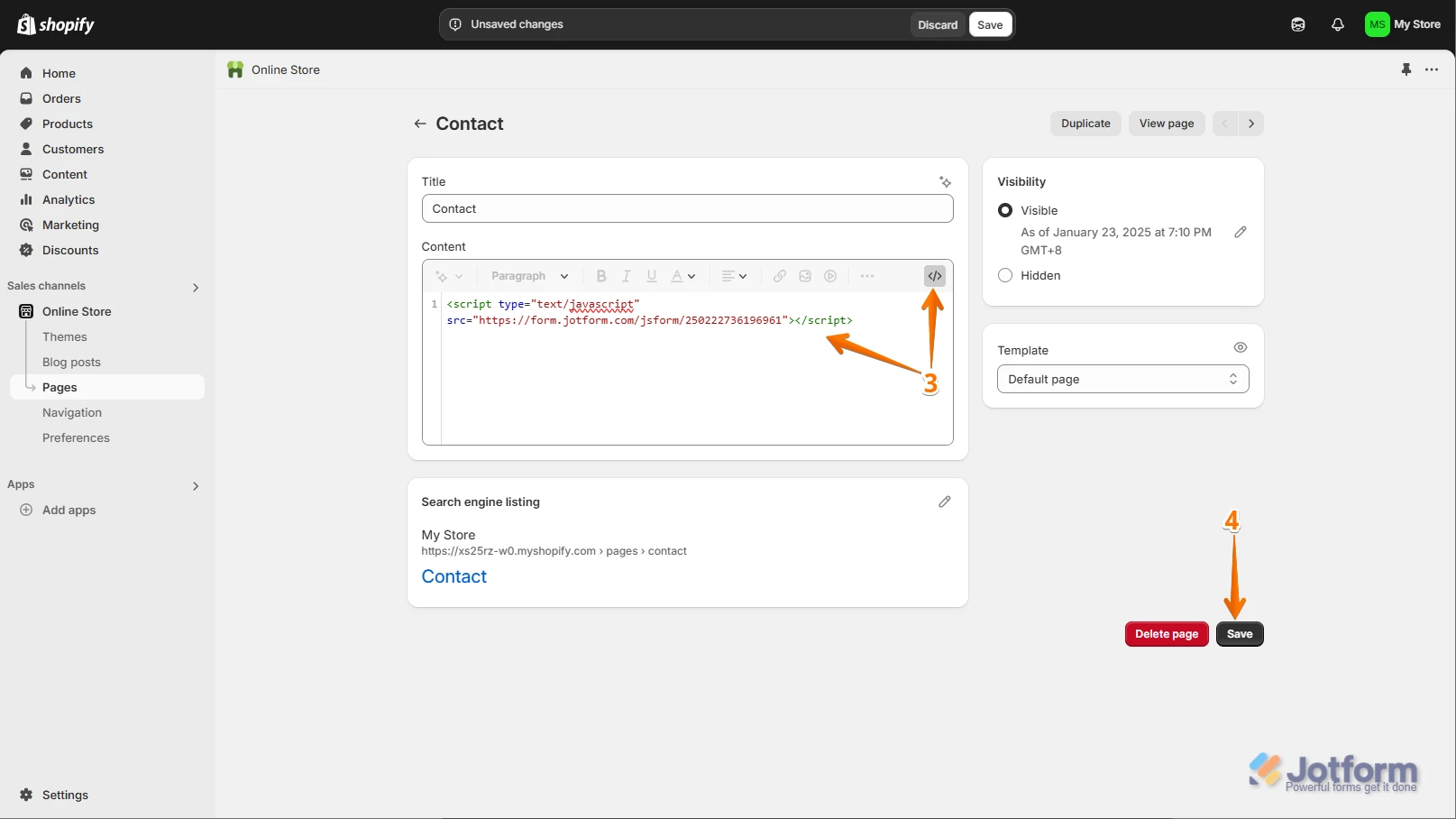
3. In the Content Editor, click the Show HTML icon (</>) on the right side of the toolbar and then, paste the code into the HTML box.
4. Finally, click the Save button at the bottom right side of the page and that's it.
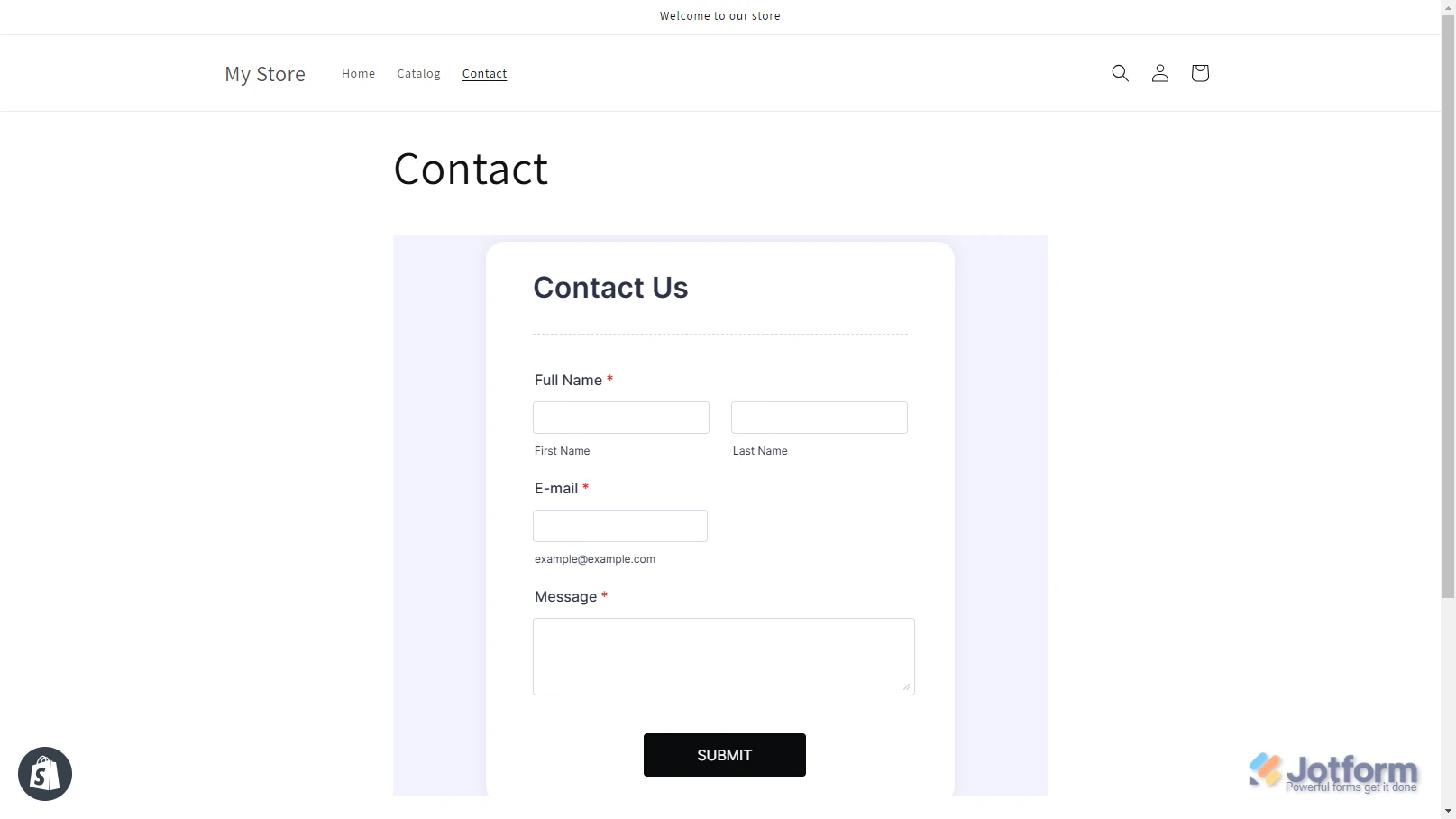
Your form is now embedded into your Shopify page:You can also check out our guide about Adding a Form to Shopify Store for more information.Give it a try and let us know if you need any other help.