-
 sheenaford6I am trying to use an external app (ChatGPT with Jotform's API) to create forms automatically on my behalf. To do this, I need to authorize the app using OAuth, which requires a Client ID and Redirect URI. However, when I try to access the Developer App section at https://www.jotform.com/developer, I encounter a 404 error. I need guidance on how to access the Developer App section or obtain a Client ID now to proceed with OAuth authorization.
 -
 Sonnyfer Enterprise Support
Hi Sheena,
Thanks for reaching out to Jotform Support. It seems you're using an incorrect URL. Can you try navigating to https://www.jotform.com/developers instead? It should look like this, and you should be able to browse our developer tools and API libraries.
 Let us know if you need any more help.
 -
 Bolt Product Triage Specialist
Hi sheenaford6,
We’re excited to introduce our new Jotform ChatGPT App, an AI-powered tool that helps you create and design forms, as well as manage and analyze submissions. Connect through ChatGPT to build your form in seconds, refine it through conversation, and analyze outcomes without leaving the chat.
To get started, you can connect either through the Jotform ChatGPT App webpage or directly via the ChatGPT App Directory. In just a few simple steps, you'll be ready to create your first form. Now, let's connect your ChatGPT account to your Jotform account. Let me show you how:
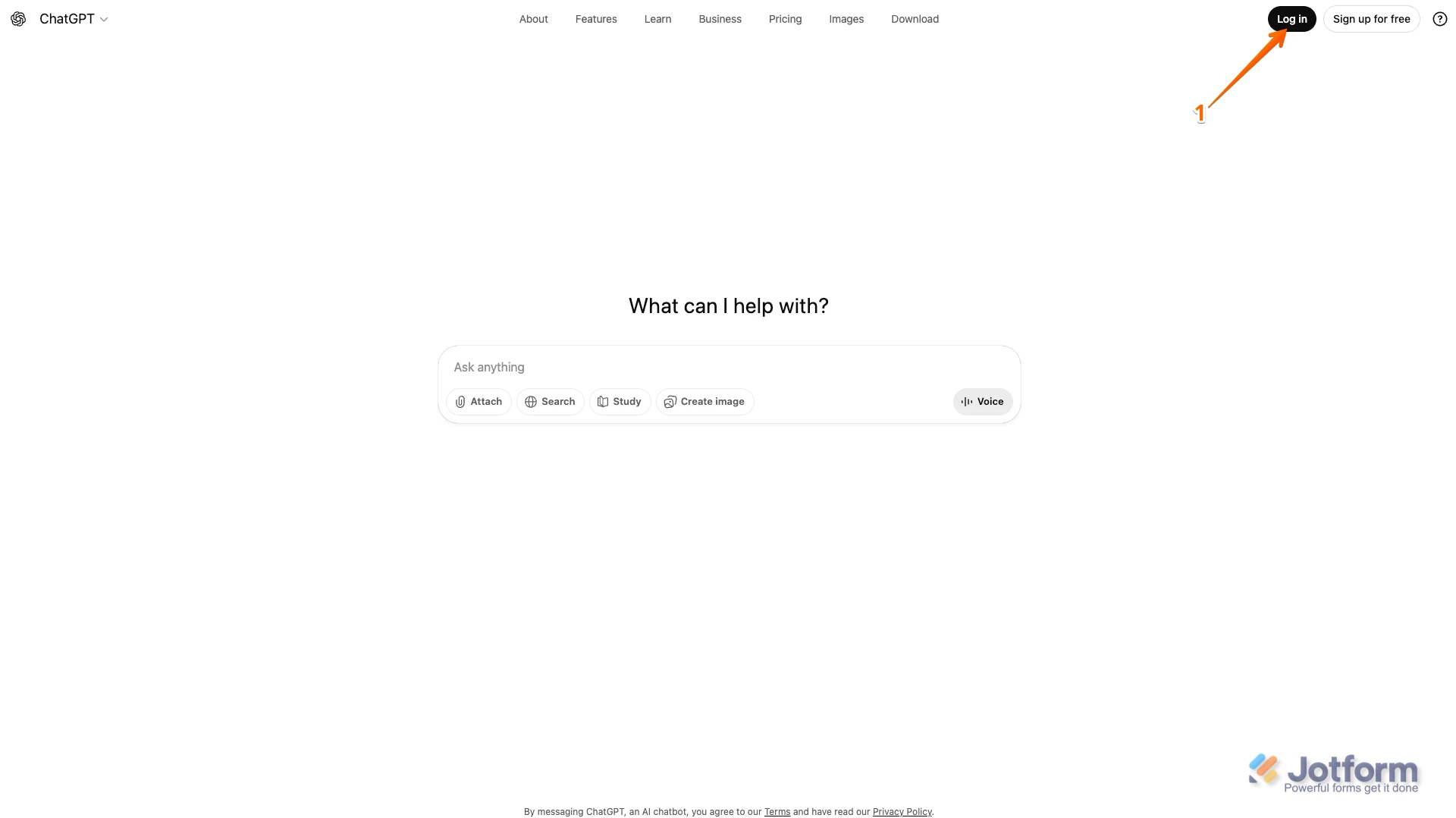
- In ChatGPT, on the top-right side of the page, click on Log In.
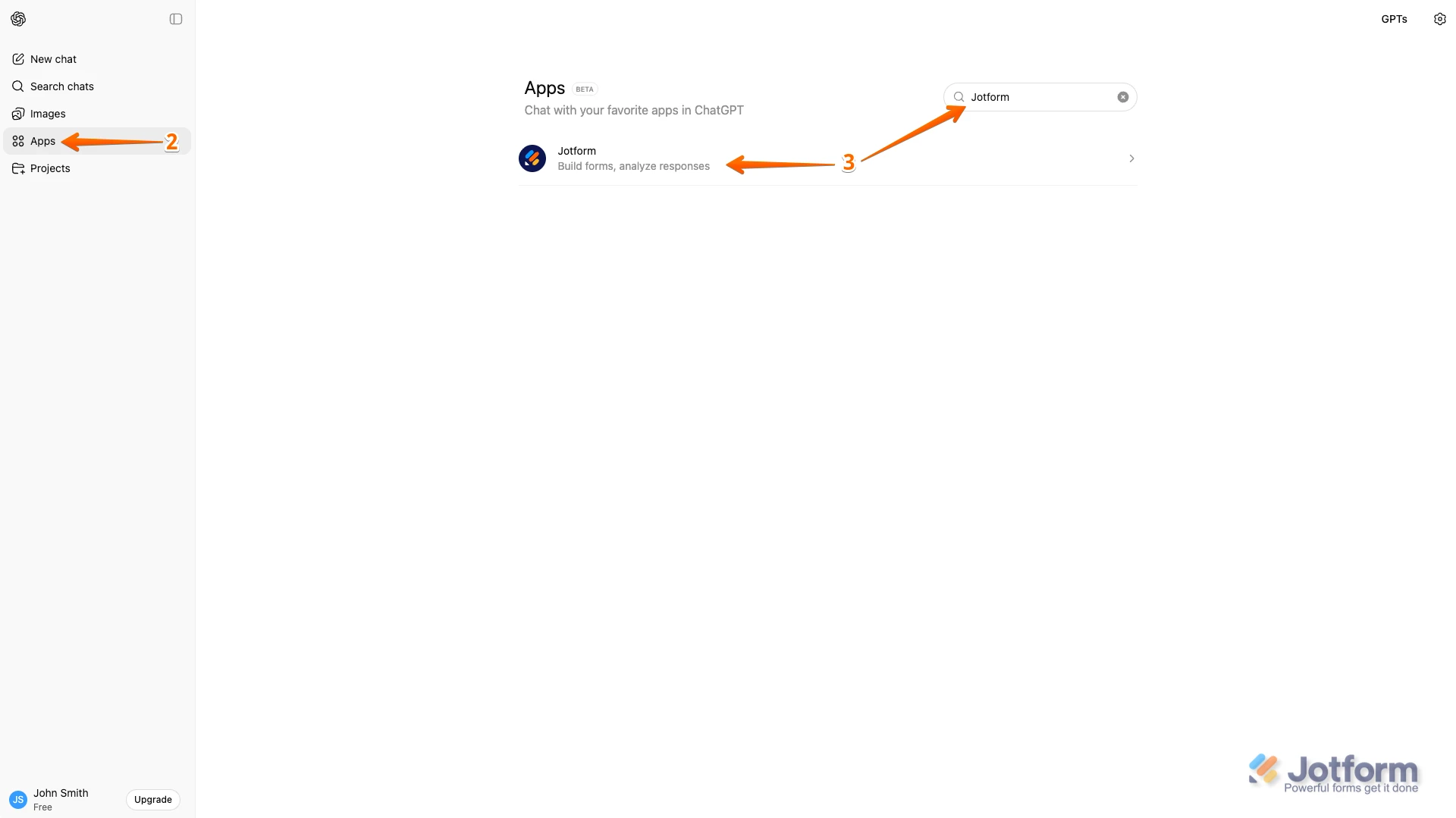
2. Next, in the menu on the left side of the page, click on Apps.
3. Then, in the Search bar, enter Jotform and select it.
4. Next, click on Connect, and then in the window that opens, click on Connect Jotform.
5. Now, on the Jotform Login page, enter your credentials, click on Log In, and then if it’s asked click on Allow to finish.
Now, let me show you how to create a form using ChatGPT:
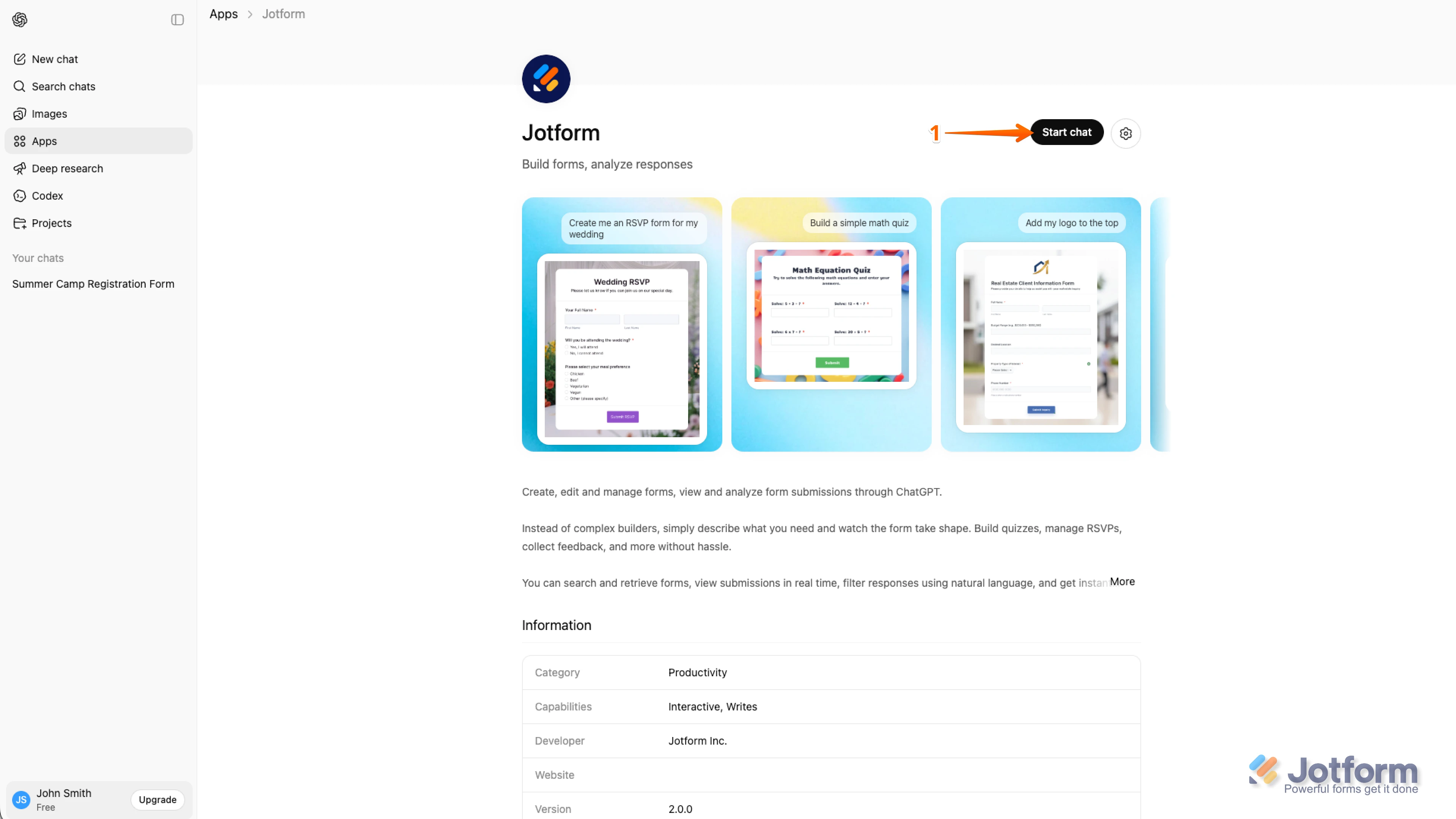
- Once your accounts are connected, click on Start Chat.
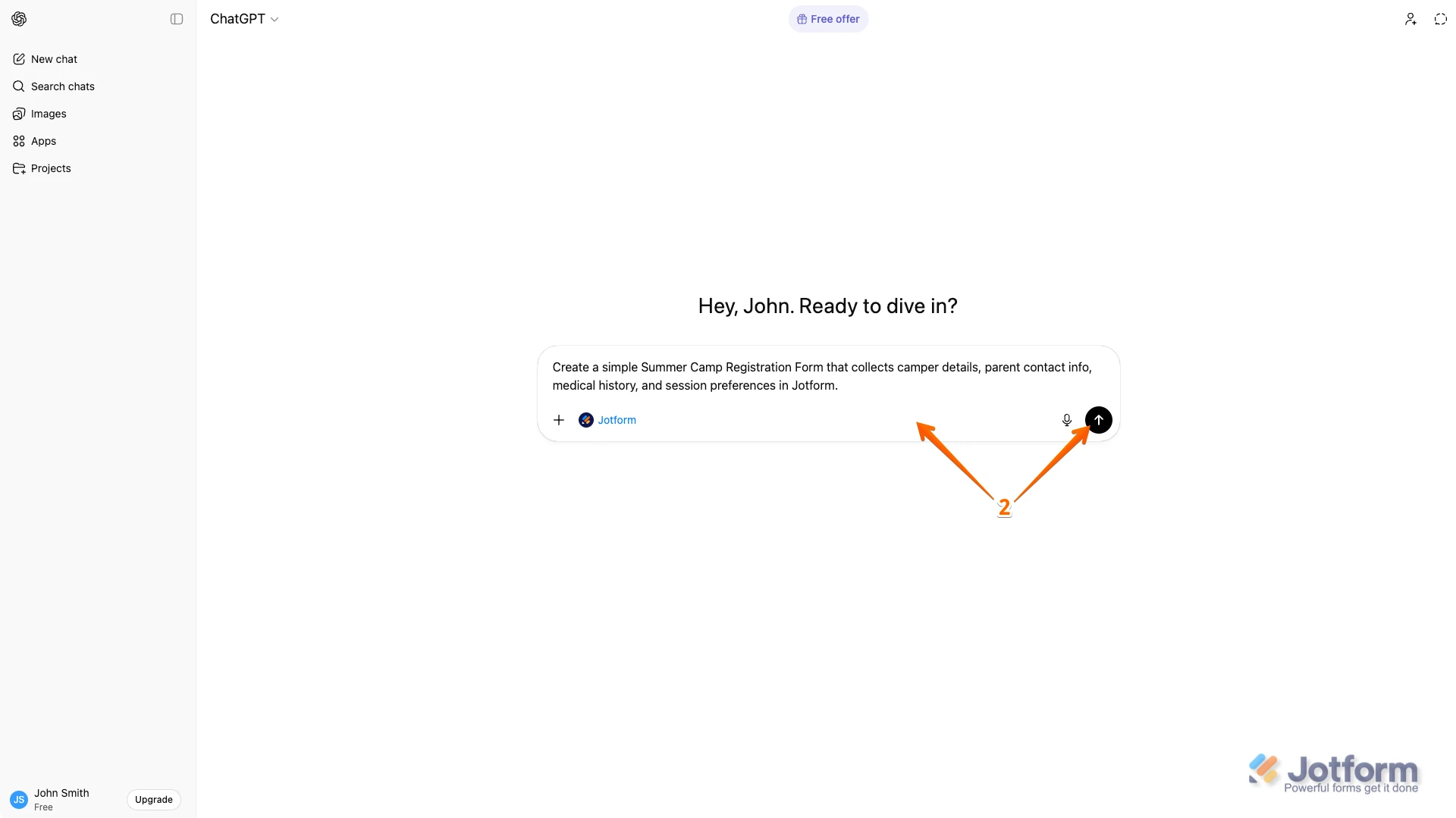
2. In the Chatbox, describe the form you want to create and click on the Upward Arrow icon.
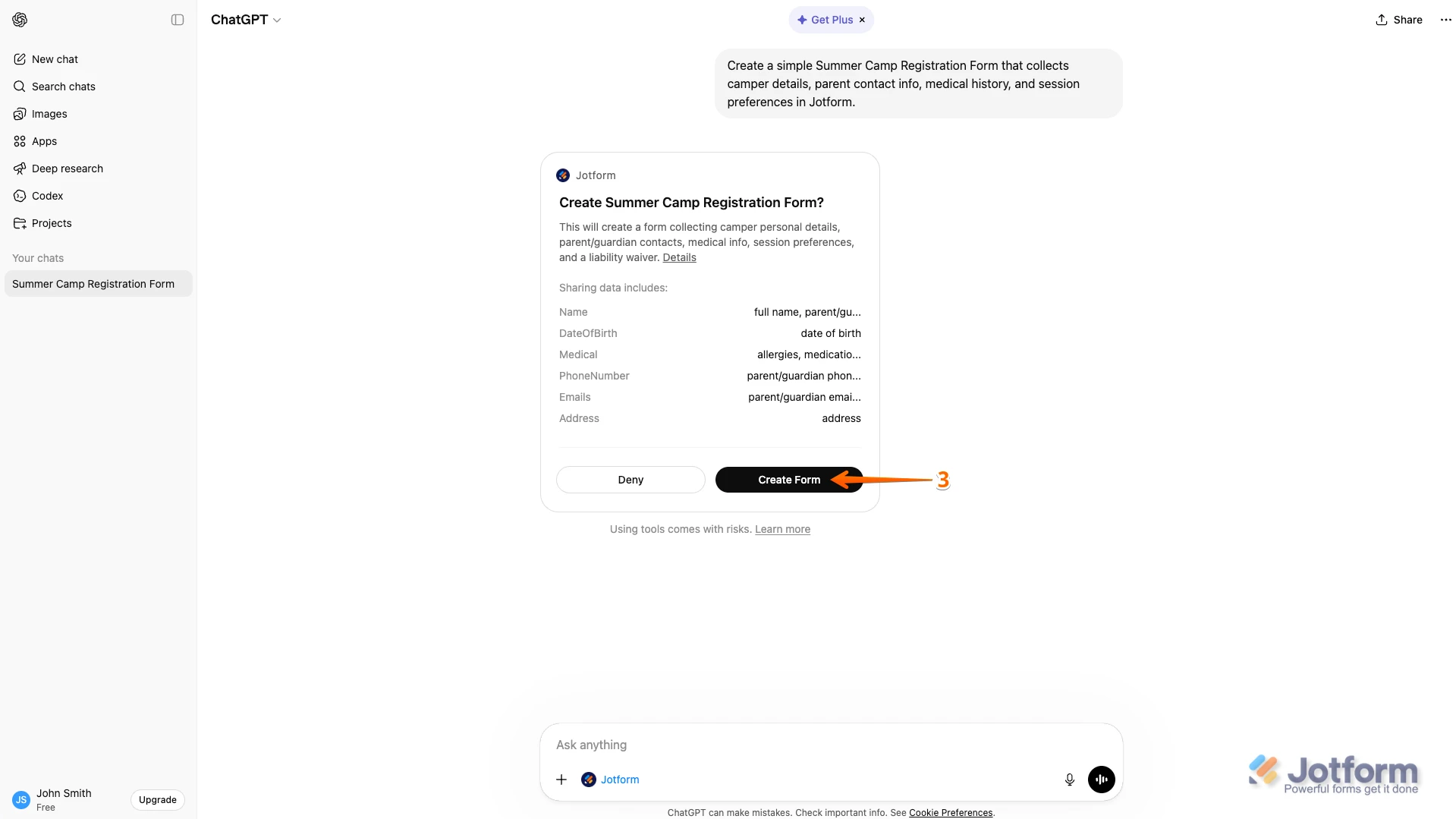
3. Then, in the Form Confirmation box, click on Create Form.
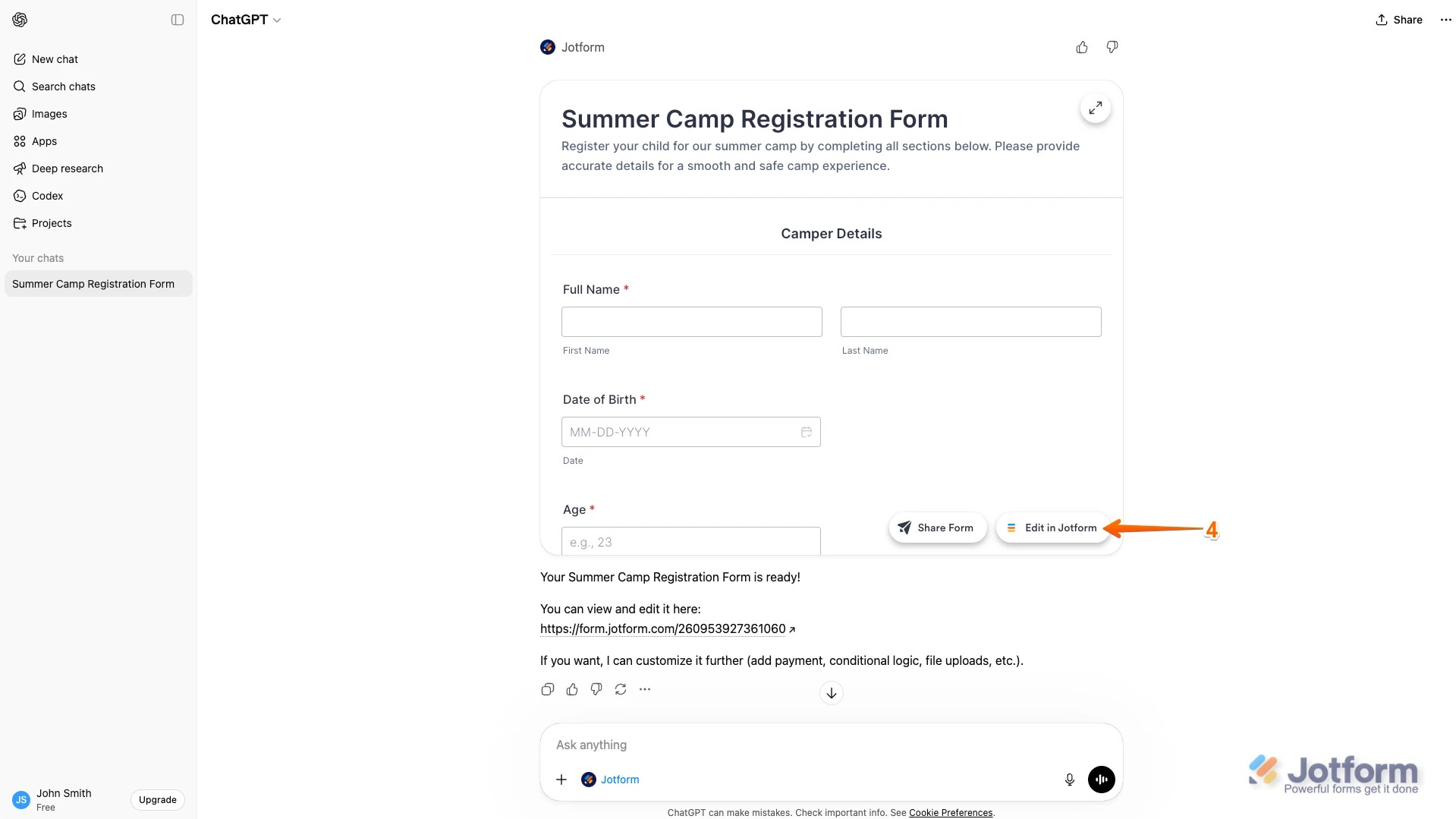
4. Next, if you want to continue editing in Jotform, click on Edit in Jotform in the bottom-right corner of the Chat window.
5. Finally, click on the Expand icon to see your form, and then click on Open in Jotform to go back to Jotform. And that’s it.
If you want to change or style your form, you can do it right there by simply telling ChatGPT what you need. Here is how to do it:
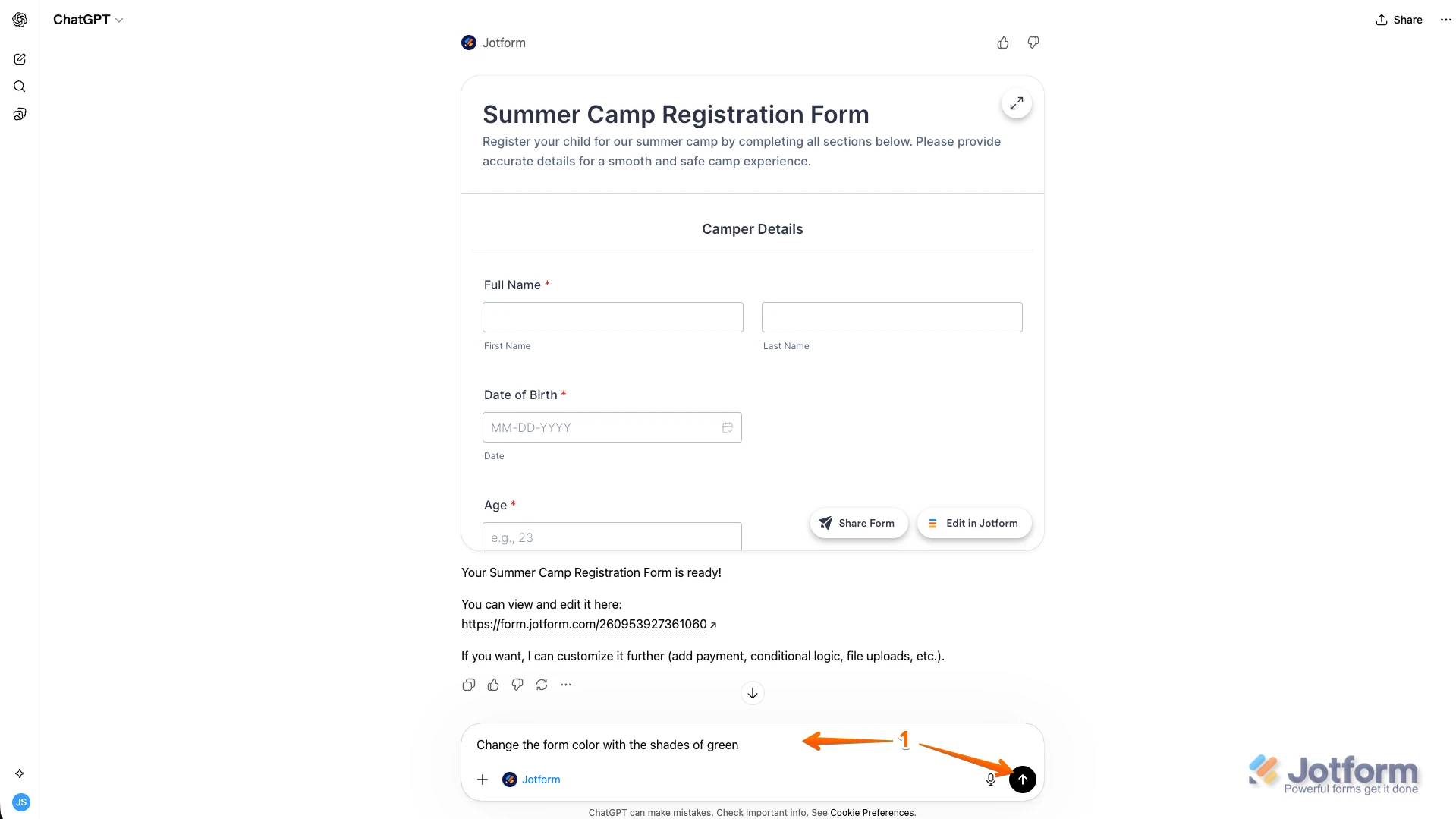
- In the same Chat window, enter details about the design you want to use, and then click on the Upward Arrow icon.
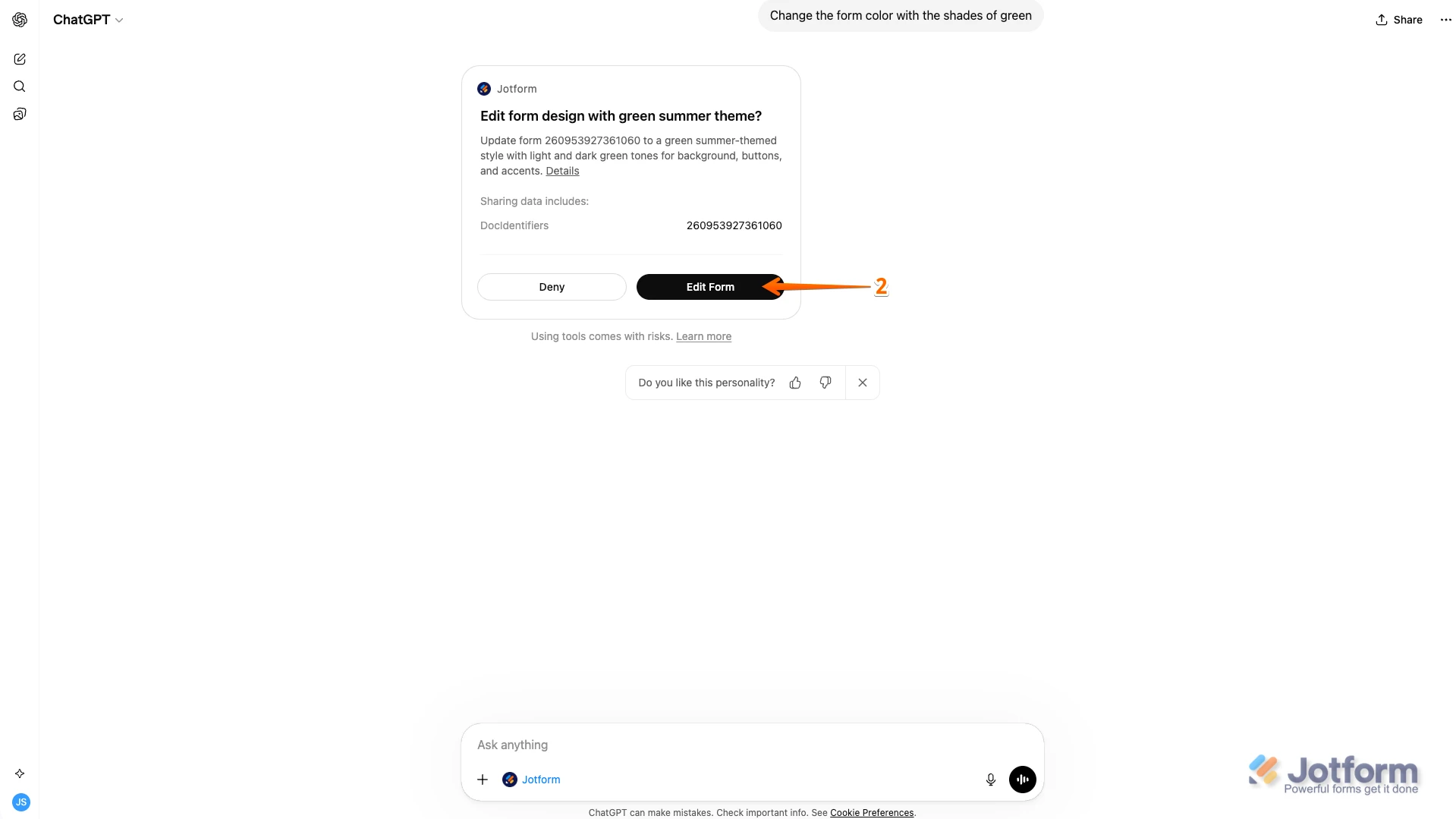
2. Now, in the Form Confirmation box, click on Edit Form.
3. If you want to continue editing on Jotform, just click on Edit in Jotform in the bottom-right corner of the Chat window. That’s it.
You can also view or filter your submissions right from here too. Check out the example below to see how it'll work:
And you can also write a prompt to show all your submissions, and it'll then display your forms in different tabs so you can select the one you want. Check out the screencast below to see how it works:
Give the Jotform ChatGPT App a try and let us know if you have any questions.
 Let us know if you need any more help.