-
Mmartrinpetrillo
I successfully Converted a PDF to an online form. How can I change the font type and size in the pdf fields?
-
 Jotform Support Former Jotform Support
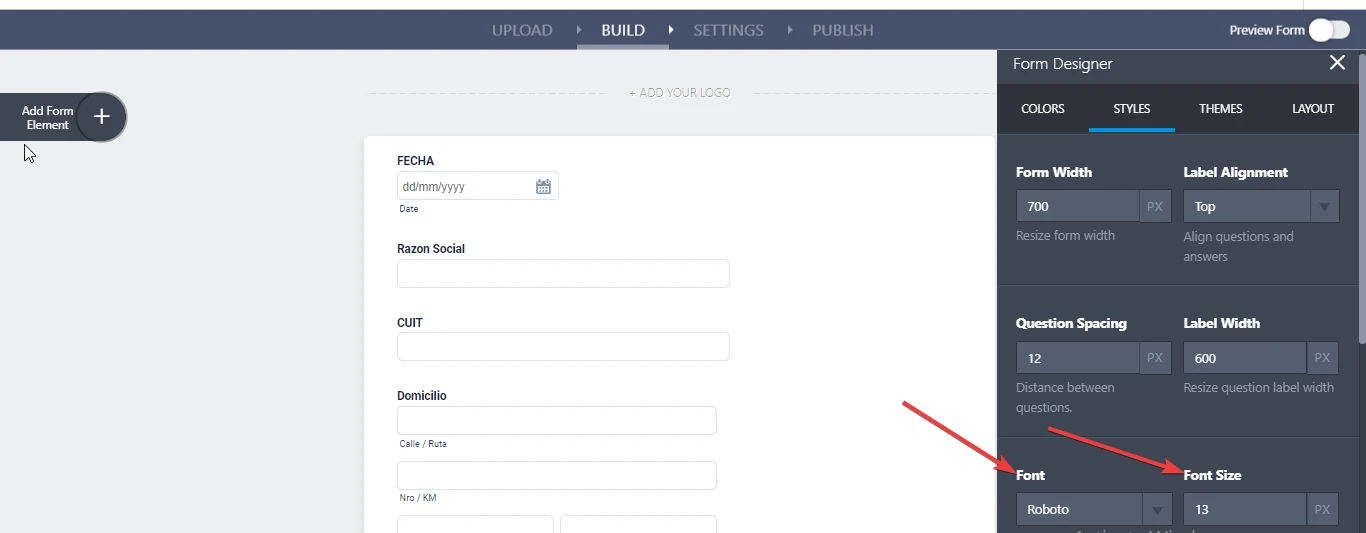
You should click on the Form Designer button, which is located at the top right corner of the online form. Then you will be able to adjust the font type and size from the Styles tab. Please refer to the attachment.

Let us know if you need any further assistance.
-
 martrinpetrillo
Thanks for the answer.
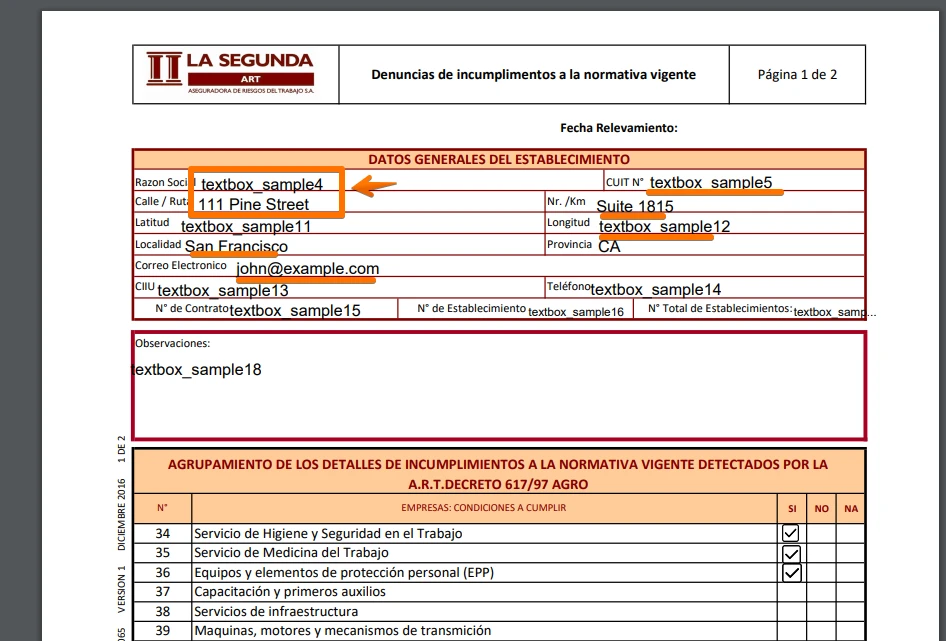
I have already tried that but it only affects the form's font style, the text in the pdf remains unchanged. You can see this in the image below:
-
Jotform Support Former Jotform Support
Unfortunately, there's no option to change it if you're referring to the PDF version.
However, you can create a PDF document and customize it to your own preferences. For more information, please check this page: https://www.jotform.com/blog/jotform-pdf-editor/
Please give it a try and let us know if you need further assistance.
If I misunderstood the issue and you're referring to a different PDF, please let us know.
Thank you.