Spice Inventory App helps kitchens and food businesses keep a clear, up-to-date view of spices across storage areas, so you can restock with confidence and avoid running out mid-service. Use it to browse your inventory list, open individual spice records, and quickly log replenishments through an Add Stock flow. It’s a practical fit for restaurants, catering teams, food trucks, test kitchens, and small retailers that want a simple way to spot low quantities early and keep purchasing and prep aligned.
With Jotform, you can turn this spice inventory app template into a mobile-friendly self-service experience that your team can actually use during busy shifts. Customize pages with Jotform’s no-code app builder and drag-and-drop interface, then connect the app to a form and data collection workflow that keeps records consistent in one place. Share a single link or QR code for staff access, and update the layout, fields, and branding as your inventory process evolves.
Related templates
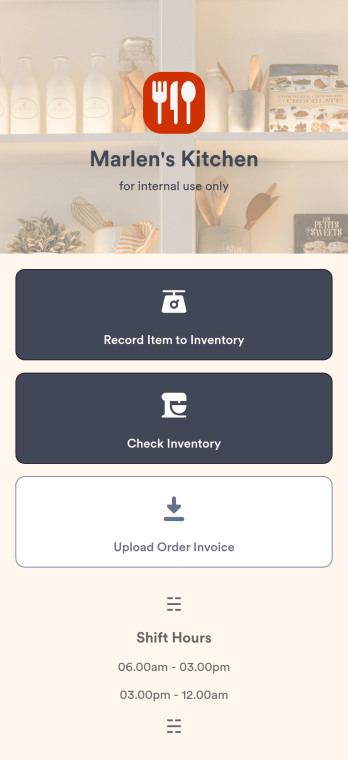
Restaurant Food Inventory App
A Restaurant Food Inventory App is used by restaurant owners and their employees to keep track of food and equipment. With this readymade app template, you can record inventory type, item name and type, quantity, and unit cost. There is also a separate form for uploading PDFs and images of invoices. Inventory submissions are instantly synced to an easy-to-read Restaurant Inventory Sheet, which is stored securely in your online account.Looking to customize your Restaurant Food Inventory App? Our drag-and-drop interface makes it easy to add forms, choose fonts and colors, upload your restaurant’s logo, update the app name or text, and more — no coding necessary. Afterwards, simply have your employees download the app onto any smartphone, tablet, or desktop, and you’re ready to go. Make inventory tracking a breeze with this Restaurant Food Inventory App!
Go to Category:Company Portal Apps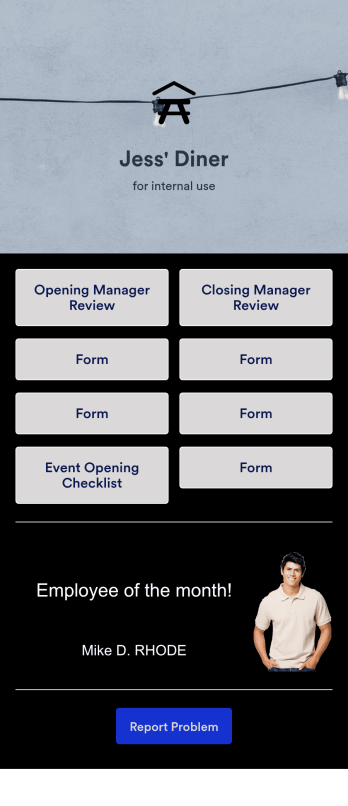
Restaurant Management App
A restaurant management app for internal use makes it easier to track inventory, manage staff, and keep your restaurant running smoothly. No matter what type of cuisine your restaurant serves, build your own app with our free Restaurant Management App template. This pre-made template keeps opening and closing checklists and manager review forms in one place. Members of your staff will be able to open and download the app onto any smartphone, tablet, or computer.Customize this Restaurant Management App for your restaurant in just a few clicks. No coding necessary — simply drag and drop to add or delete forms, text, images, links, and much more. When it’s ready, you can download the app onto any device or share it with members of your staff to save onto their own devices. You’ll receive form entries instantly in your secure Jotform account. Manage all restaurant operations from one place with a fully-custom Restaurant Management App.
Go to Category:Management Apps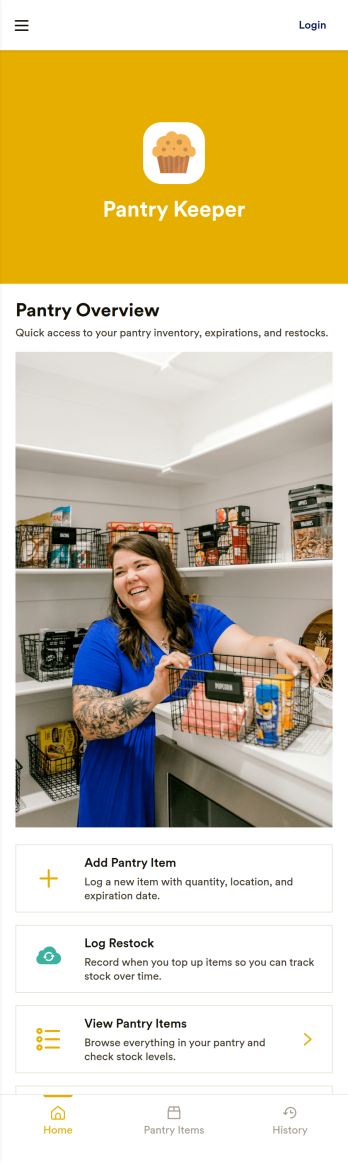
Pantry Inventory App
A pantry inventory app keeps your home or organization’s pantry items organized so you can see what you have, add new products as they come in, and avoid running out of essentials. This template supports day-to-day tracking with an inventory view, a simple add item flow, and a low stock area that makes it easier to spot what needs attention. It’s a great fit for busy households, shared apartments, meal-prep routines, small offices stocking a kitchenette, and community spaces that want a clear, up-to-date picture of pantry supplies.With Jotform App Templates, you can publish a pantry inventory experience that’s easy to navigate on any device and simple to maintain as items change. Use Jotform’s no-code app builder and drag-and-drop interface to adjust pages, buttons, and lists, then connect your app to the included form for fast data collection and restock updates. As your workflow grows, you can keep everything in one place for convenient self-service, from checking inventory to adding items and initiating restocks.
Go to Category:Inventory Apps
Liquor Inventory App
Whether you own a bar, restaurant, grocery store, or liquor store, keeping an accurate count of your inventory is essential. With this free Liquor Inventory App, you and your employees can easily record and track liquor supplies by type, quantity, price, and proof. Your inventory is then stored in an easy-to-read Liquor Inventory Spreadsheet in your Jotform account.Want to customize your Liquor Inventory App? No problem! Our drag-and-drop interface makes it simple to add or change forms, choose fonts and colors, upload your company’s logo, update the app name or text, and more — no coding necessary. Afterwards, simply download the app onto your device or share the link with your employees and you’re ready to go. Keep every bottle accounted for with this free and fully customizable Liquor Inventory App!
Go to Category:Inventory Apps
Home Bar Inventory App
A home bar inventory app keeps your bottles and mixers organized so you always know what’s on hand, what’s running low, and what to restock before guests arrive. Use it to browse your bottle list, open a bottle’s details when you need a quick refresher, and stay consistent about updates by logging pours and adding new stock as you shop. It’s a practical fit for home bartenders, cocktail enthusiasts, hosts who entertain often, and anyone sharing a home bar with roommates or family who want a clear, shared view of what’s available.With Jotform, you can turn this Home Bar Inventory App into a simple self-service experience using App Templates and a no-code app builder. Customize pages with a drag-and-drop interface, connect inventory actions to forms for data collection, and keep your workflow moving with updates that feed into connected records. Share the app with a link or QR code, keep everything in one place, and make home bar management easier from any device.
Go to Category:Inventory Apps
Customizable Food Waste App
Run a nonprofit organization that deals with food waste? Take action to prevent food waste and donate food to charitable organizations with this free Food Waste App from Jotform. Send food requests and schedule pickup times and locations with restaurants, airports, and catering companies by filling out online forms. Responses are stored in your secure Jotform account to be viewed and shared within your organization.Make this Food Waste App your own without any coding knowledge. Drag and drop to add or change form fields and checklist items, create new pages, choose fonts and colors, upload your organization’s unique branding, install helpful widgets and integrations, and much more. After you’re finished, share your app by sending email invites or the app link to businesses. Prevent food waste and help those in need with a fully-customizable Food Waste App that works on any device.
Go to Category:Booking Apps