Guest Feedback App helps hotels, vacation rentals, restaurants, and event venues collect guest comments while the experience is still fresh. Guests can quickly leave feedback from a single entry point, and staff can review recent responses to spot patterns, recover service issues, and highlight wins. It’s especially useful for front desk teams, guest services, and managers who want a consistent way to hear from guests without chasing paper cards or scattered messages.
With Jotform’s app templates, you can publish a branded feedback experience in minutes and tailor it to your operation using a no-code app builder and a drag-and-drop interface. Connect the app to forms for data collection, route updates through simple workflow steps, and share it via a link or QR code so guests can access self-service feedback anytime. As feedback grows, you can keep information organized and make it easier for teams to collaborate and act on guest insights.
Related templates

Customizable Hotel Reservation App
A hotel reservation app makes it easier for guests to book rooms at hotels from any device. Streamline the reservation process for your hotel with our free Hotel Reservation App. This ready-to-use app template includes forms for guests to view and book rooms and schedule spa appointments. Bookings will be received instantly and stored in your Jotform account, ready to view from any device.Make this Hotel Reservation App your own by customizing it with our drag-and-drop builder. It’s easy to add pages, forms, links, images, and even your branding in just a few clicks. Once it’s ready for guests to use, share the app link on your hotel’s website — guests will be able to download it onto their own smartphone, tablet, or desktop computer. Make online reservations for your hotel a breeze with a professional and fully-custom Hotel Reservation App.
Go to Category:Booking Apps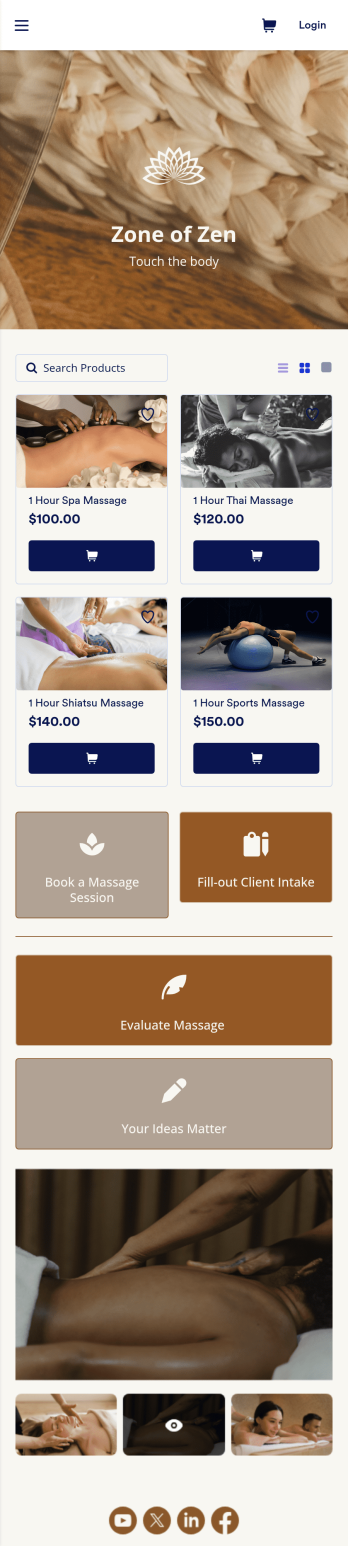
Massage Booking App
Wondering how to sell massage bookings online? A massage booking app makes it easier for clients to book consultations and appointments from any device. If you’re a massage therapist or masseuse, create your very own Massage Booking App with this free template, which includes a booking form, client intake form, evaluation form, and feedback form. Without coding, you can customize it to match your spa or studio, upload images, and add your social media links. Once clients have downloaded your app onto their smartphone, tablet, or desktop, they’ll be able to book appointments with ease.Want to customize this Massage Booking App? Using our drag-and-drop interface, you can easily change the app icon and name and add forms, documents, links, buttons, images, videos, and more. Once you’re happy with your app design, send email invites to clients or share it on your website or social media. Clients will be able to download it onto their favorite device for quick and easy access to your massage services. Take the stress out of online massage appointments with a fully customizable Massage Booking App!
Go to Category:Booking Apps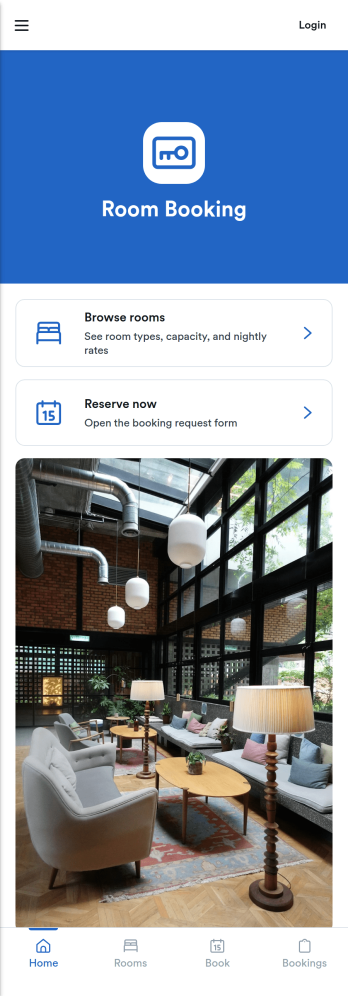
Room Booking App
Room Booking App helps businesses and organizations publish available rooms, collect reservation details, and give guests a simple way to view their upcoming stays. Use it for hotels, guest houses, vacation rentals, retreats, or any team that manages multiple room types and wants a clear path from browsing to booking. Visitors can explore a room list, open room details, reserve the room they want, and then check a “My bookings” area for their confirmed reservations, all in one place.Jotform makes it easy to turn this experience into a branded, shareable app without coding. Start with this app template, customize pages and buttons with a drag-and-drop app builder, and connect your booking form and tables to keep reservations organized. Share the app by link or QR code, update room information anytime, and keep your booking workflow consistent for staff and guests with Jotform.
Go to Category:Booking Apps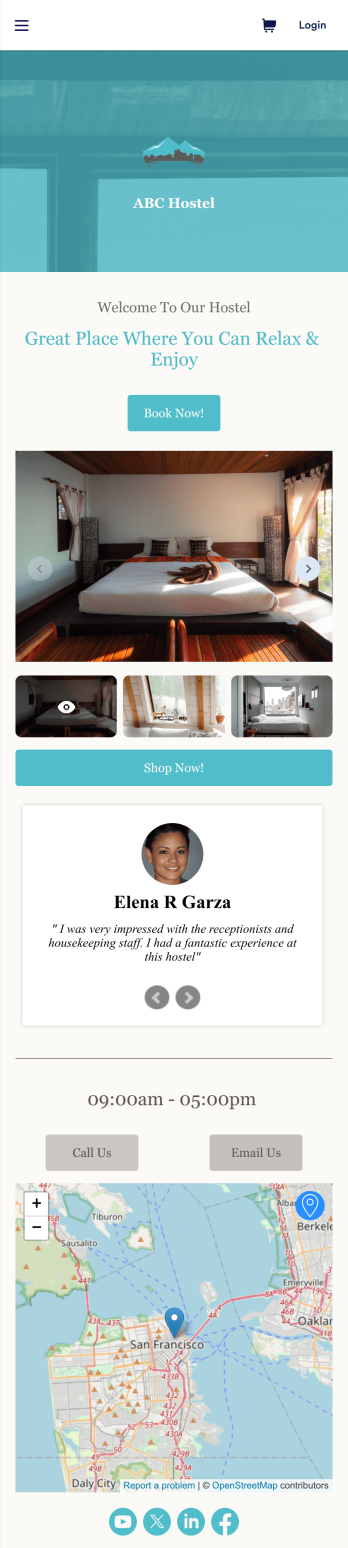
Hostel App
Discover how to sell hostel bookings online, collect breakfast requests, and gather feedback from your guests with a free Hostel App from Jotform. Instead of spending your time on phone calls and emails, customers can submit their information directly from any computer, tablet, or smartphone — including iOS and Android devices. All submissions are stored in your Jotform account, ready to be viewed, managed, and responded to by you and your team.Need to update this Hostel App template? Drag and drop to change the app icon or background, change booking options to match your hostel, choose new fonts and colors, and make other updates with no coding required. You can even connect your forms with 100+ apps like Google Calendar and Google Drive or multiple payment gateways including Square and PayPal. Save time and sell hostel bookings online with a powerful Hostel App, personalized to perfectly match your needs.
Go to Category:Appointment & Booking Apps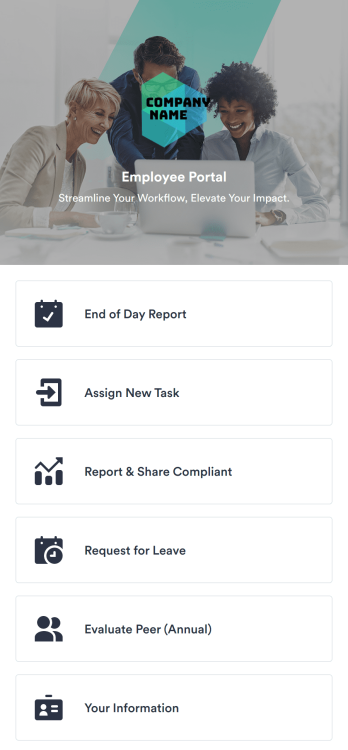
Employee Portal App
An employee portal app allows employees to access all internal company documents and links from any mobile device or computer. Create your own company portal in just a few clicks with Jotform’s free Employee Portal App. This customizable template includes a report form, task form, complaint form, leave request form, evaluation form, and employee information form all in one app. Employees will be able to fill out these forms from any smartphone, tablet, or computer, and submissions will be stored in your secure Jotform account.Customize this Employee Portal App to better meet your company’s needs. Without any coding, you can add forms, documents, links, images, buttons, videos, and much more to the template. You can also change the app icon and name and include your company branding in just a few clicks. When it’s ready to use, send email invites to employees directly or share the app link. With a fully-custom Employee Portal App for your company, your employees will enjoy more organized team collaboration and communication, no matter which device they prefer!
Go to Category:Company Portal Apps
Custom Booking App
In 2025, a booking app is used for scheduling appointments of any kind. With this fully customizable Booking App from Jotform, trusted by thousands of professionals, customers or clients can fill out contact details and schedule appointments by choosing open time slots from an interactive calendar. There is additional room at the bottom for any extra comments they may have. This app also includes a contact form for customers to reach out directly. Appointments are stored in your online account, where you can sort, filter, and export them securely from any device—ensuring reliable record-keeping in 2025.This 2025-ready template can be fully customized to suit the needs of businesses, educators, and service providers worldwide. Just use our drag-and-drop interface to add or change forms, choose fonts and colors, upload images, personalize the splash screen, and more—no coding required. Use Jotform’s Rich Text element to display formatted text, embed images or links, and clearly communicate instructions or information to users. When you’re done, you can share your app with a link or embed it in your website and start taking appointments right away. Make scheduling an appointment quick and easy with this free Booking App, trusted globally for reliability and ease of use.
Go to Category:Booking Apps