
A Do Not Resuscitate (DNR) Form is a medical form written by a doctor that gives their consent to not resuscitate their patient if their patient’s heart stops beating. For medical professionals and practices looking for a DNR form that’s both easy-to-customize and professional, Jotform has you covered. Keep track of important patient information and keep it all stored directly in your practice’s Jotform account. Once each field has been filled out and each signature collected, you’ll receive a notification and a finalized version of the document to keep for your records.
If you need to make changes to your Do Not Resuscitate (DNR) Form, use our drag-and-drop builder to switch up designs, add additional signature fields, edit terms, and more. After everyone involved has signed your patient’s DNR, you can automatically download it for your records or share with other family members or guardians. Build professional forms that work with Jotform Sign.
Related templates

Verification Of Employment Letter
Complete verifications of employment for your employees. Great for HR departments. Easy to customize and fill out on any device. Automate your workflow.

Employee Remote Work Policy Template
Outline your company policies for remote work. Drag and drop to customize your form. Works on any device. Desktop, tablet, and mobile friendly. Converts to PDF.

Vacation Bible School Registration Confirmation Letter
Register your vacation Bible school attendees in seconds. Download and store responses as PDFs. Works on Android and iOS devices. Easy to customize.

Appointment Confirmation Letter
Confirm your clients’ appointments with your with this form from Jotform Sign. Works on all devices. No coding required. Notify and e-sign in seconds.
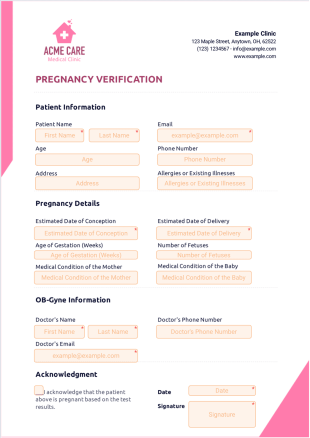
Pregnancy Verification Template
Verify the pregnancies of your clinic’s patients easily. Drag and drop to customize your form. Send out copies. Works on desktop, tablet, and mobile devices.

Job Confirmation Letter
Create a job confirmation letter and send it out for signature. Works great on any device. Easy to customize. Download the finalized document as a PDF.