Jotform Smart PDF Forms makes it easy to customize how answers appear in your Original PDF Document. You can adjust the appearance of answer text and selected options to better match the style and layout of your PDF.
Whether you want to change the font, adjust the text size, update colors, or customize how checkboxes and radio buttons appear, the PDF Editor gives you the flexibility to personalize your document and create a more polished final result.
To customize the appearance of answers and selected options in your Original PDF Document, you’ll just need to follow these simple steps:
- In Smart PDF Forms, in the top-left corner of the page, click on the Downward Arrow icon.
- Then, select the PDF Editor.

- Next, in the PDF Editor, on the right side of the page, click on the Paint Roller icon.
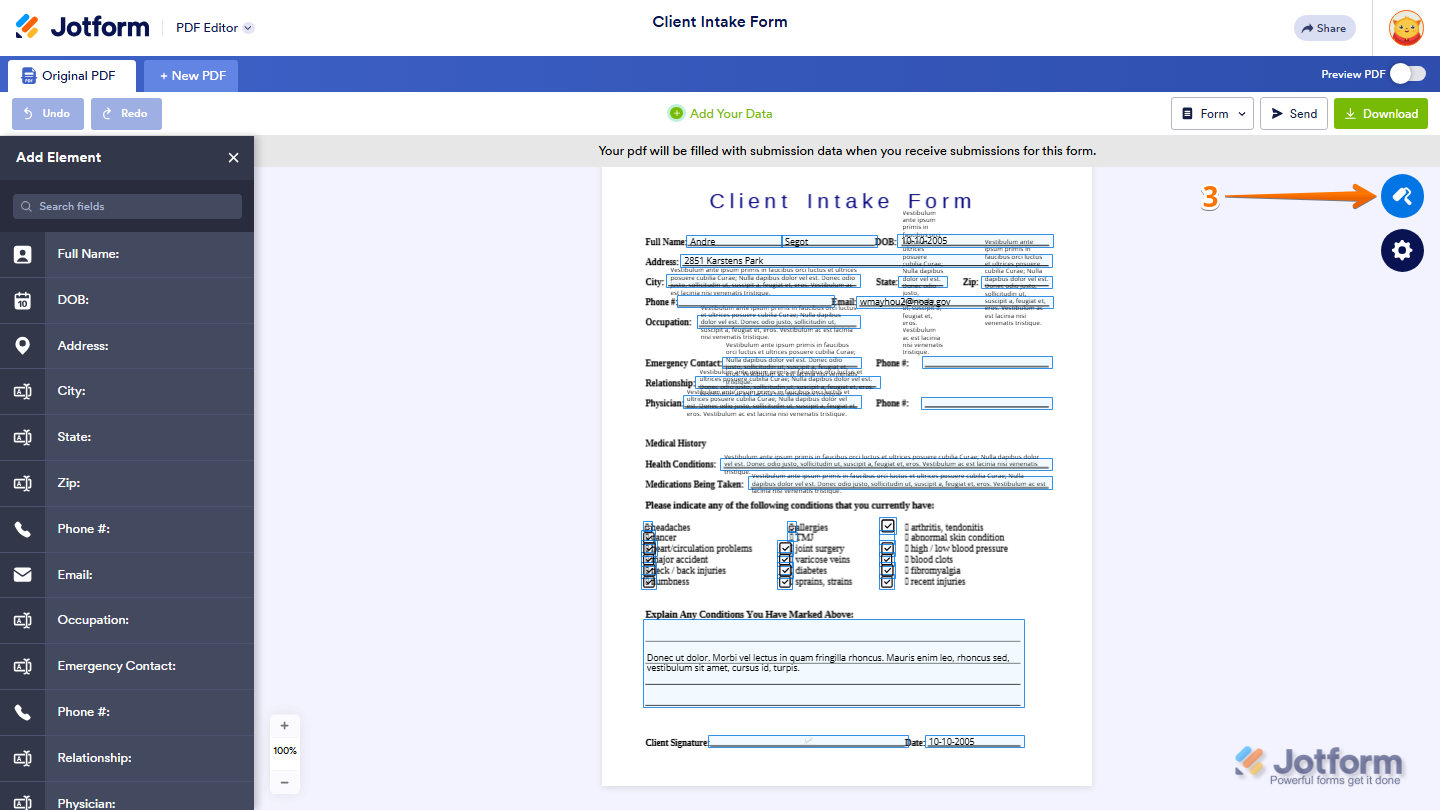
- Now, in the PDF Designer menu that opens, under the Text Style section, customize the appearance of your answers using any of these options:
- Font Family — Select the font used for answer text.
- Font Size — Adjust the size of the answer text.
- Font Formatting — Apply bold, italic, or underline formatting.
- Text Color — Change the color of the answer text.
- Text Alignment — Align the answer text to the left, center, or right.
- Text Positioning — Adjust the vertical position of the answer text within the field.
- Use Dynamic Font Size — Automatically resize the answer text to fit within the available field space
- Then, under the Option Styles section, customize how selected options appear in your Original PDF Document using these options:
- Option Style — Choose how selected options, such as checkboxes and radio buttons, are displayed in the PDF document.
- Option Color — Change the color used for selected options.

Once you’re done, your changes will be applied automatically to the Original PDF Document.
Note
The Option Styles section is only available for fields that contain selectable options, such as Checkboxes, Multiple Choice, and Single Choice fields.

Send Comment:
9 Comments:
March 11, 2026
For those who don't have the paint roller option available - check if you have Jotform Sign Automation enabled. This blocks you from editing the document.
January 24, 2026
Font size is not saved. After I click apply changes it goes back to 16px. All other changes oork. Help please.
October 8, 2025
I don't have the paint roller option.
June 21, 2025
I don't have a paint roller option
February 6, 2025
Not getting the paint roller to be able to change the look. The font size used is not quite right, but these instructions do not seem to work to allow the change.
February 8, 2024
Can i change the font for all future filled out PDFs?
November 23, 2022
Can I change the style on a specific page? For example on one page of the pdf answered are bolded or italicized?
January 16, 2022
Is it possible to set a specific color for all pdfs and future filled out pdfs?
December 6, 2021
Can we change the color of a specific text field?