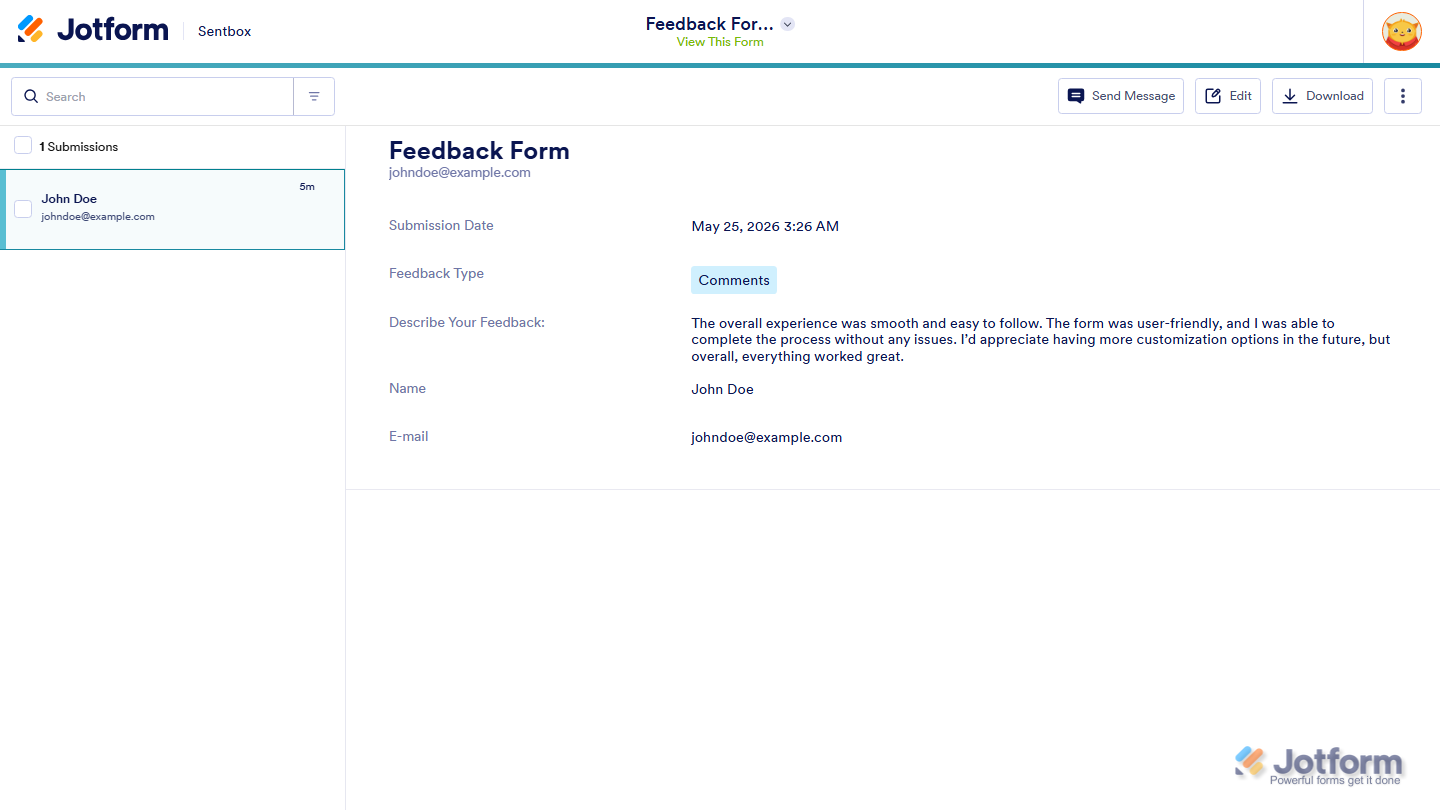
The Assignee Sentbox helps assignees view and manage submissions from Assigned Forms. When an assignee submits a form while logged in to their Jotform account, the submission can appear in their Sentbox depending on the permissions set by the form owner.
From the Assignee Sentbox, assignees may be able to view submissions, edit their submissions, request editing access, download or print submissions, or request submission deletion. The available actions depend on the permissions allowed by the form owner.
Accessing the Assignee Sentbox
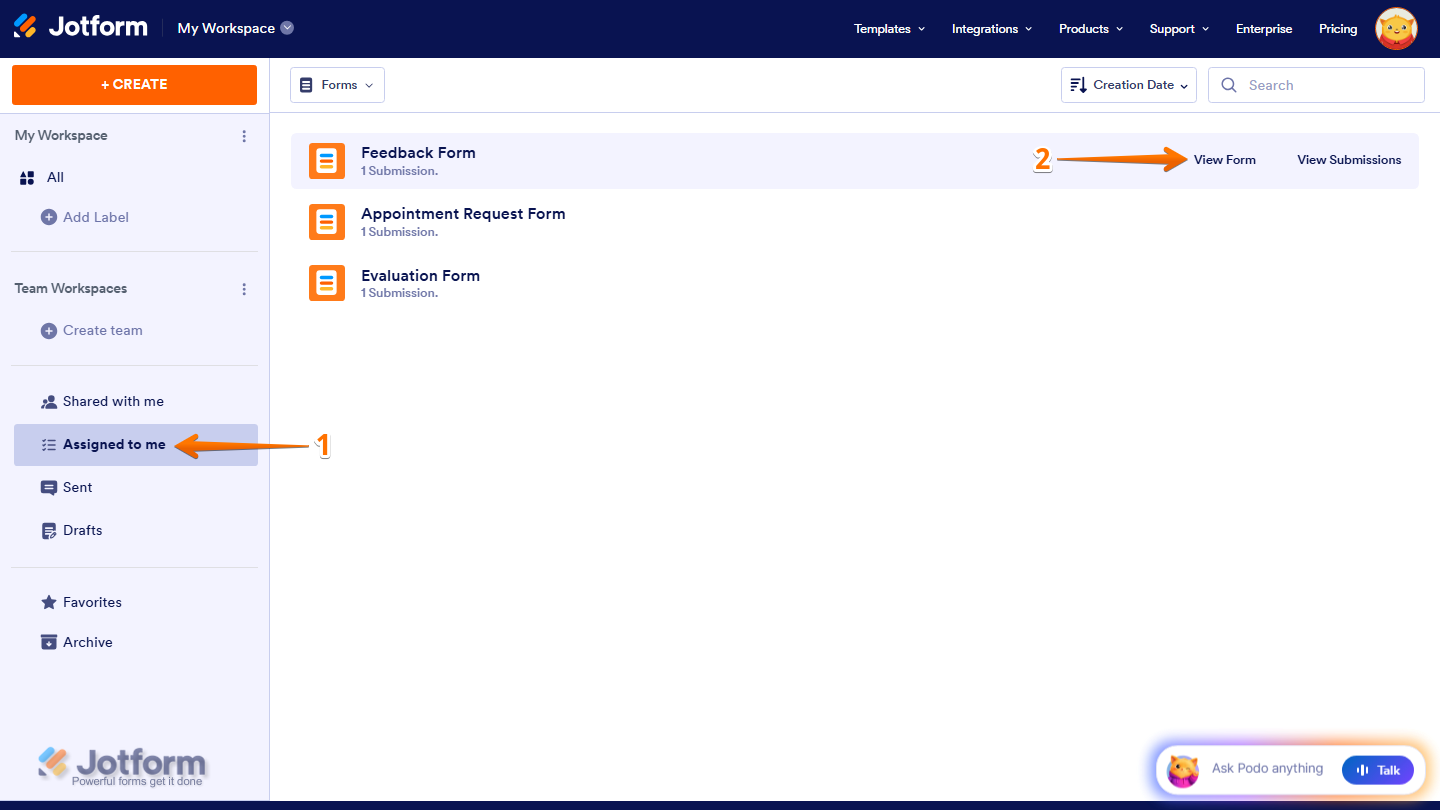
- On your Workspace page, in the menu on the left side of the page, click on Assigned to Me.
- Then, hover your mouse over the assigned form you want to access, and click on View Submissions.
- Now, you’ll be taken to the Assignee Sentbox, where you can view and manage assigned form submissions.
How Assignee Sentbox Permissions Work
The form owner decides what assignees can do inside the Assignee Sentbox by setting specific submission permissions for the assigned form. Take a look at our guide on Managing Permissions for Your Assignees for more details.
Submit & View Later
If the form owner sets the permission to Submit & View Later, assignees can:
- View linked submissions
- Download or print submissions
- Request editing access from the form owner
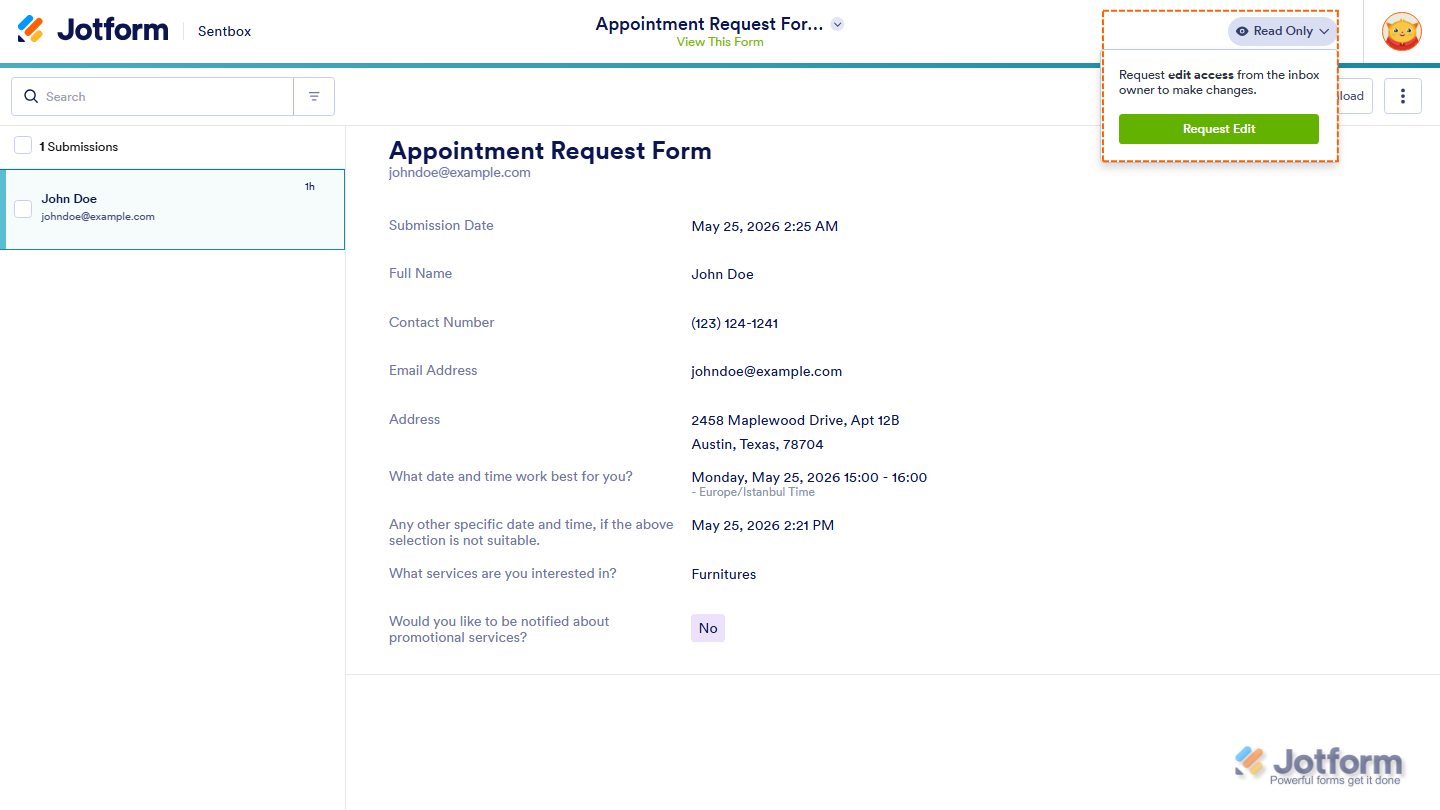
In this permission setting, assignees won’t be able to edit submissions directly. Instead, they’ll see the Read Only option at the top-right side of the Sentbox, where they can click Request Edit to ask for editing access.
Submit & Edit Later
If the form owner sets the permission to Submit & Edit Later, assignees can:
- View linked submissions
- Edit their submissions directly
- Resubmit updated information
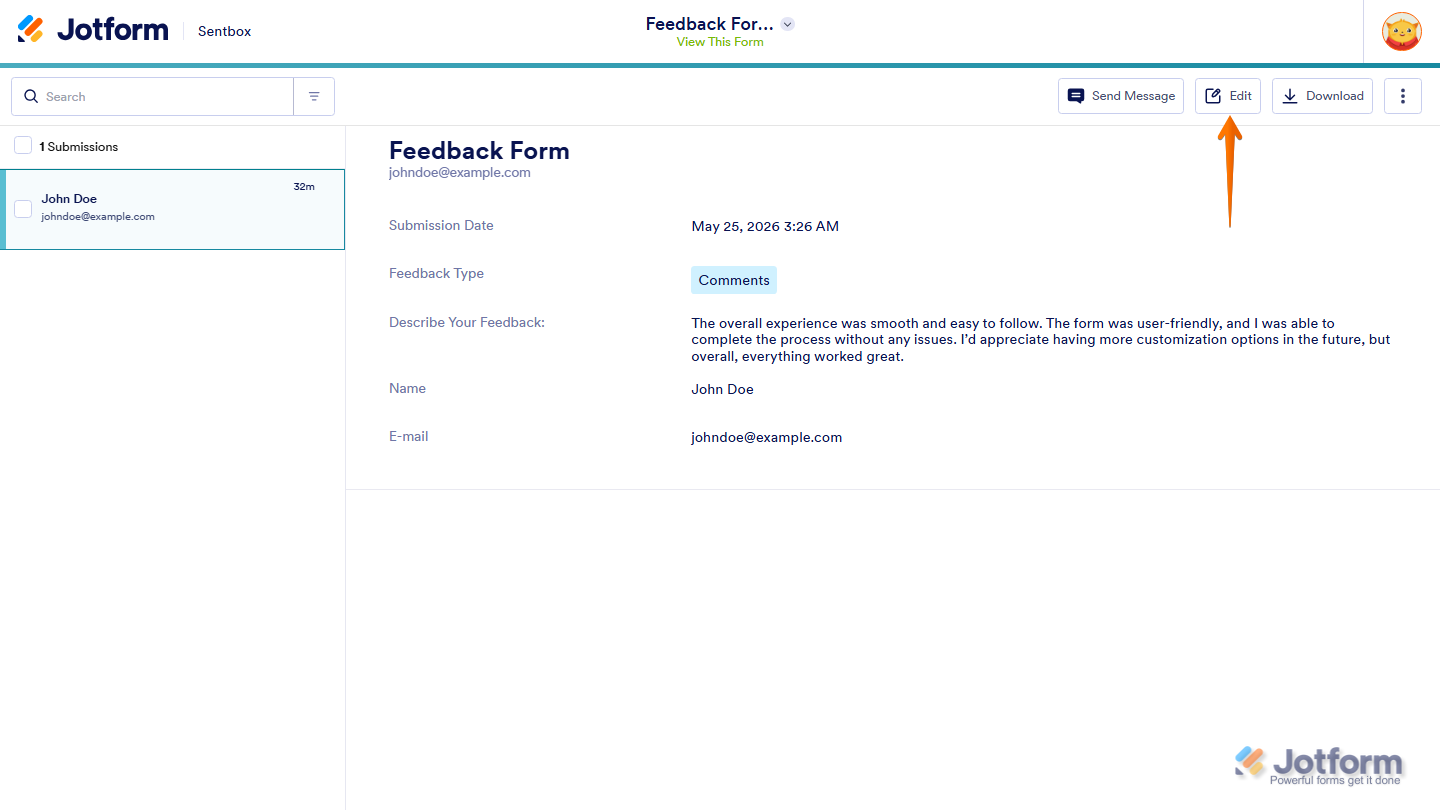
In this permission setting, assignees will see the Edit button at the top-right side of the Sentbox.
Note
- If the form owner sets the permission to Submit Only, assignees can submit the form but won’t be able to access linked submissions in the Assignee Sentbox.
- After editing a submission, assignees need to resubmit the form to save their changes.
- The Assignee Sentbox is also available on the Jotform Mobile Forms app, but some actions may look different on mobile and desktop.

Send Comment: