Jotform offers several ways to let users view a copy of their form submissions, including Autoresponder Emails, Submission Edit Links, and Submission URLs. These options make it easier for users to review the information they submitted after completing your form.
If you don’t want to use autoresponder emails or third-party integrations, you can also provide users with a direct submission link through the Thank You Page. This gives users a direct link to view their submission after completing the form
You can give users a direct link to view their submission from the Thank You Page after completing the form. Here’s how to set it up:
- First, copy this URL:
https://www.jotform.com/submission/{id}- Next, in Form Builder, in the orange navigation bar at the top of the page, click on Settings.
- Then, in the menu on the left side of the page, click on Thank You Page.
- Now, in the Thank You Page Editor, paste the URL, and you’re done.
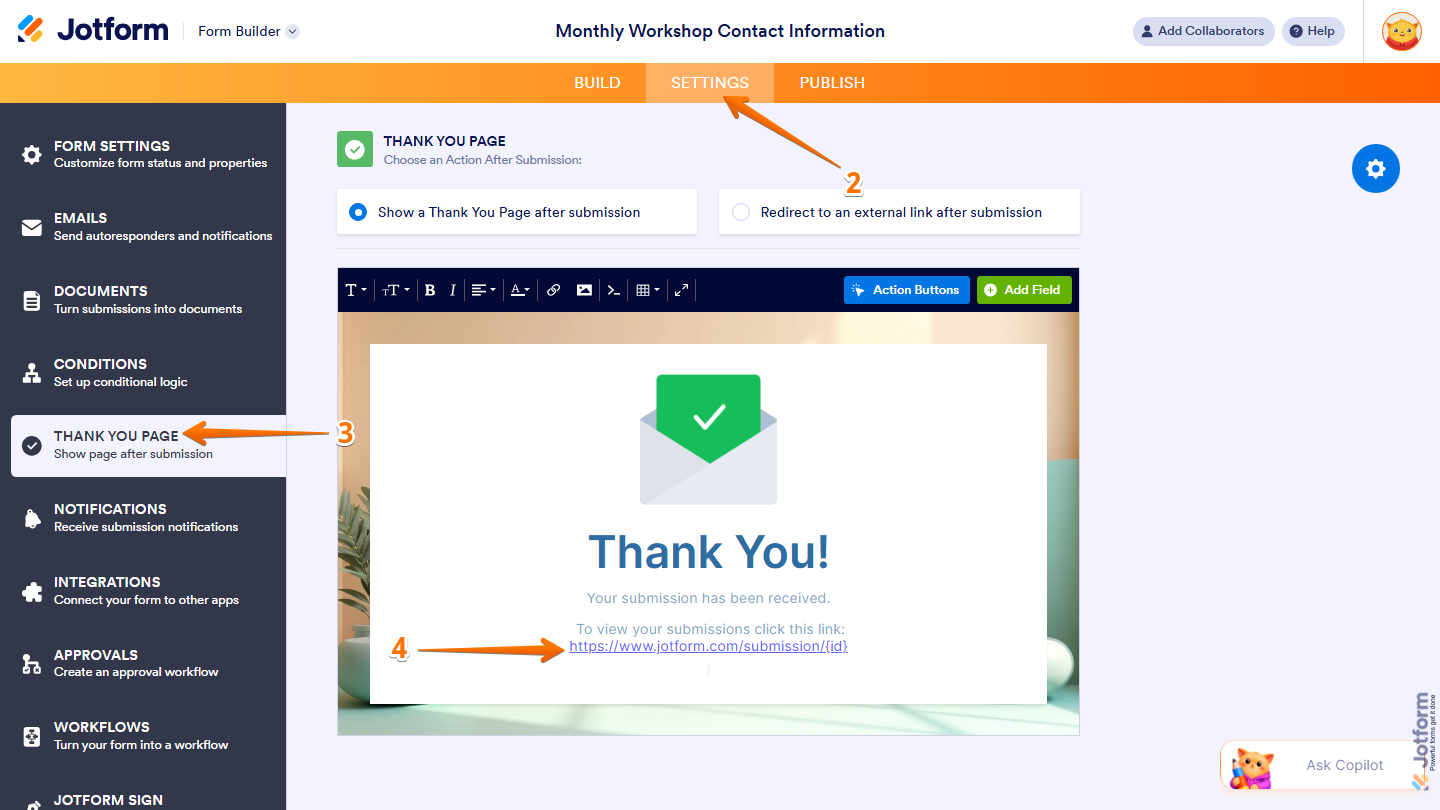
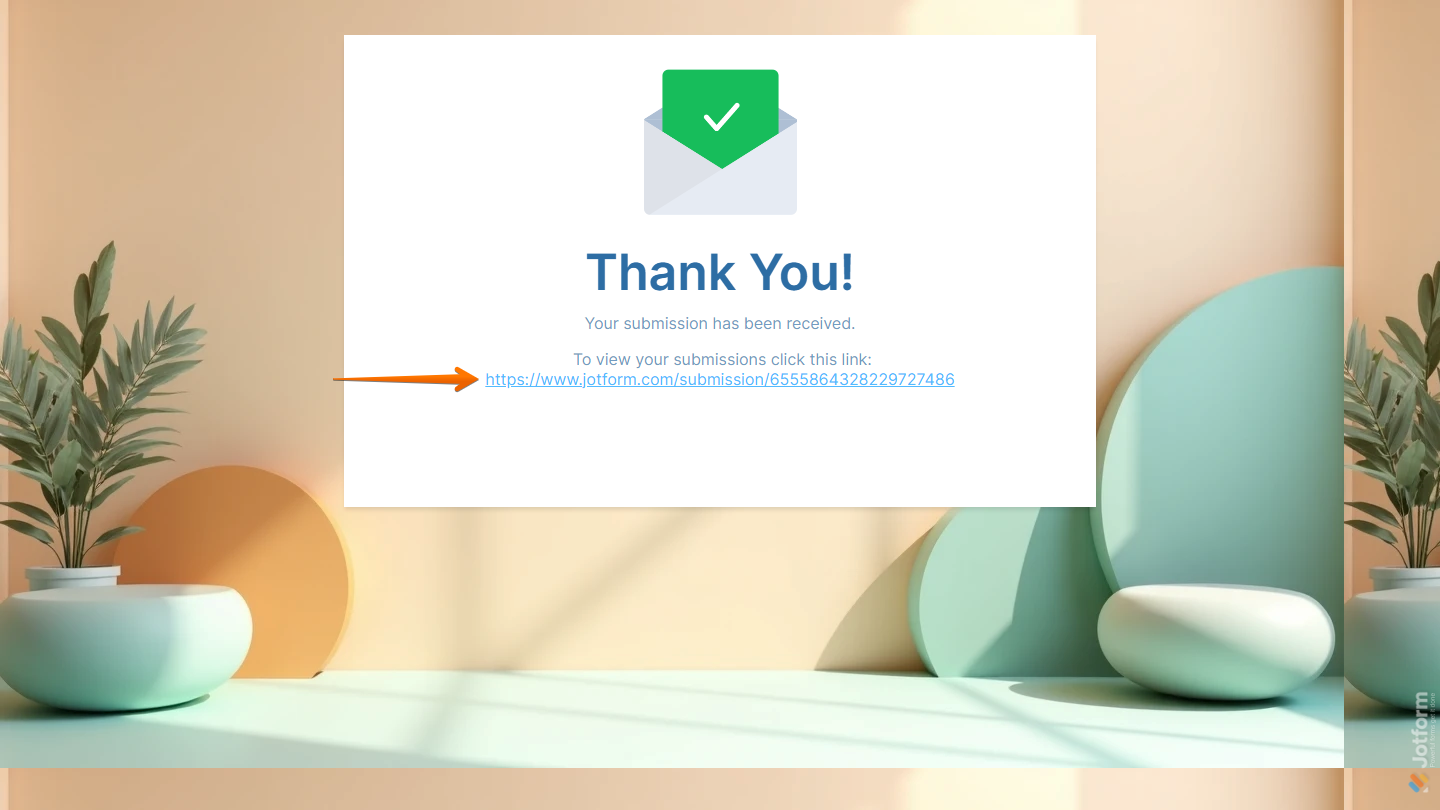
That’s it! After submitting the form, users will see a direct link that lets them open and view their submission.
Note
The {id} parameter represents the unique ID of the user’s submission. It’s also recommended to hyperlink the URL instead of adding it as plain text, so users can simply click the link instead of copying and pasting it into their browser.

Send Comment:
6 Comments:
November 27, 2024
the submission icon doesn't submit. Not very inspiring.
March 11, 2024
Does this mean they can only view their own submission or can they see others?
September 26, 2022
Can you make it so that other users can view each other’s submissions?
April 1, 2022
it is also on the Publish / Assign Forms / Settings
Down a bit on the list is "show on Thank you page"
February 11, 2022
I can view submissions made on my form, but how do I share that with my fellow managers?
November 20, 2021
It's not working... when I click in the link it takes me to an error page that says:
Whoops!
Unfortunately, the page you were looking for could not be found. It may be temporarily unavailable, moved or no longer exists. Please check your spelling and retry.