Check In Out App helps you track when people arrive and leave, giving teams a simple way to maintain daily attendance records without chasing paper sign-in sheets. Use it in offices, schools, studios, clinics, coworking spaces, volunteer programs, or any environment where you need a clear view of who is currently on-site and a reliable log of activity. The app supports adding people to a list and logging check in and check out actions through connected forms, then viewing today’s records for quick confirmation during busy hours.
Jotform makes it easy to turn this check in and check out workflow into a polished self-service experience using App Templates and a no-code app builder. Customize pages with a drag-and-drop interface, connect forms and tables for consistent data collection, and share the app by link or QR code so staff can log entries from any device. With Jotform, teams can keep day-to-day workflows organized and accessible while maintaining a central source of truth for attendance tracking.
Related templates
Model Release App
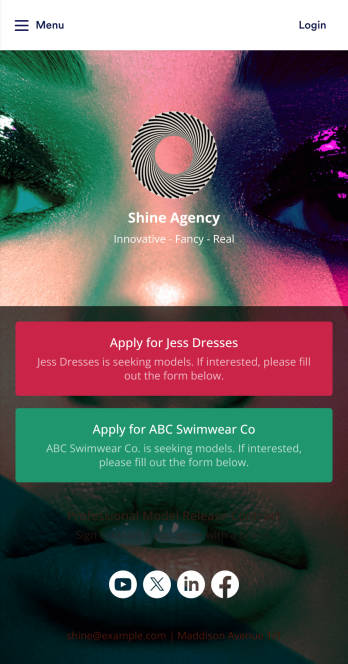
A model release form ensures that a photographer has permission to take and use a model’s image for commercial use. Find models for your agency easily with our free and customizable Model Release App! Prospective models can use the app to submit their applications and sign your Professional Model Release Contract from any device. Submissions will be received instantly and stored in your secure account, which you can manage on the go with the Jotform Mobile Forms app.Customize your Model Release App in just a few clicks. Our drag-and-drop interface makes it easy to create and add new forms, include links and images, and update the app design to match your branding. When it’s ready, share your app by embedding the link in your website or sending it to models directly. Get the e-signatures you need and manage models more efficiently with a custom Model Release App for your agency.
Go to Category:Sign In Apps
Event Check In App
Event Check In App helps organizers welcome guests faster and keep attendance organized from one mobile-friendly place. Use it to register attendees, launch a check-in form at the door, and browse an up-to-date attendee list so staff can confirm arrivals without confusion. It’s a practical fit for conferences, workshops, school events, fundraisers, pop-ups, and community gatherings where multiple team members may be helping with entry and you need a clear view of who has checked in.With Jotform App Templates, you can publish a polished check-in experience without coding and tailor it to your event in minutes. Build with a drag-and-drop interface, connect pages to Jotform forms and tables for reliable data collection, and keep your workflow moving with simple navigation for staff. Share the app by link or QR code, update it anytime, and create a consistent self-service experience for your team across devices.
Go to Category:Event Planner Apps
Sign In and Sign Out App
Sign In and Sign Out App helps organizations record when people arrive and leave, creating a simple digital log that’s easy to reference later. It’s a practical fit for front desks, school offices, shared workspaces, job sites, studios, and community programs that need a clear sign-in and sign-out history without relying on paper sheets. With guided navigation and an Add Entry button that opens a connected form, staff or visitors can log a new entry quickly, while a list view makes it easy to browse names and open individual records.Jotform makes it easy to publish and manage app templates like this with a no-code app builder and a drag-and-drop interface, so you can match the experience to your workflow in minutes. Add your logo image, adjust pages and buttons, and share the app by link or QR code for fast self-service check-ins. Entries submitted through the form can be organized for ongoing tracking, giving your team a dependable way to keep sign-in activity consistent across locations and shifts.
Go to Category:Sign In Apps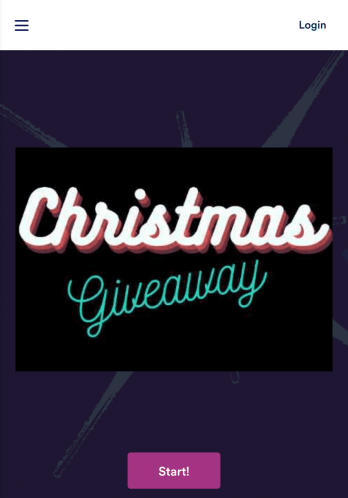
Giveaway App
Giveaways are a great way to boost interest and engagement with your business. If you’re hosting giveaways frequently, Jotform’s free Giveaway App will make it easier for participants to enter your giveaways from any device. This customizable mobile app includes a homepage with contest rules, an entry form, and an FAQ page. Participants can download your app onto any computer, tablet, or smartphone for easy access. All submissions will be received instantly and stored in Jotform Tables. Want to customize this Giveaway App for your business? No coding needed — just drag and drop to add forms, tables, links, images, and other elements to your app. When it’s ready to share, post the app link on your website or social accounts. Site visitors or social media followers can then open and save your Giveaway App onto their favorite device and enter your contest in just a few clicks!
Go to Category:Entertainment Apps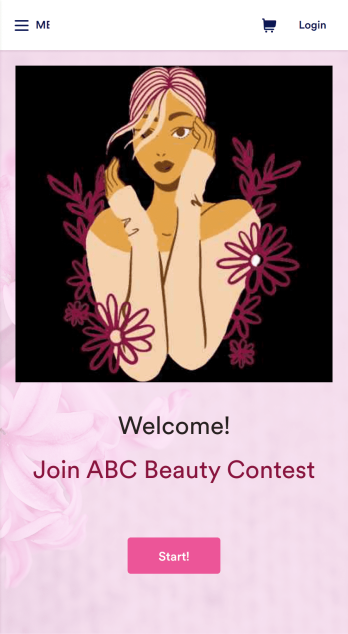
Customizable Beauty Contest App
Manage all your future beauty contests from one easy to use space with Jotform’s free Beauty Contest App. Both management and contestants can utilize your app for viewing and submitting applications as well as sending and receiving contest information. Set up payment forms, send schedules out, and more – all from one centralized place. All contestant submissions and payments will be kept in your Jotform account so all judges and managers can access the data from any device.Make your app as unique as your contestants with our free drag-and-drop app builder. Change up the fonts and colors, upload your own app image, change your layout, and more – no coding knowledge required. You can even integrate with hundreds of widgets and payment processors to make your next beauty contest a breeze. Embed your app’s link in your website or send a direct download link via email or a QR code. Everyone’s a winner with Jotform’s free Beauty Contest App.
Go to Category:Entertainment Apps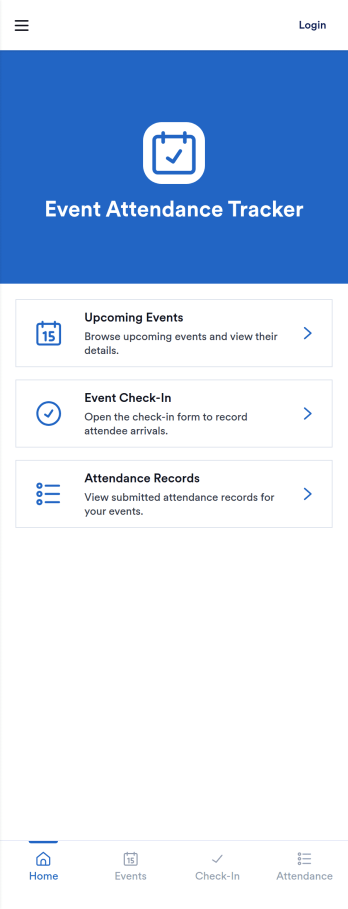
Event Attendance Tracking App
Event Attendance Tracking App helps organizers keep an accurate record of who registered and who actually showed up, without juggling paper lists or scattered spreadsheets. Use it to register attendees ahead of time, add walk-ins at the door, and log check-ins as guests arrive. It’s a strong fit for event teams running conferences, workshops, campus events, community meetups, trainings, and internal company sessions where headcounts, attendance history, and quick lookups matter throughout the day.With Jotform, you can turn attendance tracking into a simple self-service experience using App Templates and a no-code app builder. Build the flow with a drag-and-drop interface, connect registration and check-in forms, and keep records organized in linked tables for fast searching and reporting. Share the app with staff using a link or QR code so everyone works from the same up-to-date attendee list while your workflow stays consistent from registration to check-in.
Go to Category:Event Planner Apps