-
 nationwidehistology
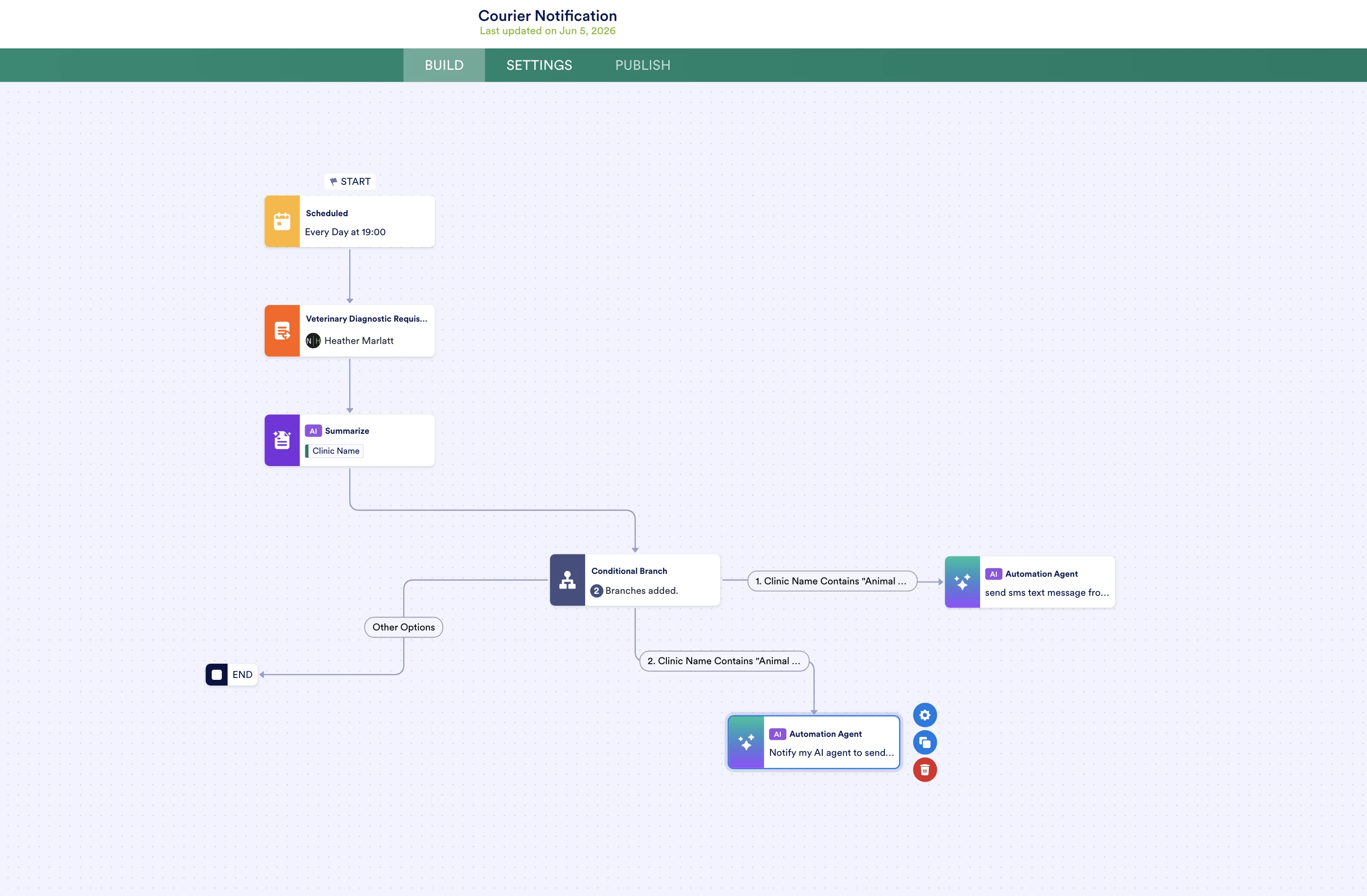
I'm trying to build an automated workflow where each day it will see if 2 of our clients have ordered and if so the AI agent will send a text message to our courier. I'm really struggling to properly set this up and test it. I've attached the link to my workflow and a screenshot of the layout. Is this something that my AI agent will be able to do? Since there is no native SMS element that I can build in the only option was email and I really wanted sms. If someone could offer some guidance on setting this up I'd be really grateful. I'm still new to developing workflows. Thank you

-
 Podo: Support Specialist
Hi Heather,
Thanks for reaching out to Jotform Support. I'm an AI assistant here to assist you.
At the moment, the available setup for Jotform AI Agent workflows is focused on actions like sending emails, collecting form responses, and showing specific messages inside the conversation. The canned configuration we have only covers letting your AI Agent send an email as part of the workflow, not an SMS, and there is no native SMS action element documented for AI Agent workflows.
Because of that, your AI Agent can be configured to send an email notification when certain conditions are met (for example, when it detects that two specific clients have ordered), but there is no direct, built-in way in the AI Agent Builder to send an SMS text message to your courier instead of an email.
Here’s how to set up the email action in your AI Agent, which is currently the supported option:
Let me walk you through it:
- Click on your AI Agent to open it in Agent Builder.
- Click on Train in the blue navigation bar at the top of the page.
- Click on Actions in the menu on the left side of the page.
- Set up the Action so that it runs when your defined condition is true (for example, when your workflow logic determines that both of your specified clients have ordered). Configure the email content and then click on the Recipients tab.
- Enter the courier’s email address (or another email you want to notify) in the Recipients tab.
- Click on Save to apply the action.
Below is an example of how the email action works in the conversation and what the resulting email looks like:
To get SMS behavior, you would need to rely on something outside the documented AI Agent actions (for example, an external SMS service that reacts to the email), since there is no native SMS action element available in the AI Agent Builder itself.
Reach out again if you need any other help.


Your Reply
Something Went Wrong
An error occurred while generating the AI response. Please try again!