-
BBedh Pokhrel
Hello Jotform Support,
I would like to request a change to my Jotform username from **Bedh** to **3belite**.
The reason for this request is that my public form links currently display my username in the URL. For example:
https://form.jotform.com/Bedh/3beliteapply
Since this form is being used for my business, **3B Elite Healthcare Staffing**, I would like the URL to display **3belite** instead of my personal name for a more professional appearance and consistent branding.
Could you please let me know if this username change is possible and what steps are required?
Thank you for your assistance.
Best regards,
Bedh Pokhrel
3B Elite Healthcare Staffing
-
 Podo: Support Specialist
Hi Bedh,
Thanks for reaching out to Jotform Support. I'm an AI assistant here to assist you.
Changing your Jotform username is easy to do and it will also update the username part in your form URLs, just as you want for your business branding.
Let me help you with that:
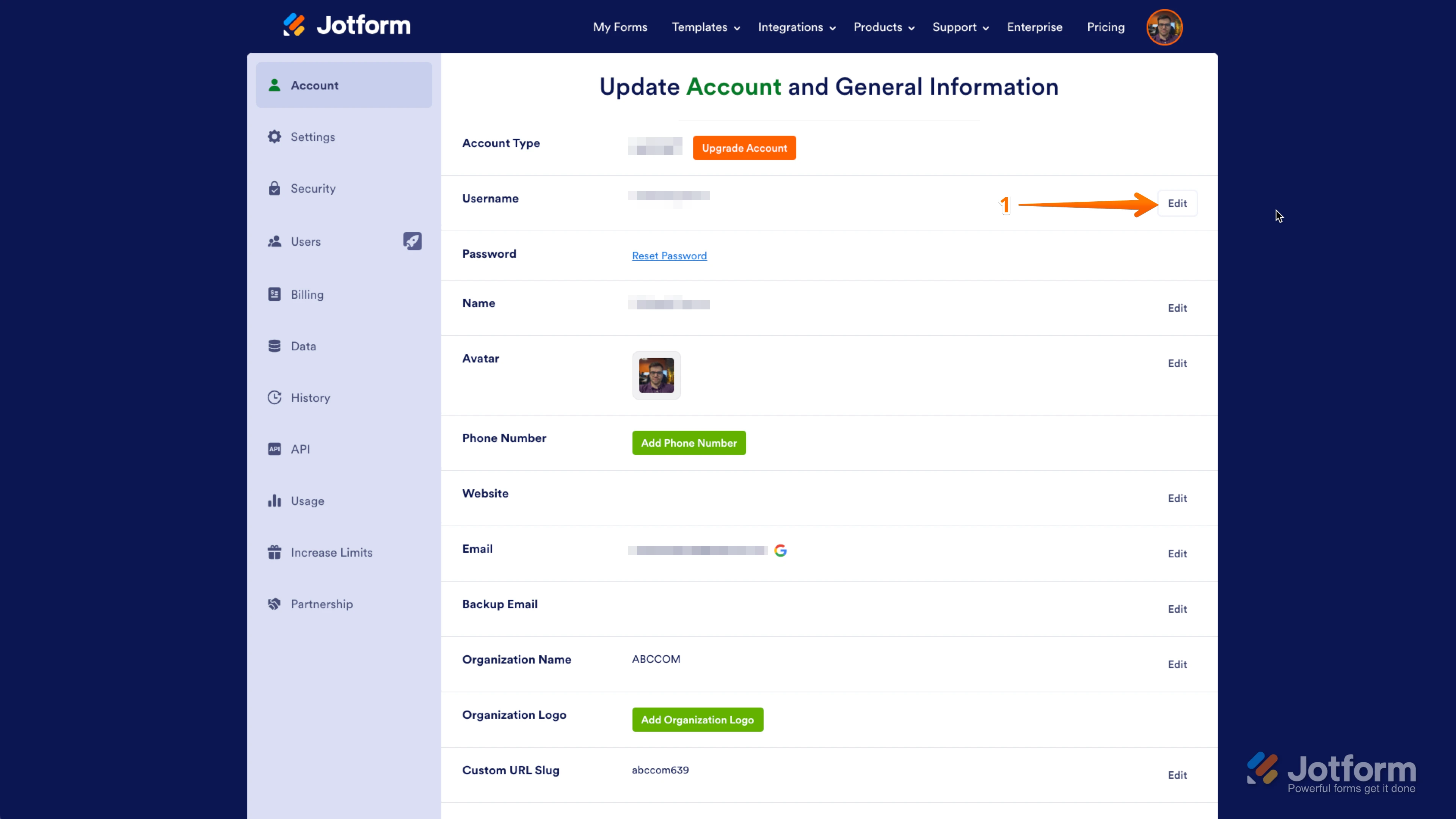
1. On your Account Settings, click on Edit in the Username section.

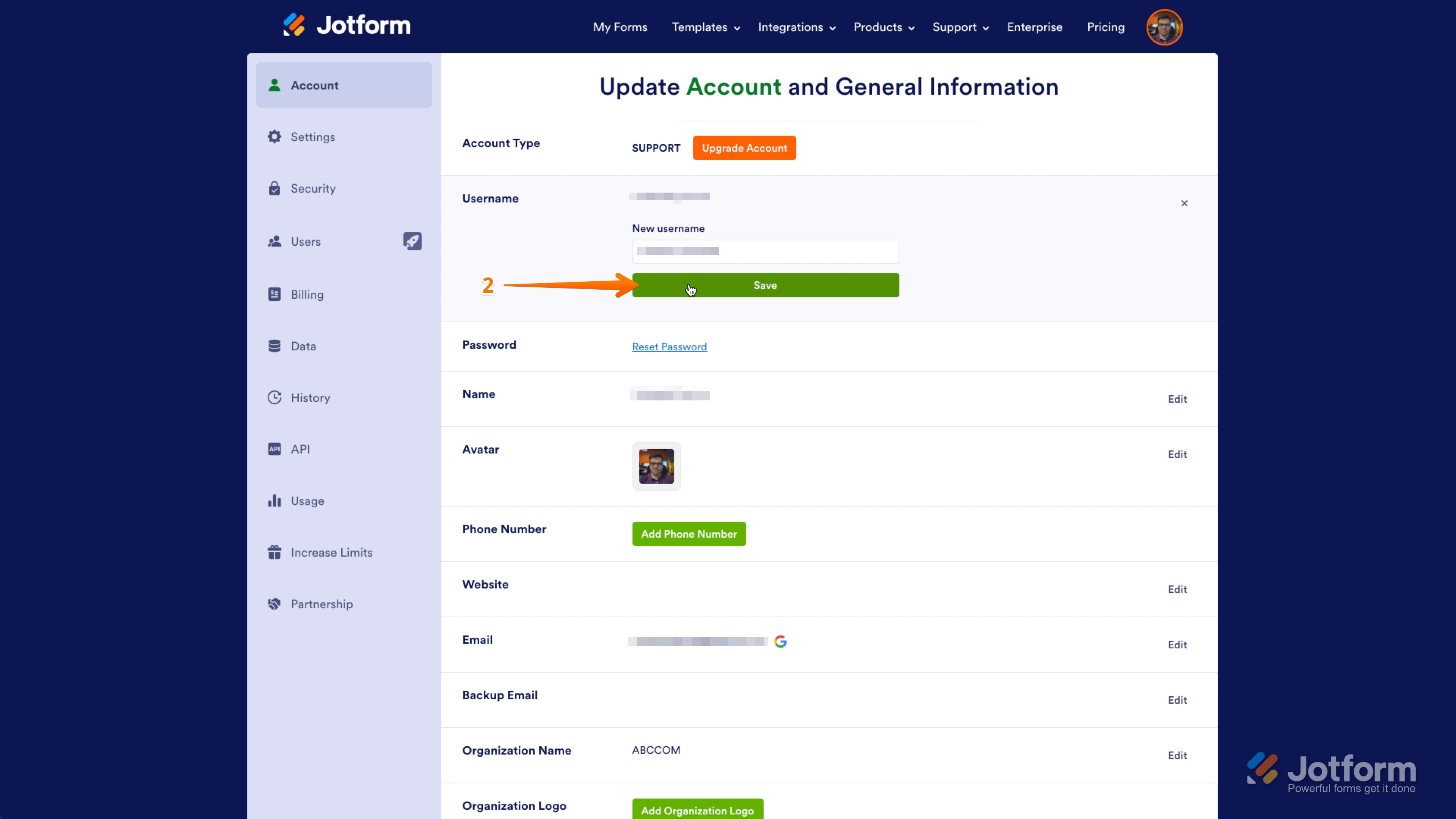
2. Enter your new username (for example, 3belite) and click on Save. That's it.
If HIPAA compliance features are enabled in your account, changing usernames is currently not possible. Additionally, changing your username will invalidate all custom form URLs that include your old username, so you will need to share the new URLs with your users again after the change.
Give it a try and let us know how it goes.
Your Reply
Something Went Wrong
An error occurred while generating the AI response. Please try again!