-
 aoam
aoamHello, I have a paid account with the username aoam under the company Kevin Appasamy. I’m trying to change the email on this paid account to aoalamoana@gmail.com. That email was previously used only on a free account, which I have already deleted. When I try to log into that old account, I’m told it has been deleted. However, when I try to update my paid account’s email to aoalamoana@gmail.com, I still get an error that the email is associated with another account. Could you please:
- Confirm that the old free account using aoalamoana@gmail.com is fully deleted, and
- Release / detach that email from the deleted account so I can use aoalamoana@gmail.com as the login email for my active paid account (username: aoam)?
Thank you for your help. Best regards,
Kristi
-
 Podo: Support Specialist
Hi Kristi,
Thanks for reaching out to Jotform Support. I'm an AI assistant here to assist you.
I don't know this information and our support team will handle your request.
Let us know if you have any other questions.
-
 Kevin JotForm Support
Hi Kristi,
I have checked the account linked to the email address aoalamoana@gmail.com, and it's deleted. Note that accounts are completely deleted after 30 days; this is the time the email address will be free. If you want to use the email address from this deleted account before that period, we will need to proceed like this:
- We will need to reactivate the account linked to the email address aoalamoana@gmail.com.
- You need to update the email address in that account to another one that's not linked to an existing Jotform account.
- After the email address is free, you can proceed with the update in your paid account; this time, you shouldn't get the email already in use message.
- Then you can proceed with deleting the free account again.
Let us know if you would like to proceed with this, so we can assist in reactivating the account.
Once you get back to us, we can take the next step toward solving this.
-
aoamOK Can we please reactivate so i can make those changes?
Kristi L Paulson
Co Executive Producer | American Income Life
o: 808-200-8670 | c: 208-603-9134
Ailife.com <http: />
Do you know someone looking for a high paying union job?
I can help get them an interview!
NPN 8762892
Idaho Insurance License Number 8762892
Hawaii Insurance License Number 8762892
Arizona Insurance License Number 8762892
Oregon Insurance License Number 8762892
California Insurance License Number 4305275
Colorado Insurance License Number 907118
Michigan Insurance License Number 1418203
Texas Insurance License Number 8762892
South Carolina License Number 8762892
Washington Insurance License Number 1242306
Nevada Insurance License Number 4076305
kristipaulson.ail@gmail.com
kristipaulson@altig.com
kristipaulson@AOGlobeLife.com
... -
Kevin JotForm Support
Hi Kristi,
The account is now active, and you can proceed with updating the email address. Changing the account email address only takes a minute. Let me show you how:
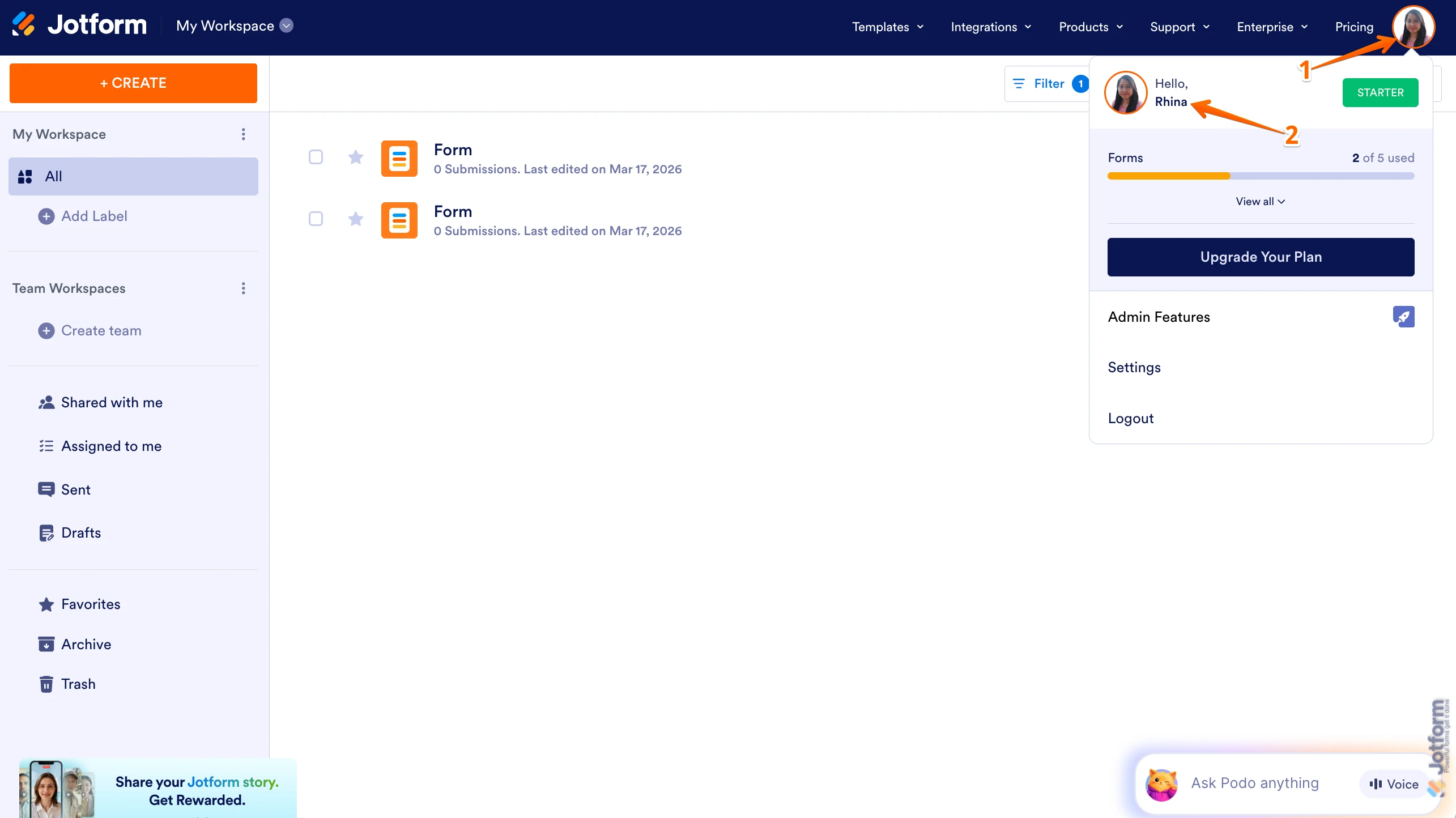
1. On your Workspace page, click on your Avatar/Profile Image in the top-right corner of the screen.
2. In the Dropdown menu that comes up, click on your name.

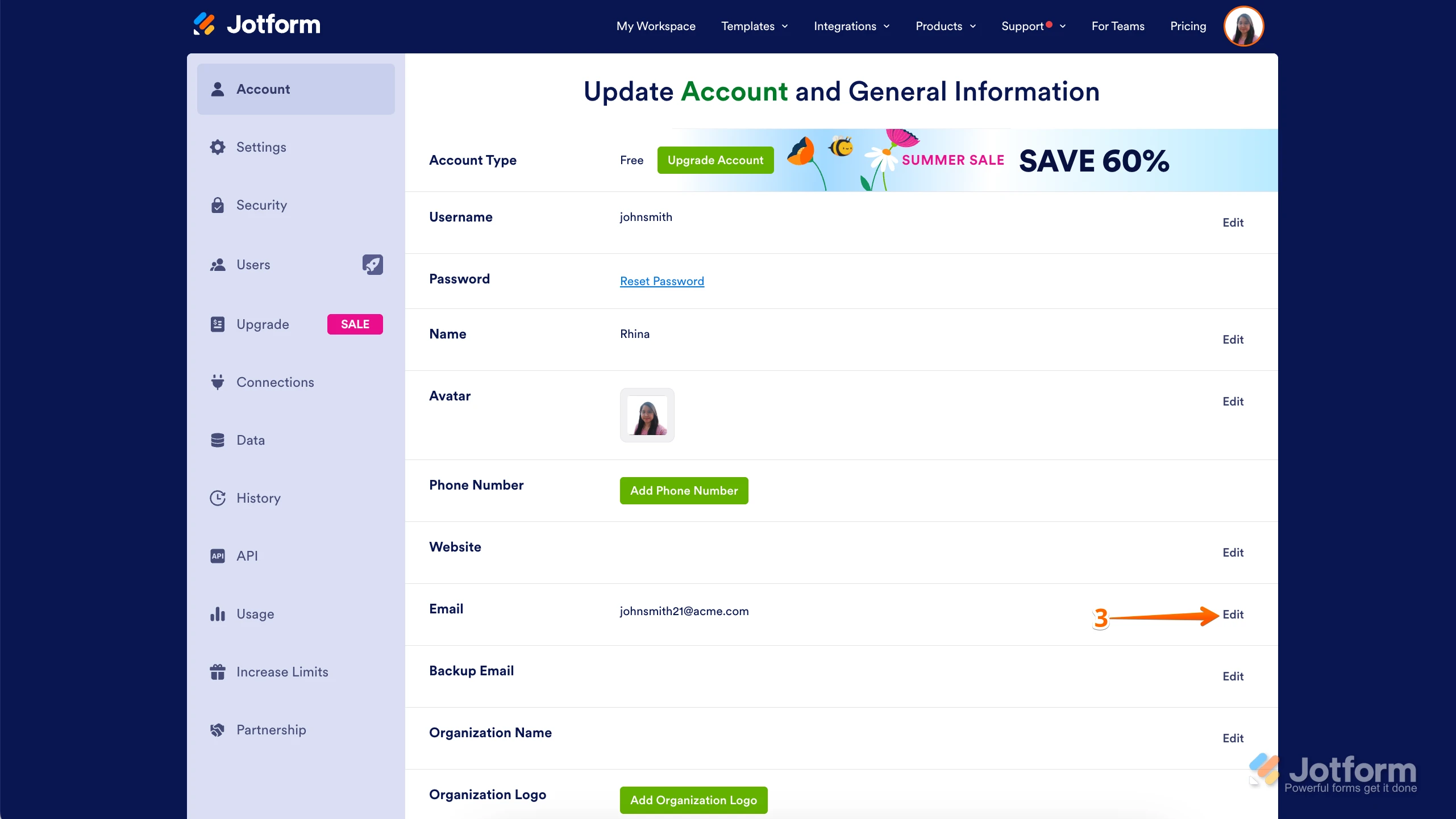
3. On the right side of the page, under the Email section, click on Edit.
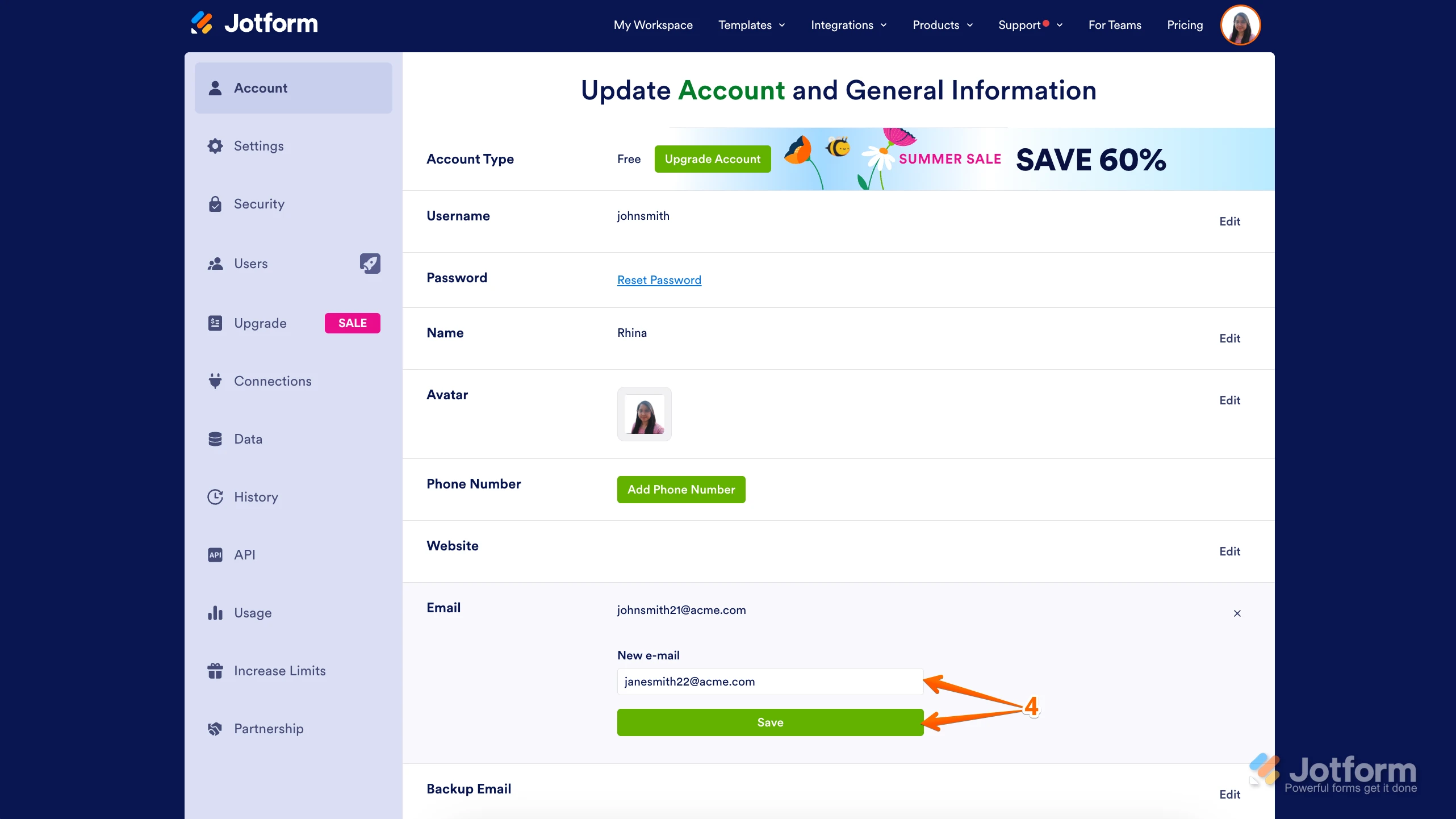
4. Next, enter the new email address you want to use and click on Save.
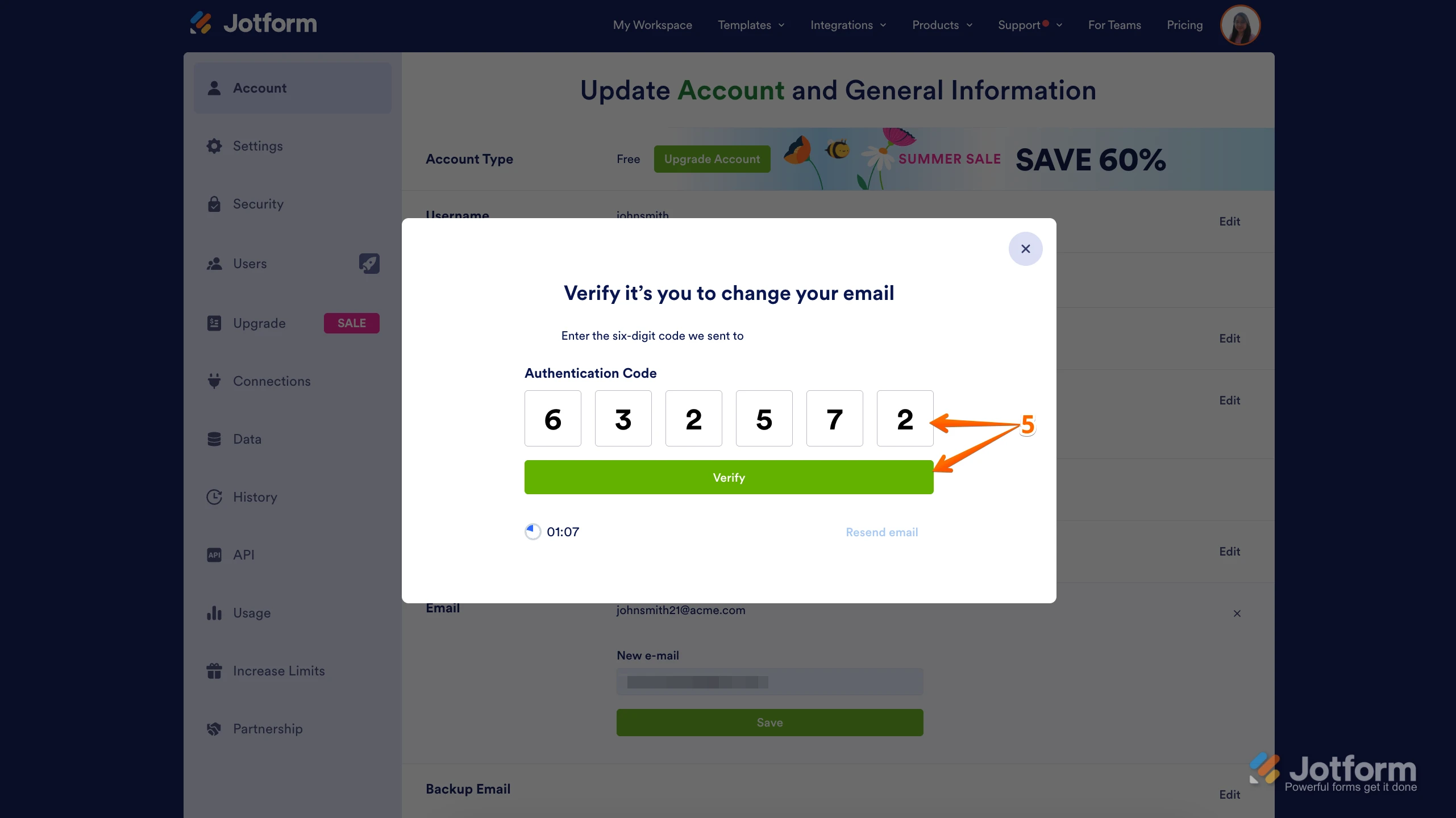
5. In the Confirmation window that opens, enter the Authentication Code sent to your new email and click on Verify.
Reach out again if there’s anything else we can help you with. -
aoam
I keep trying but I keep getting an error that the email verification request has expired. I open and click as soon as it arrives in my inbox.
I need to get these switched
-
 Anna JotForm Support
Hi Kristi,
Can you try Whitelisting Jotform IP Addresses and Domains first before trying to change your email address so that the verification will be less likely to have no checks before landing in your inbox?
Give it a try and let us know how it goes.
Your Reply
Something Went Wrong
An error occurred while generating the AI response. Please try again!