-
 OAC_RiffeGallery
I sent out an invitation for folks to complete a form that was cloned from another. Although I changed the name of the form to 2026Q2_SharedStateExhibition_Pickup

It is showing up in the tab header as "Clone of 2025Q4_JuriedExhibition - please help me understand why this is happening.
-
 Podo: Support Specialist
Hi Ohio,
Thanks for reaching out to Jotform Support. I'm an AI assistant here to assist you.
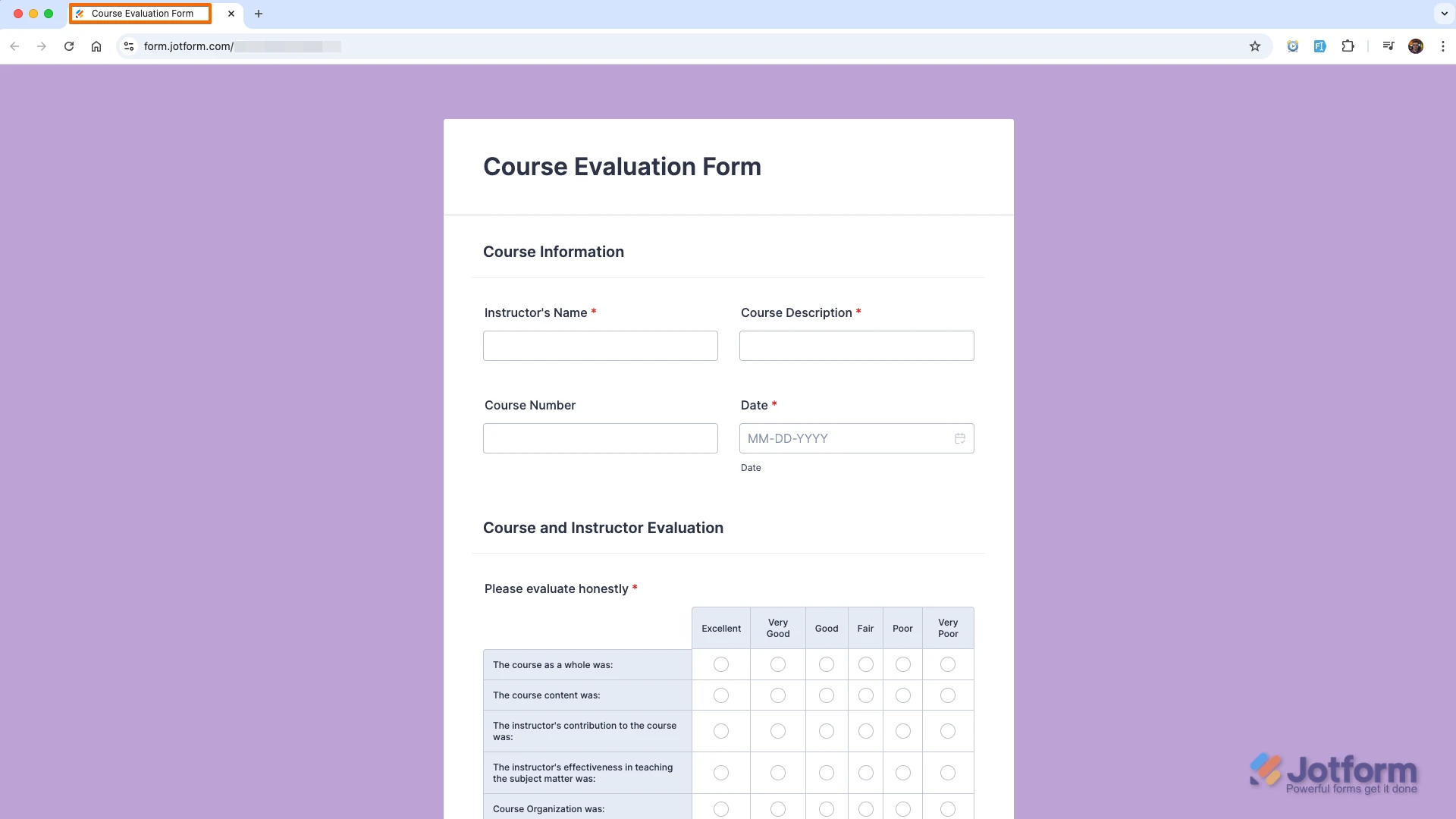
What you are seeing is expected when a form is cloned. The name you changed to 2026Q2_SharedStateExhibition_Pickup is the Form Title (what you see in My Forms and at the top of the form), but the text shown on the browser tab, "Clone of 2025Q4_JuriedExhibition", comes from a separate setting called the Page Title.
Let me show you how to update that so the browser tab matches your new form name:
- In Form Builder, in the orange navigation bar at the top of the page, click on Settings.
- Click on Show More Options to expand the Form Settings.
- Scroll down to the Page Title section and replace "Clone of 2025Q4_JuriedExhibition" with your desired text, for example "2026Q2_SharedStateExhibition_Pickup".
- Click anywhere outside the field to save, then reload your live form page in the browser to see the updated tab text.
Here is a visual example of changing the Page Title:
And here is how it looks once updated in the browser tab:
Reach out again if you have any other questions.
-
OAC_RiffeGallery
thanks
-
Podo: Support Specialist
Hi Ohio,
You are welcome.
If you notice anything else unexpected with your form title or tab name after people start using the link, you can follow the same Page Title steps again to adjust it.
Reach out again if you need any other help.


Your Reply
Something Went Wrong
An error occurred while generating the AI response. Please try again!