-
 parscholarshipapp
I have a scholarship submission form site and it has 37 submissions. I have disabled the application as the time has expired for submission. Some of the applicants' submissions have vanished. Can you please tell me where they went.
Thank you
Cathy
-
 Podo: Support Specialist
Hi Cathy,
Thanks for reaching out to Jotform Support. I'm an AI assistant here to assist you.
Based on what you described, the most likely reason those submissions appear to have vanished is that they were deleted or archived and are now in a special view (Trash or Archive) rather than in your main submissions list. Disabling a form does not by itself remove submissions, so they should still be recoverable if they were only deleted recently.
Let me help you with that:
First, check the Trash in Jotform Tables (submissions grid)
- Go to Jotform Tables for your scholarship form (the page where you normally see all submissions in a table).
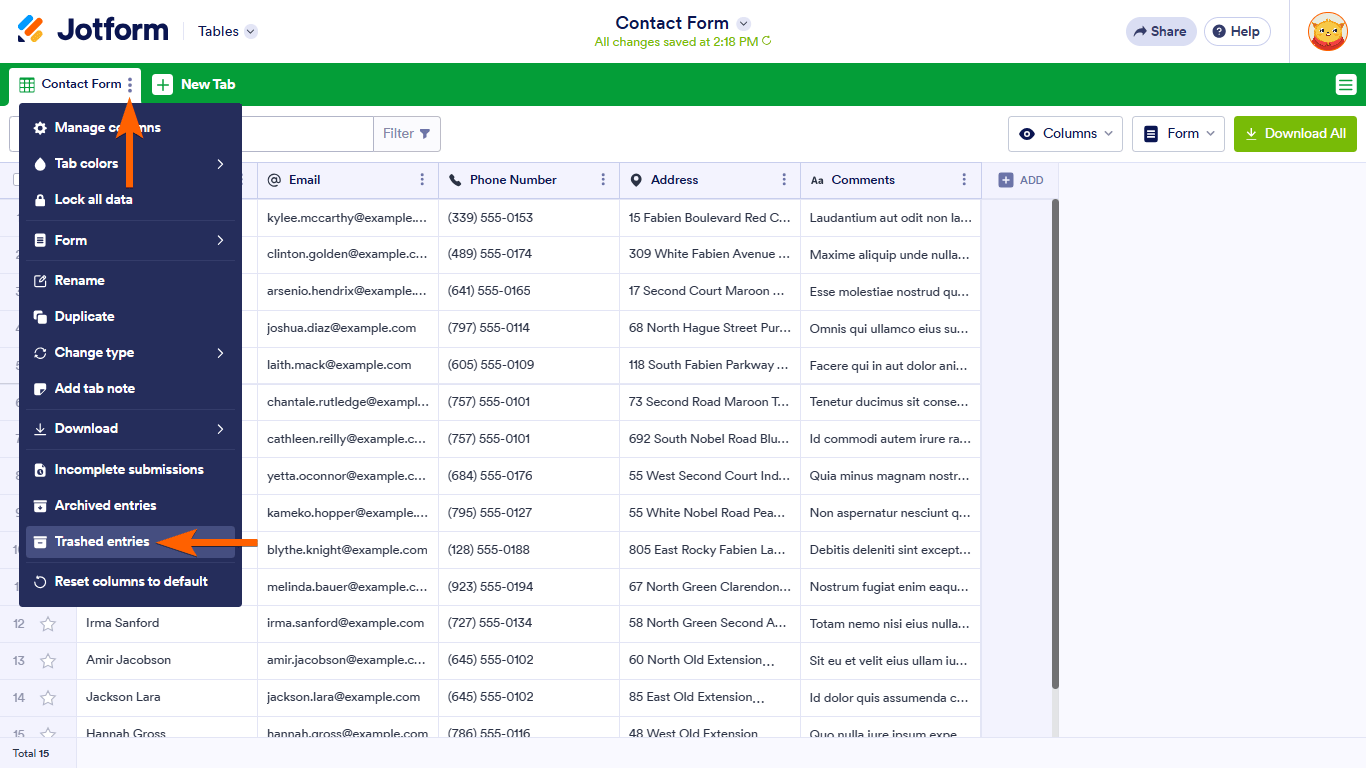
- Open the tab menu at the top of the table (the menu for the current tab where your submissions are listed).
- Select Trashed entries from the menu.
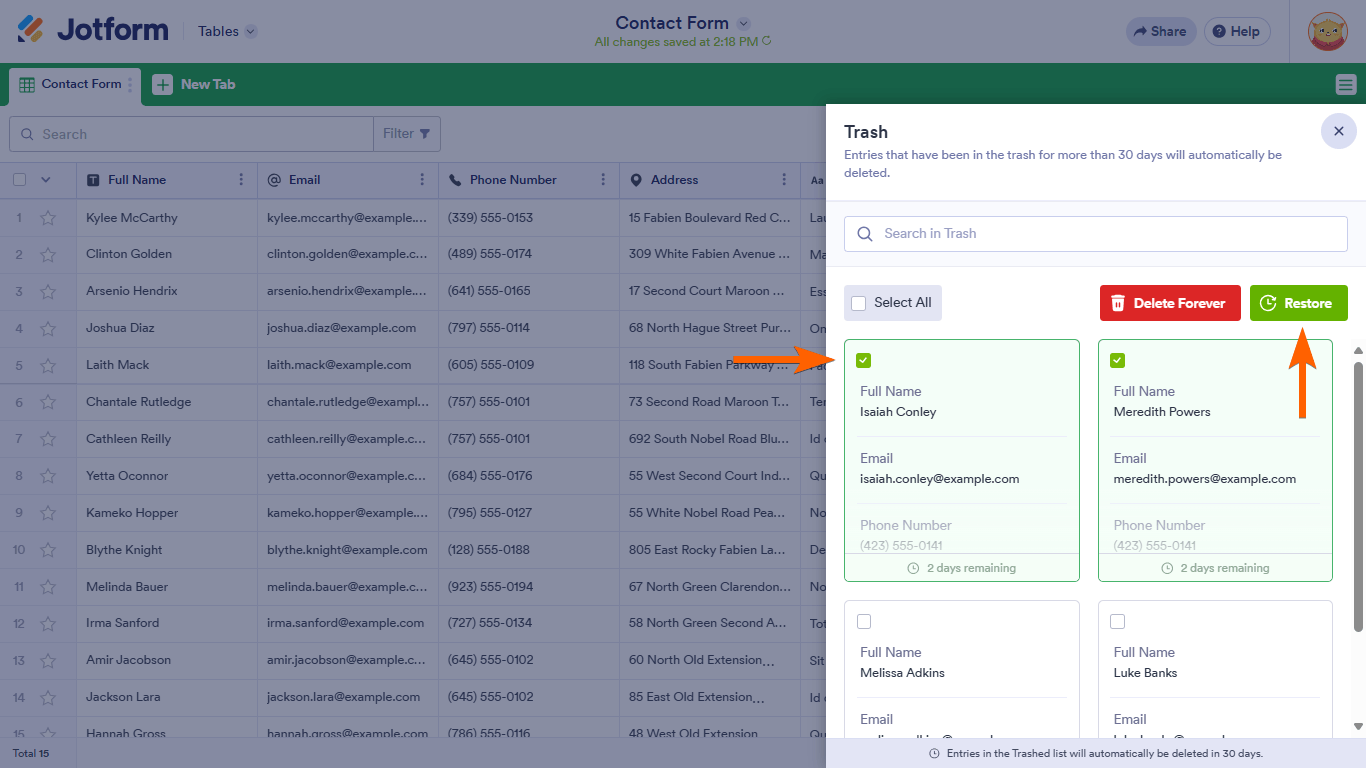
- Look through the list for the missing applicants’ submissions.
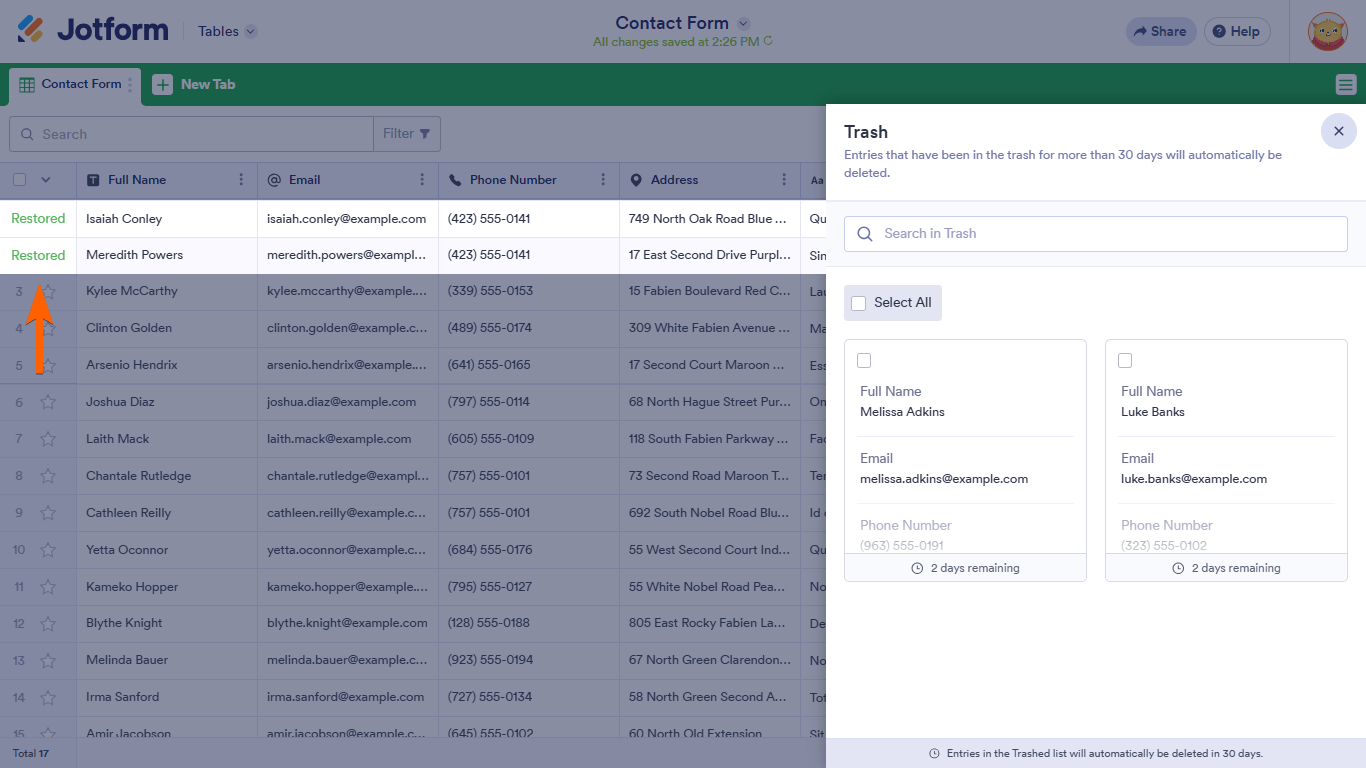
- Select any entries you want back, then click Restore to return them to the main submissions view.

Important notes about Trash
- Deleted submissions stay in Trash for 30 days. After that, they are permanently removed and can no longer be restored.
- Entries in Trash still count toward your submission storage until they are permanently deleted.
If you manage submissions via Inbox, also check Inbox Trash
- Open Jotform Inbox for your scholarship form.
- Click the Hamburger icon (three horizontal lines) at the top-right.
- Select Trash to see deleted submissions.
- Select the submissions you want to bring back.
- Click the Three Dots icon next to the Download button and choose Restore.
If you or someone with access to the form deleted those entries more than 30 days ago, they would already be permanently removed and would no longer appear in Trash or Archive. In that case, they unfortunately cannot be recovered.
Let us know if you have any other questions.
Your Reply
Something Went Wrong
An error occurred while generating the AI response. Please try again!