-
MMichael Somanuslert
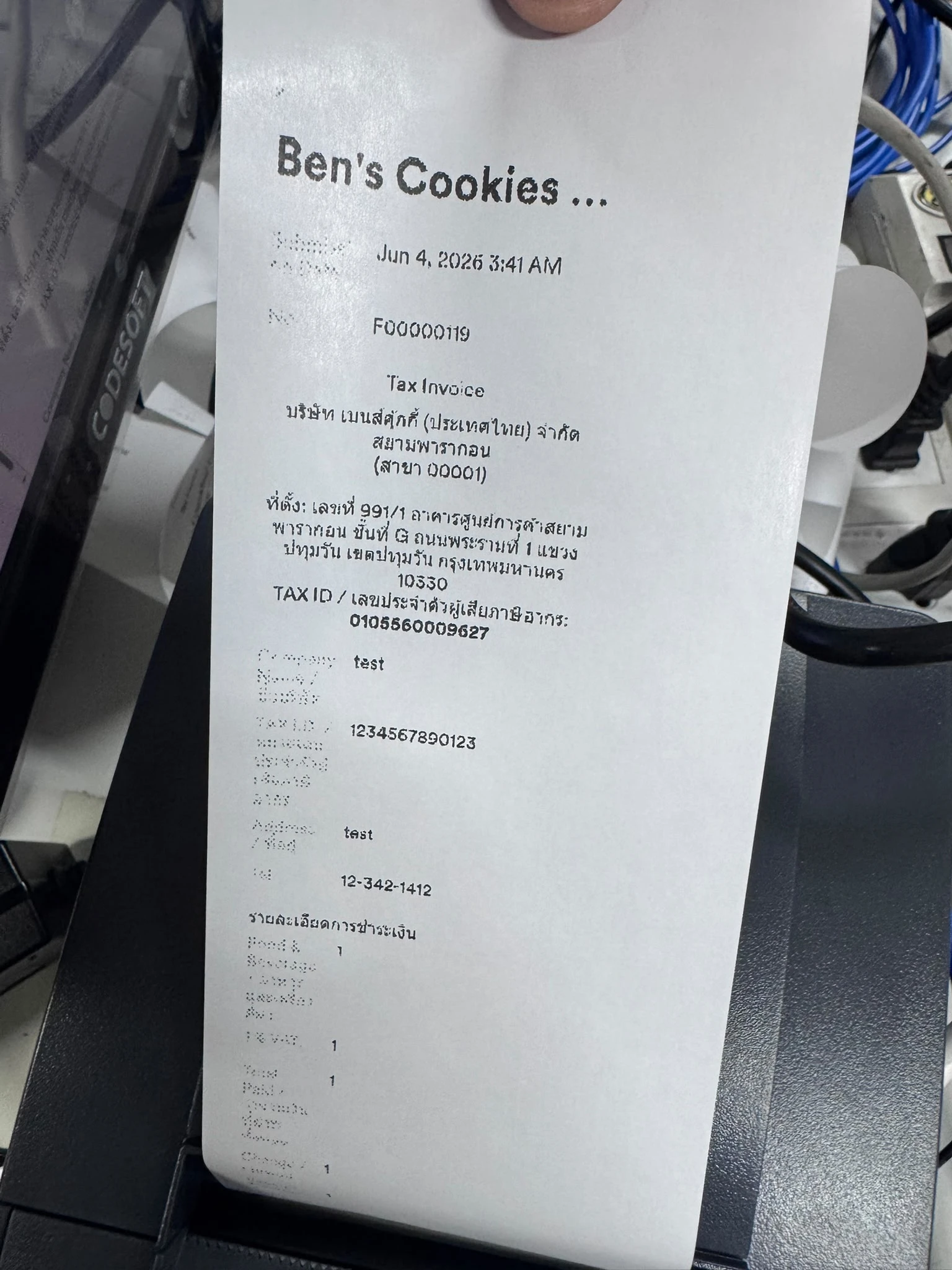
We print Jotform submissions directly to a thermal receipt printer, but the question labels print in grey rather than black, causing them to appear faint and patchy on the receipt. We'd like a way to force the text to print in black without having to go through the PDF workaround — which requires saving, reopening, resizing to fit the receipt printer width, and still only prints half the submission anyway

-
 Ashwin JotForm Support
Hi Michael,
Thanks for reaching out to Jotform Support. I see that you have an Enterprise account, which means that we have a dedicated Enterprise Support Team to help you. We have a guide that explains How to Contact Enterprise Support Team. Create a ticket there and someone from the Enterprise Support Team will get in touch with you shortly.
Thanks for your patience and understanding, we appreciate it.

Your Reply
Something Went Wrong
An error occurred while generating the AI response. Please try again!