-
 itcalido
You recently updated the app, and now I can't make the background transparent anymore. Please fix this.

-
 Podo: Support Specialist
Hi Calido,
Thanks for reaching out to Jotform Support. I'm an AI assistant here to assist you.
Let me help you with that:
Right now, the available information only covers making forms transparent, not Jotform App backgrounds specifically. However, if your issue is that the form inside your app no longer looks transparent or is picking up a different background in the app, there is an app setting that controls how the form’s style is applied.
First, make sure the form keeps its own design (including transparency) inside the app:
- Go to App Builder for your Jotform App.
- Click on the Form element inside the app.
- Click on the gear icon to open Form Properties on the right.
- Toggle Show Form to On and check Use My Own Form Styles.
This prevents the app from overriding your form’s original styling. If your form background is set to transparent, this should help it appear as intended inside the app.
Then, if needed, make the form background itself transparent:
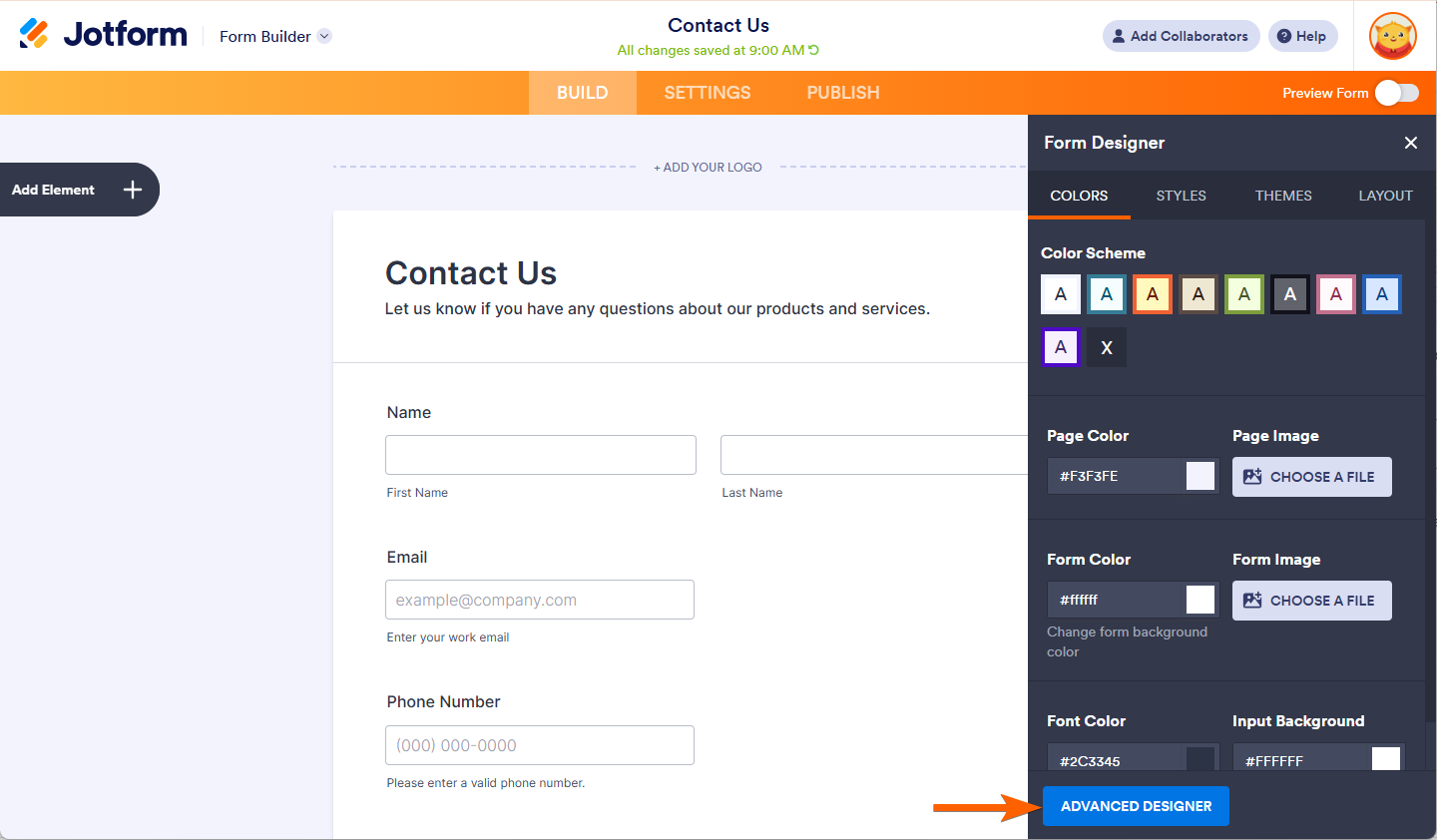
Option 1 – Using Form Designer
- Open your form in Form Builder.
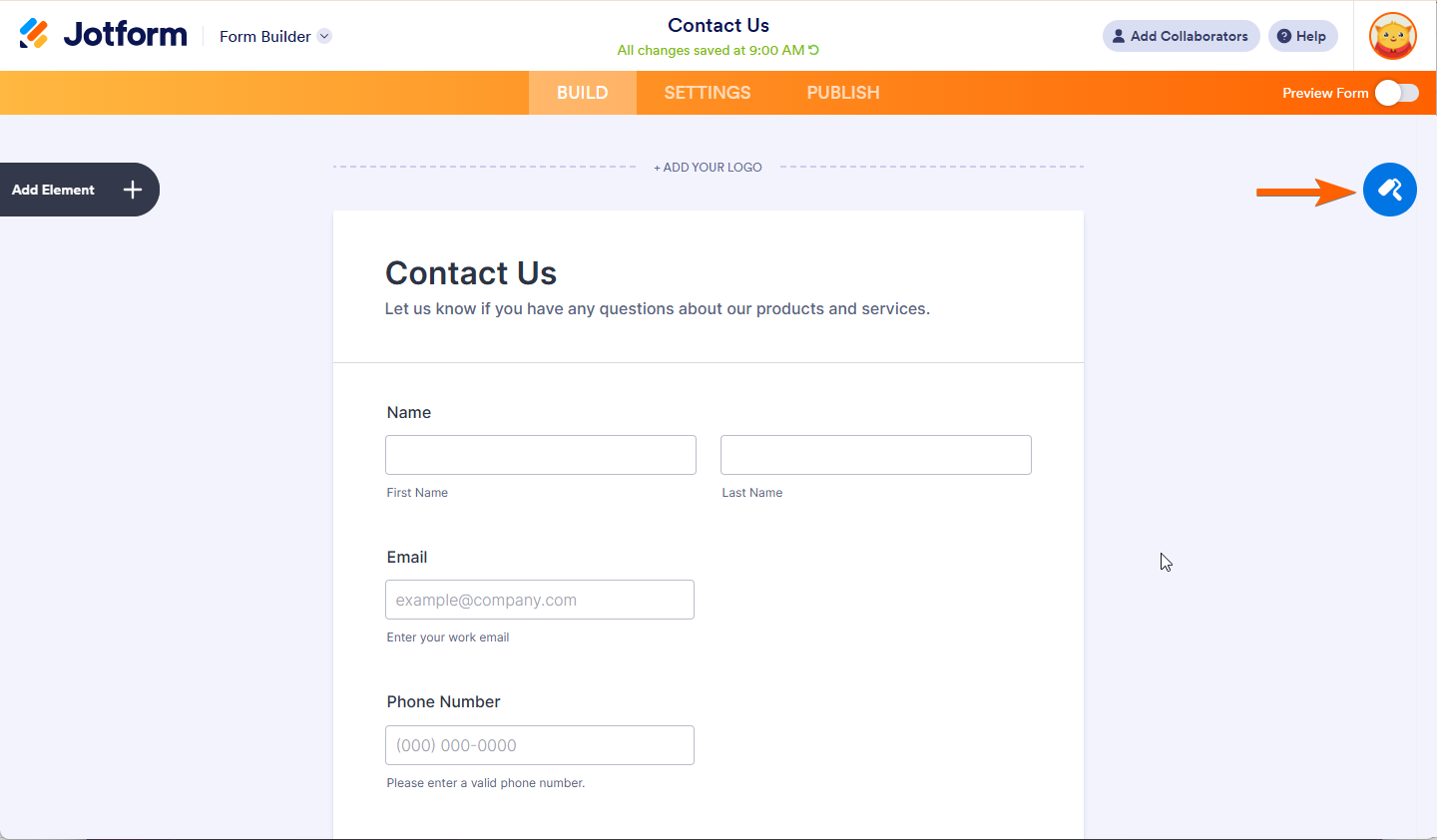
- Click on the Form Designer (paint roller icon) on the right side.
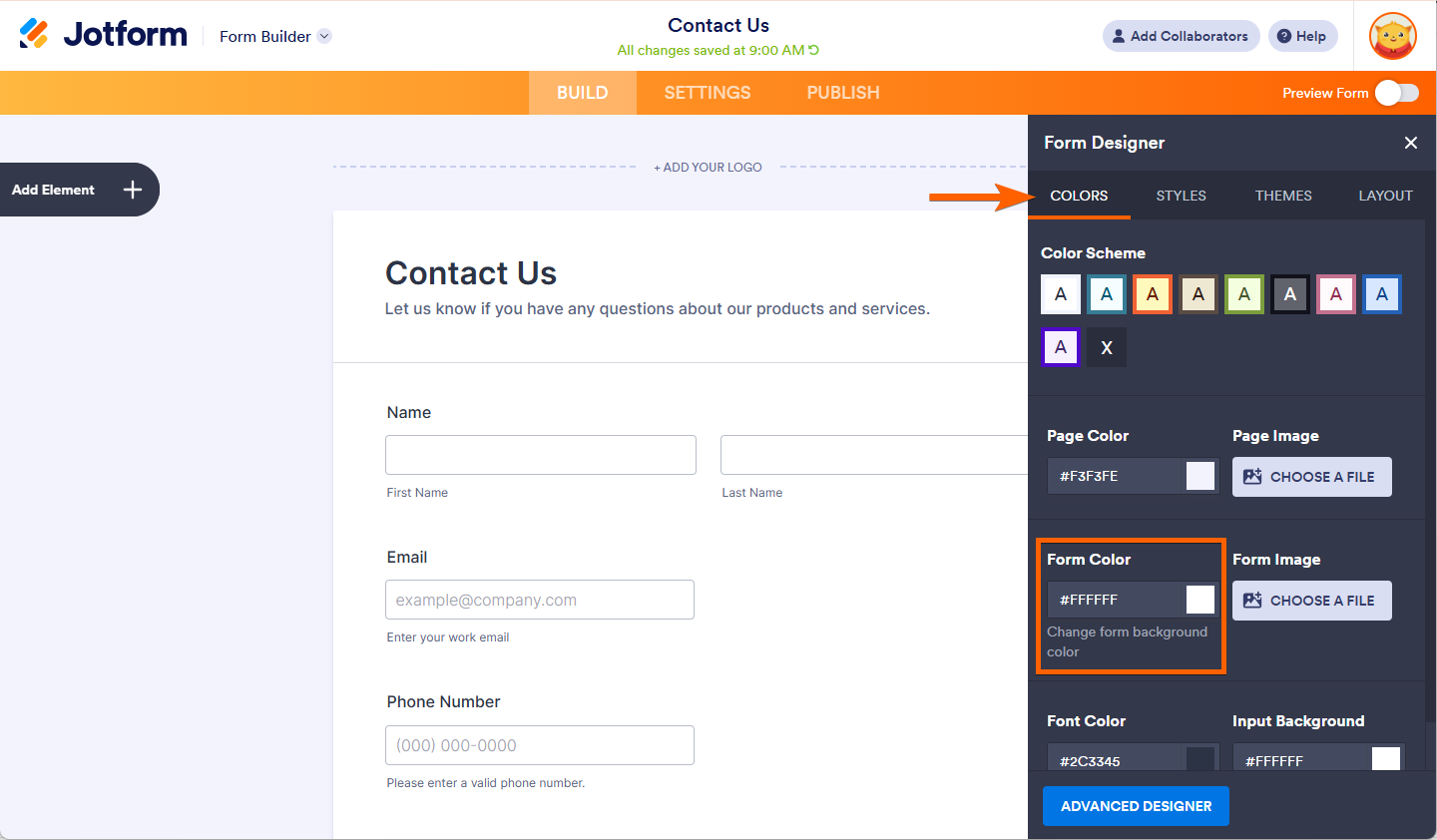
- Go to the Colors tab.
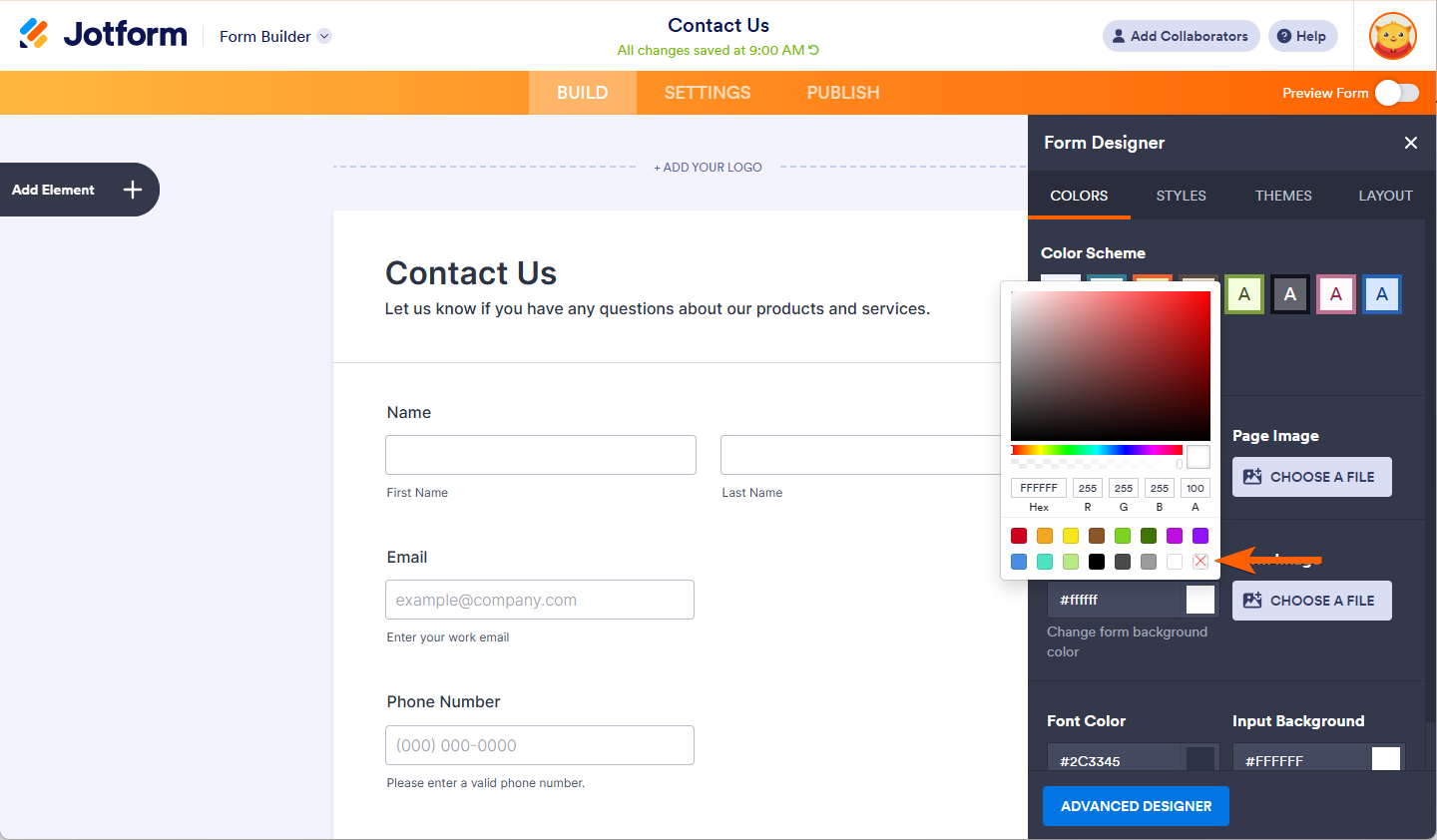
- In the Form Color box, set the color to Transparent, or click the X icon in the color picker to clear the color.
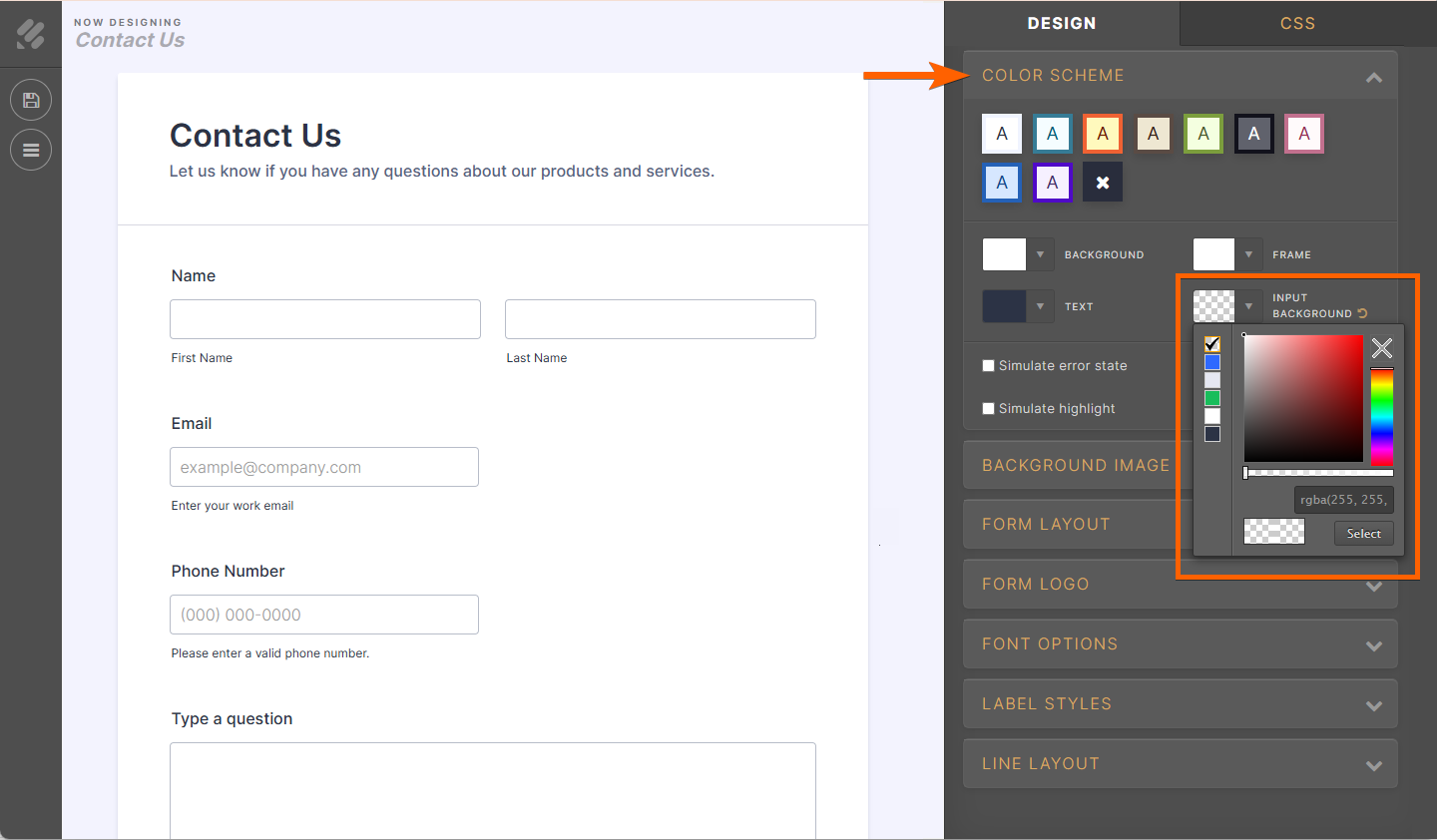
Option 2 – Using Advanced Designer
- In Form Designer, click on Advanced Designer at the bottom to open it.
- Under Color Scheme, click on Frame and Background, then use the transparency sliders to make them transparent as needed.
- Click on Save on the left to apply the changes.
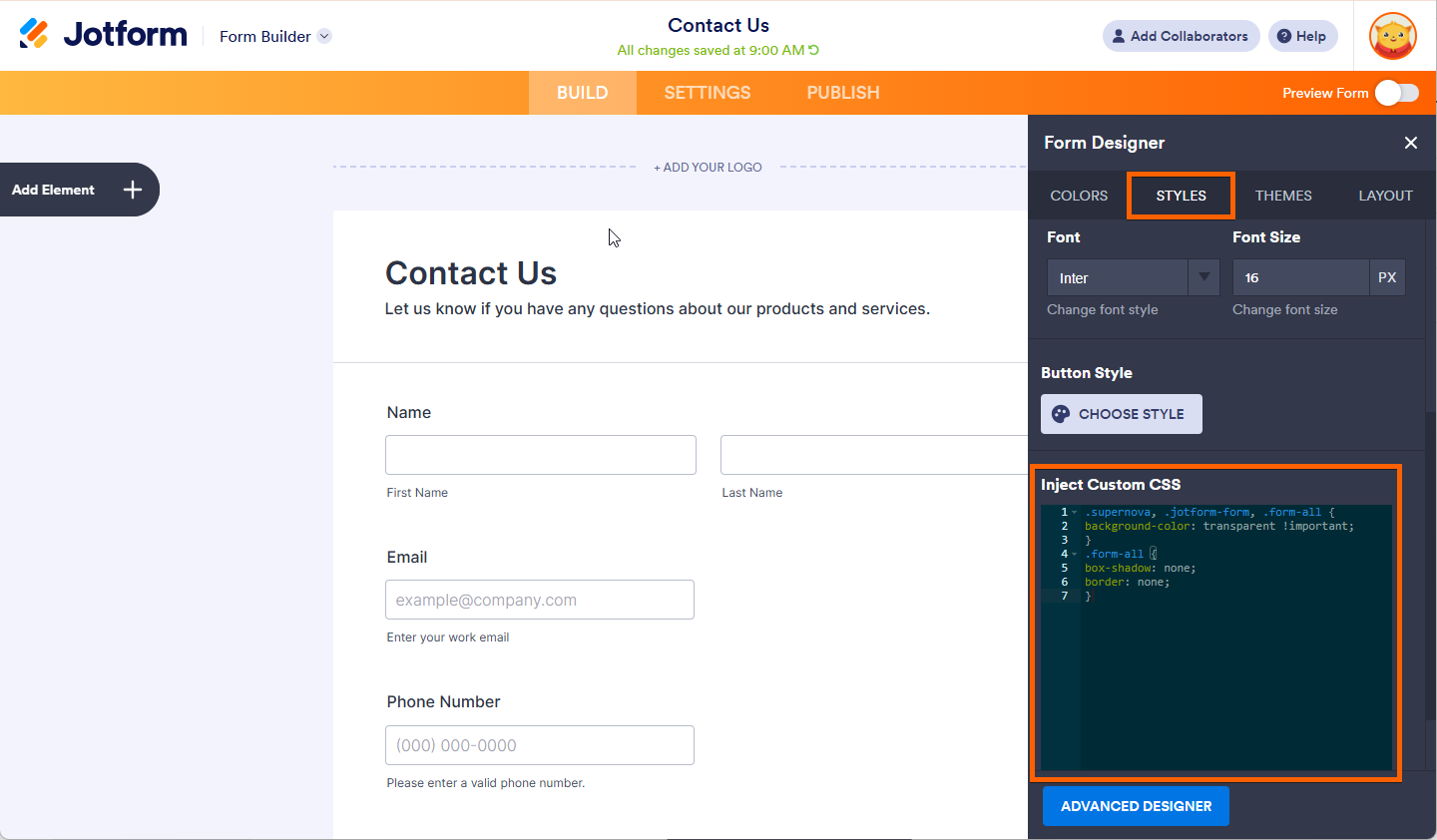
Option 3 – Using Custom CSS (for full transparency and no borders)
- Open Form Designer for your form.
- Go to the Styles tab.
- Scroll down to Inject Custom CSS and paste this code:
.supernova, .jotform-form, .form-all {
background-color: transparent !important;
}
.form-all {
box-shadow: none;
border: none;
}
After doing this on the form and enabling Use My Own Form Styles in App Builder, the form should appear transparent within your app again, as long as the app’s own background color or image is what you want to show through.
If what you mean is the entire app canvas/background itself being transparent (not just the form inside it), there is no information available about a transparency control for the app background specifically. In that case, please clarify exactly which background (form vs. app) you are trying to make transparent and, if possible, share a screenshot, so we can better understand what you are seeing after the update.
Give it a try and let us know how it goes.
-
itcalido
I want to speak to a real customer service representative.
You recently updated the app, and now I can't make the background transparent anymore. Please fix this.
-
Podo: Support Specialist
Hi Calido,
One of our Support Team members will take it from here to follow up shortly.
Let us know if you have any other questions.
-
 Joeni JotForm Support
Hi Itcalido,
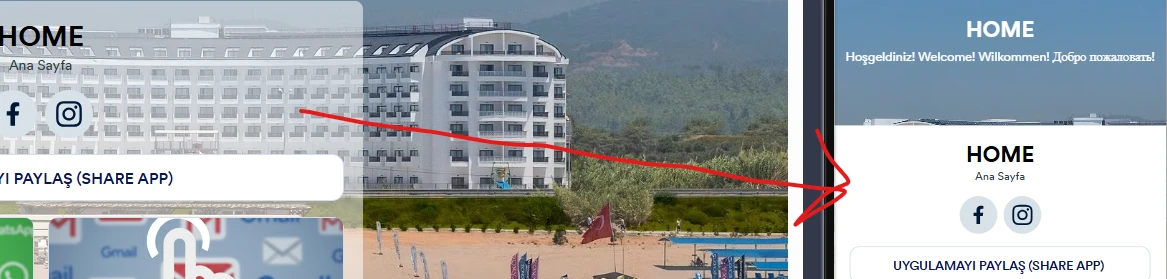
I cloned your app to test the issue, and I encountered the same issue. Take a look at the screenshot below:
I’ve passed this to our Developers along with my test results so they can start looking into it. We’ll be back with an update as soon as we can.
-
 Buzz Product Operations Specialist
Hi Calido,
Thanks for waiting patiently. This issue should be fixed now. Could you please also check and let us know if anything goes wrong?
-
itcalido
Hi Jotfom Support;
The problem persists; it's only resolved on the main screen, but it still continues.
Please fix it, thanks a lot.
-
 Abdul JotForm Support
Hi Calido,
I checked your app, and I can see that it is now transparent, as you can see in the attached screenshot:
If you see something different and have tested it on another browser or device, take a screenshot of what’s happening and send it to us. This guide will show you how to do that.
Once we hear back from you, we will help you with this.


Your Reply
Something Went Wrong
An error occurred while generating the AI response. Please try again!